

Updrex.com is a website that claims to offer cryptocurrency trading services. However, there are many red flags that indicate that Updrex.com is a scam and not a legitimate platform.
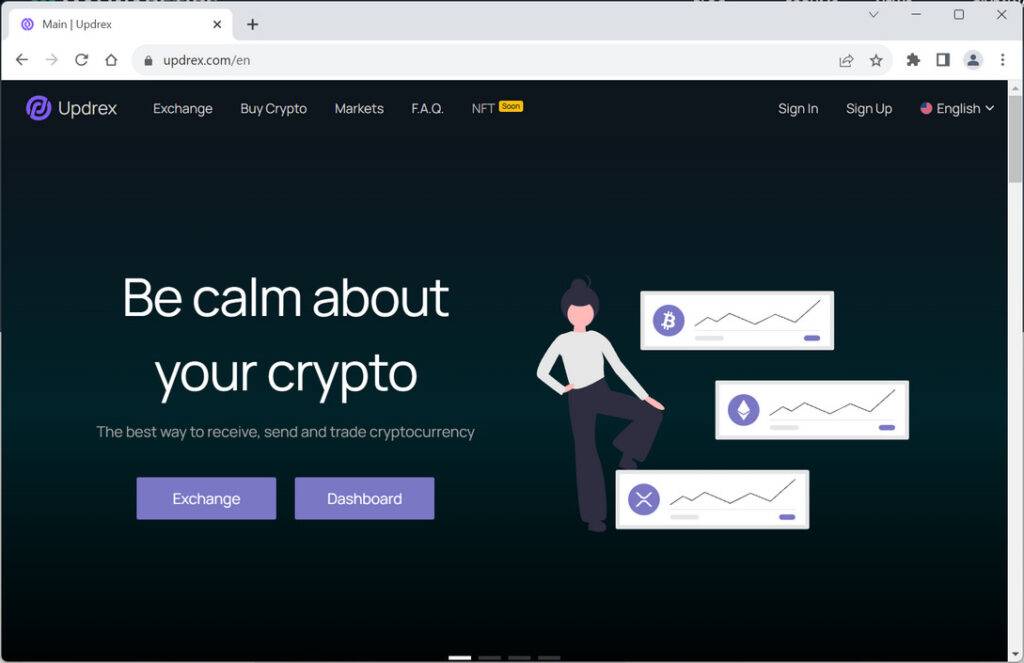
Updrex.com Red Flags
Updrex.com is a website that claims to be a Bitcoin cryptocurrency trading platform. It boasts of having a team of experts who can help users make profitable trades and earn passive income.
However, these claims are false and misleading. Updrex.com is actually a scam that aims to deceive unsuspecting users and exploit their financial resources. Here is how the scam works:
- Updrex.com lures users with fake promises of high returns and low risks.
- Updrex.com asks users to register on its website and provide personal and financial information.
- Updrex.com then asks users to deposit a minimum amount of money (usually $250) to start trading.
- Updrex.com either does not allow users to withdraw their money or asks them to pay more fees or taxes before they can do so.
- Updrex.com eventually stops responding to users’ queries or complaints and disappears with their money.
Here are some of the reasons why you should avoid Updrex.com at all costs:
First, the website does not provide any information about the company behind it, such as its name, address, registration number, or license. The only contact details are an email address and a phone number, which are not enough to verify the legitimacy of the business.
Second, the website makes unrealistic and exaggerated claims about the returns and profits that investors can expect from trading with them. For example, the website states that investors can earn huge return on investment with their professional team of traders, but does not provide any evidence or testimonials to back up this claim. The website also promises instant withdrawals and multiple payment options, but does not specify any fees or charges that might apply.
Third, the website has a poor reputation online, as there are several complaints and negative reviews from users who claim that they have been scammed by Updrex.com. Some users report that they have been unable to withdraw their funds, while others say that they have been pressured to deposit more money or to pay taxes or fees before they can access their profits. Some users also warn that the website is using fake or stolen awards and logos to deceive potential customers.
What should you do if you have usded Updrex.com?
- Contact your bank or financial institution: If you have paid with your credit card or debit card, you should contact your bank or financial institution as soon as possible and request them to cancel the transaction and refund your money. You should also report the website as a fraudulent site and ask them to block any future charges from it.
- Change your passwords: If you have created an account on Updrex.com or used the same password for other online accounts, you should change your passwords immediately. You should also enable two-factor authentication for your accounts if possible. This will prevent hackers from accessing your accounts and stealing your personal information.
- Beware of phishing emails: You might receive emails from Updrex.com or other sources claiming to be related to your order or offering you discounts or refunds. These emails are likely to be phishing attempts that aim to trick you into clicking on malicious links or downloading attachments that can infect your device with malware or steal your information. You should delete these emails and do not open any links or attachments from them.
- Use a browser-based content blocker, like AdGuard : Content blockers help stop malicious ads, Trojans, phishing, and other undesirable content that an antivirus product alone may not stop.
- Scan your device for malware. If you suspect your device is infected with malware, you can run a scan with Malwarebytes Anti-Malware Free.
Updrex.com Final Thoughts
In conclusion, Updrex.com is a scam website that you should avoid at all costs. It has many red flags that indicate that it is not trustworthy or reliable Do not waste your time or money on this website, as you will likely end up disappointed or scammed.

Reviews & discussion
0 commentsShare a firsthand experience, or ask a question.
Community reviews
updrex.com
Moderated reader experiences, not an editorial verdict.
Start the conversation
Have a question or something useful to share? Add the first comment.