


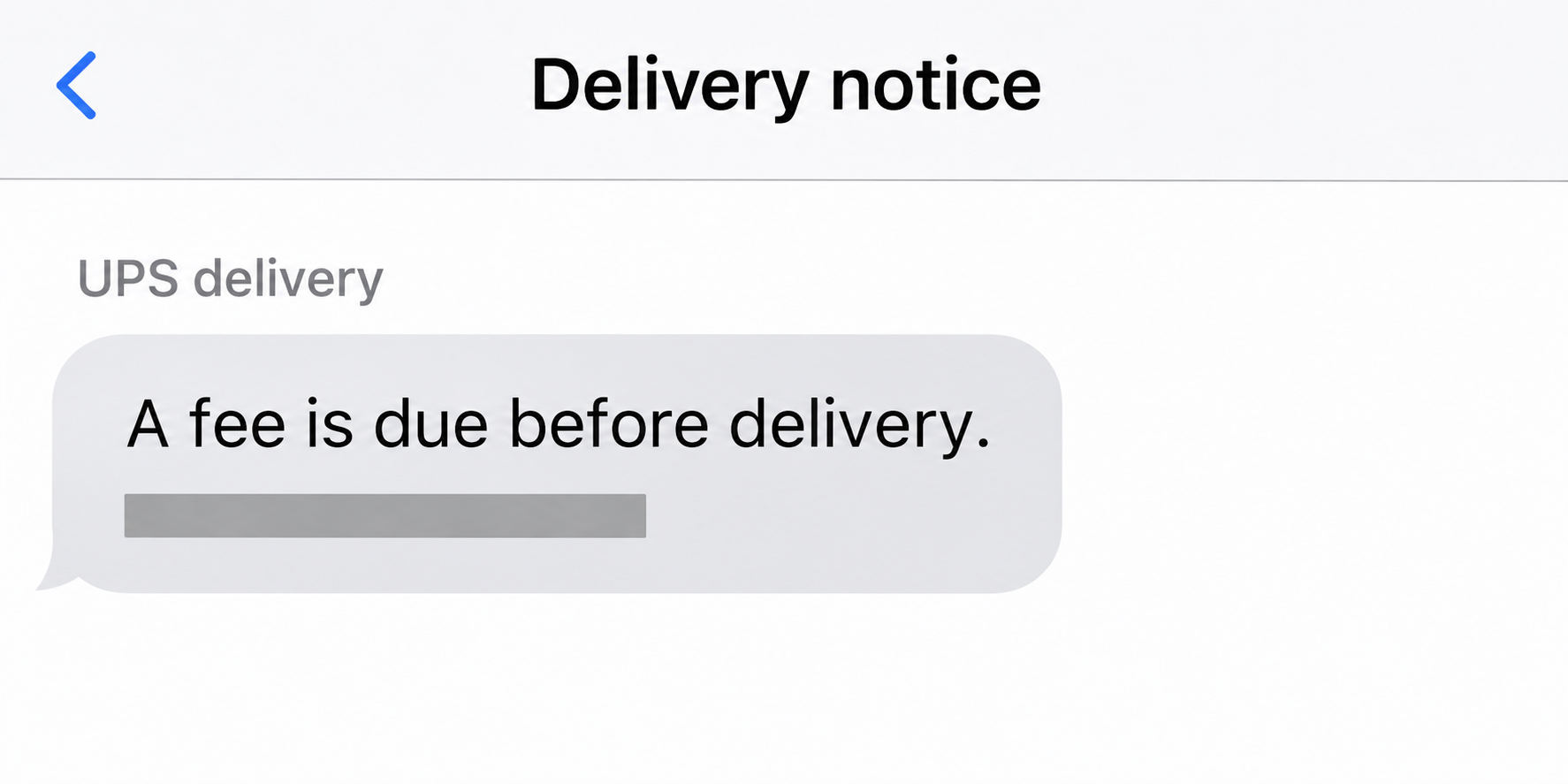
A UPS import fees text says a charge is holding up your package. You’re expecting a shipment, so paying may seem like the quickest way to get it delivered.
The difficult part is that some UPS charges really are due before delivery. The shipment’s own record, rather than the wording in the message, is where to start.
Overview
UPS handles real charges as well as fake notices
UPS import fees can include duties, taxes, and carrier charges. Collect on Delivery is a separate arrangement. A notice about money isn’t automatically fraudulent just because it arrives by text.
The payment has to match a package and an actual charge. UPS says to look up the shipment directly if a message asks for money.
An authentic tracking number doesn’t validate the payment path
A real number can be copied into a fake message. Find the number in an order, shipping notice from the seller, or a verified UPS delivery notice.
Even if the number in the text matches your shipment, use the tracking page you reached independently to find out whether the charge is really there.
A failed delivery is not the same as unpaid import fees
A missed attempt can leave you with a new delivery date or pickup instructions. It doesn’t make a small card payment requested by a stranger part of the shipping contract.
- Matching shipment and verified fee: Review and pay only through the route UPS provides independently.
- Matching shipment, no matching fee: Follow tracking or contact UPS without touching the message.
- No known shipment: Ask the purported sender separately, without using any contact from the text.
- Card details already entered: Contact the issuer, even if the charge hasn’t appeared.
What a Real UPS Import Charge Can Include
Imagine you buy an item from a shop abroad. The checkout may cover delivery without covering the charges that apply when the parcel enters the destination country.
Taxes and duties are government charges. UPS may also charge for brokerage or for advancing money to customs. A fee description should tell you which kind of cost you’re seeing.
Start with your original order receipt. Look for a statement about duty or tax collection rather than assuming free shipping covers everything owed at the border.
If the retailer says the charges are prepaid and UPS shows a bill, don’t pay both blindly. Ask the seller and UPS to reconcile their records against the same shipment.
A return address or domestic website name isn’t a reliable guide to where your actual parcel came from. Verify the dispatch and delivery details in the order and tracking history.
UPS’s U.S. import fee guide describes checking Tracking and looking for a yellow Pay Now notice when charges are due. It also explains how U.S. importers can question a calculation.
A verified fee can have more than one line. Check the duty or tax amount separately from charges for the service of clearing or delivering the package.
The U.S. page currently describes a $12 surcharge when eligible import charges are paid at delivery instead of in advance. Don’t apply that amount to every country or shipment.
For comparison, the UPS UK import guide explains its own tracking and fee procedure. Match the destination country’s guidance instead of treating an American example as a universal rule.
How the UPS Delivery Fee Text Scam Works
Step 1: A delivery problem creates a plausible bill
The message says a package is waiting, a driver missed you, or your address needs checking. It presents a fee as the last obstacle between you and the parcel.
The timing may be all the personalization it needs. Plenty of people expecting a shipment will recognize the problem without being shown what they ordered.
UPS has published documented fake texts involving missed deliveries and payments. Their wording varies, so don’t wait for your text to match a historic screenshot exactly.
Step 2: A sender-controlled link makes the request look official
The destination might display a logo, tracking history, or an address form. Those details can tell a coherent story without coming from the carrier’s systems.
Looking up the number on the page the sender provided doesn’t independently validate anything. If they control the page, they also control the result shown there.
That’s why the verification route matters more than the design. Compare the package details on Tracking before deciding what kind of notice you have.
Step 3: The supposed fee exposes more than its stated amount
Even a tiny payment can ask for a full card number, expiration date, and security code. Those details are more consequential than the fee printed above the form.
A page may also collect your address or account login. If you typed something before stopping, write down exactly what it was instead of assuming nothing was submitted.
A separate bank prompt can ask you to confirm a transaction. Check the merchant and amount shown by the issuer, and reject approvals you didn’t initiate knowingly.
Confirm the Shipment, the Fee, and the Payment Route
| What you can verify | What it establishes | What to do next |
|---|---|---|
| Tracking number from your order | The shipment belongs to a purchase you recognize | Check the shipment on the site you opened yourself. |
| Pay Now in independent UPS Tracking | UPS has a payment option for that shipment | Review the amount, fee type, and payer before proceeding. |
| Delivery attempt with no verified charge | There may be a delivery issue, not a bill | Use the available delivery or pickup instructions instead. |
| A charge shown only in a text | The sender claims money is owed | Leave the link alone and confirm through UPS. |
Open UPS directly and use Tracking. If you have a printed InfoNotice, UPS’s billing help describes using the notice number for eligible charges as well.
Read the delivery city, date, and status before treating the result as yours. One matching number or a plausible city alone isn’t enough if the rest doesn’t fit.
Next, ask which fee is due. A verified import bill should not turn into a payment to an individual who asks to be reimbursed through a personal payment app.
If your shipment has a Collect on Delivery arrangement, compare it with the seller’s terms. COD collects what the shipment specifies, not what a stranger asks for.
The UPS billing guide distinguishes package charges in Tracking from a UPS invoice paid through a separate billing route. Don’t make one flow substitute for the other.
UPS notes that a legitimate one-time invoice payment may not require enrollment. A missing sign-in screen is therefore not a verdict; what matters is where you started and what matches.
If a real charge appears but seems wrong, save the fee breakdown and request a review through UPS. Keep the dispute with verified billing.
When the Order and the Message Don’t Agree
Sometimes a package is a gift, so you don’t have the original receipt. Contact the person who might have sent it and ask them for the tracking record privately.
If you bought from a marketplace, check the shipment in that platform, too. A reseller may use an overseas warehouse even when its storefront quotes prices in your local currency.
Don’t send your card or ID to someone who claims they need proof you’re the recipient. Find any genuine clearance request through UPS tracking or support.
If the text says a shipment is about to be returned, note the deadline without opening the link. Check the actual status and options through UPS.
A text can be fraudulent while a real delivery problem exists. Deleting the message doesn’t resolve the shipment, and reaching a real tracking page doesn’t prove the message was authentic.
For a text with an attached redelivery notice rather than a simple fee request, the UPS PDF scam guide explains that distinct delivery lure and its risks.
Two Ways a Real Fee and a Fake Text Can Cross Paths
The seller confirms an international parcel, but UPS and the text show different amounts
Consider a hypothetical shipment of shoes from overseas. The seller’s dispatch notice names UPS. A text asks for $3, while independent tracking shows a larger charge with an itemized breakdown.
Don’t use the lower amount as a shortcut. The $3 request isn’t a discount on the verified invoice, and paying it won’t clear a charge on the real shipment.
Take the verified details back to the seller if they’re inconsistent with the order. Ask whether the merchant promised duties paid and whether the exact shipment was covered.
If UPS shows a payable amount, look for the same shipment identity in the breakdown before proceeding. What you’re settling is the verified carrier charge, not the message.
The parcel arrives and a separate bill turns up later
A delivery scan and an unpaid invoice answer different questions. A parcel already at your house does not, by itself, settle how import charges were billed.
If a genuine later invoice refers to the shipment, use the documented UPS billing route to verify the invoice number and payer. Don’t check it on the sender’s landing page.
Sometimes the shop and carrier each say they collected something. Save both receipts and compare which tax, duty, or service each receipt describes before calling it a duplicate.
If the message describes a separate charge that you can’t find anywhere, don’t send card details to have the sender look it up. Ask UPS through its verified channel.
What to Have Ready When You Ask UPS About a Fee
Gather the order number, the confirmed tracking number, and the date the fee appeared. Those details let the seller and carrier discuss the same shipment rather than two similar packages.
Save the total and the individual lines when you can. If there’s an unresolved charge, the useful question isn’t just whether a bill exists, but what exactly it covers.
Keep the country you ordered from and the delivery country distinct. Import rules are tied to the shipment, and an article about another market won’t settle what you owe.
If you already paid through the verified route, save the confirmation before contacting the carrier. Check whether the bill is pending, paid, or asking for a different charge.
Redact addresses and payment details if you post a screenshot asking for help. Support may need your tracking number privately; a public thread doesn’t need your full shipping record.
What to Do If You Opened the Text or Entered Payment Details
-
Check your package independently before you pay. Use the shipment information from your order, then check whether the deadline and fee also appear through UPS.
-
If you only opened the page, close it. Check whether you entered data, approved a notification, or installed anything before deciding what else needs attention.
A page visit on its own doesn’t tell you that your card was taken. An approved download or browser permission is a different event and should be reviewed separately.
-
If you typed card details, contact your issuer. Explain when it happened, the amount shown, and whether you confirmed a separate transaction through the issuer.
Save the receipt or payment entry if one appears. Ask the issuer about protecting the card and disputing unrecognized charges rather than waiting for a second debit.
-
If the page collected your UPS password, change it. Use UPS directly, inspect recent account activity, and change reused passwords on any other accounts affected.
-
If you paid a verified UPS bill, keep that receipt. Compare it with the later request before deciding whether another payment is due or was posted in error.
-
Report the suspected impersonation through independent channels. Use UPS’s fraud information to find current reporting options. Preserve the text without publishing your real tracking number or address.
U.S. consumers can also file a report with the FTC. That report doesn’t stop an active charge, so handle financial exposure with your provider first.
Frequently Asked Questions
Can a text about UPS import fees be legitimate?
Import charges can genuinely be due. Verify the shipment separately, then use UPS Tracking or documented billing to confirm the fee and the correct payment route.
Does a valid tracking number prove the sender works for UPS?
It is possible to copy a genuine number. Confirm the shipment and charge through UPS rather than following a link because its number looks right.
Can a normal missed delivery require the fee in my text?
A missed attempt doesn’t establish that an outside payment is due. Check the tracking instructions for that attempt and ask UPS about any charge you can’t verify.
What if someone sent me a package as a gift?
Ask the person who might have sent it for the tracking details independently. If you can’t match the shipment, don’t let the message’s deadline make the decision.
Is paying duties at delivery the same as a redelivery fee?
Import duties apply to a shipment entering a country. Payment at delivery is a collection option in some cases, not evidence that an SMS redelivery charge is genuine.
What if the fee on UPS Tracking is different from the text?
Don’t pay from the text or choose whichever amount is lower. Verify the charge with UPS, using your actual shipment number and the official billing details.
The Bottom Line
Verify a UPS import fees text by checking Tracking independently. A real shipment can have a charge, but that doesn’t authenticate a message asking you to pay.
If you entered details on a page you can’t verify, document what you provided. Contact the issuer for card exposure and UPS for the real shipment or account problem.

Join the discussion
0 commentsShare your experience or ask a question about this article.
Community experiences
Did this happen to you?
Your experience could help someone recognize the same scam. Submit a private report for our team to review.
I experienced this tooReports are reviewed before publication. Sharing publicly is always your choice.
Discussion
Start the conversation
Have a question or something useful to share? Add the first comment.