

A USOR airdrop page combines free cryptocurrency with an oil-reserve story. The name sounds substantial, especially compared with a giveaway built around a random internet joke.
You may want to see what the allocation is worth. Before connecting anything, separate the promise, the supposed backing, and the wallet action the page actually requests.
Overview
The USOR claim pages are a documented giveaway trap
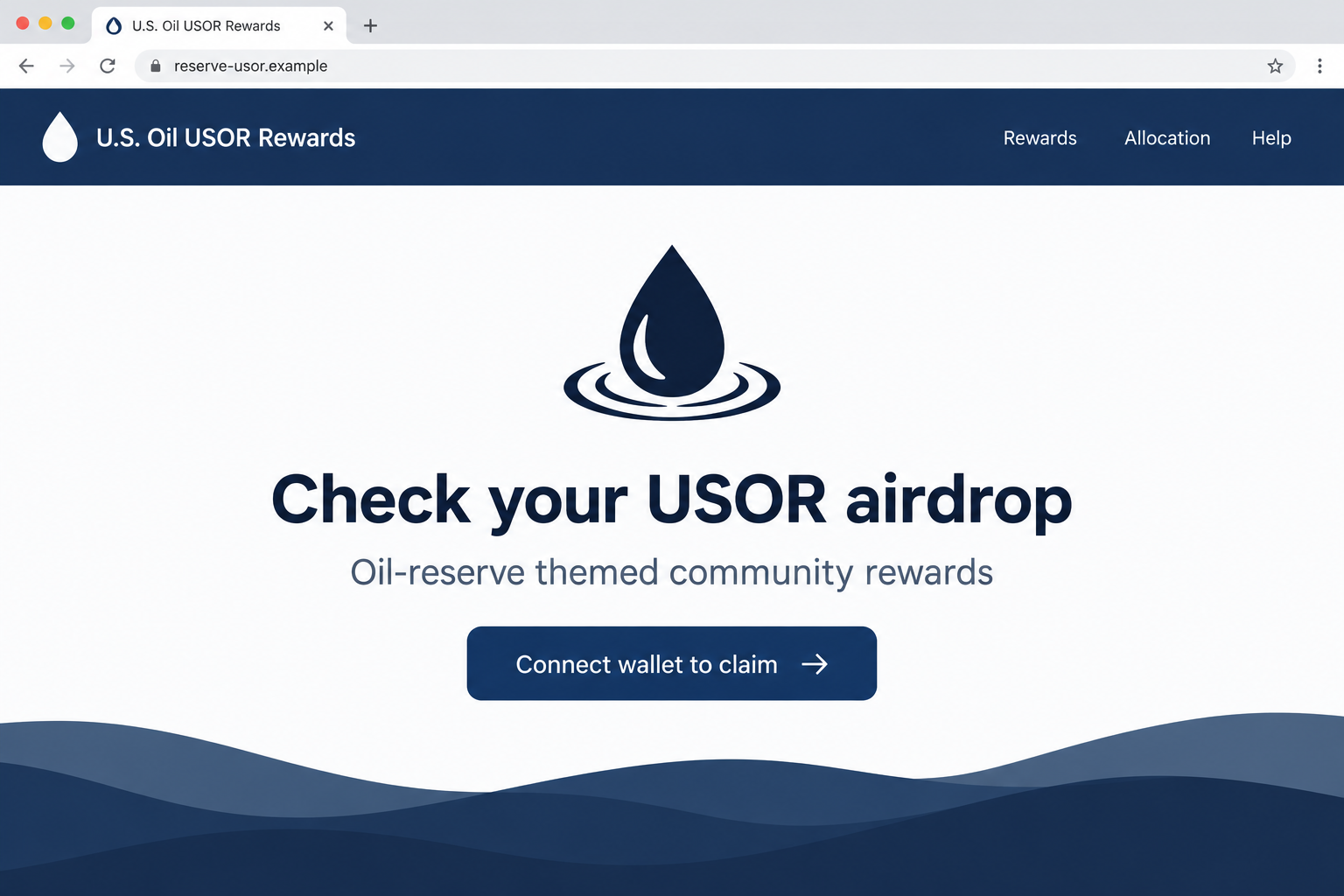
The USOR airdrop scam refers to reported counterfeit token-claim pages using U.S. Oil branding. A documented example at gousoroil[.]lat encouraged wallet interaction to collect a distribution.
The recorded investigation identified that page as a crypto-draining scheme. Other reported USOR-themed hosts used allocation, registration, reserve, or oil-related wording.
We have not reproduced their contract requests or established that all hosts share an operator. The warning concerns the counterfeit promotions, not a blanket verdict on every similarly named asset.
Ordinary wallet connection does not itself authorize unrestricted theft. Further transactions, token permissions, signatures, or secret exposure determine what an interaction can actually do.
Oil branding is not evidence of government backing
The token’s reported marketing links it to oil-reserve exposure. We did not independently establish reserve ownership, custody, redemption rights, or government affiliation.
The Department of Energy describes the federal Strategic Petroleum Reserve as an emergency oil supply. That institution is not authenticated by a crypto page’s U.S. Oil label.
- A reserve-themed name does not prove ownership of physical oil.
- A free-token claim does not prove an authorized distribution.
- A familiar token symbol does not verify its underlying asset identifier.
- A wallet prompt must be reviewed for the actual transfer or authority requested.
Two claims need separate answers: whether a token has the backing it advertises, and whether this particular giveaway is permitted to involve your wallet.
Current project claims and historical copies remain separate
The campaign record was updated in February 2026. This article does not claim its listed hosts remain active or that a new October 2026 distribution was discovered.
The reported original project address, usor.tech, could not be reviewed through our current web fetch. It is not recommended here as a verified investment route.
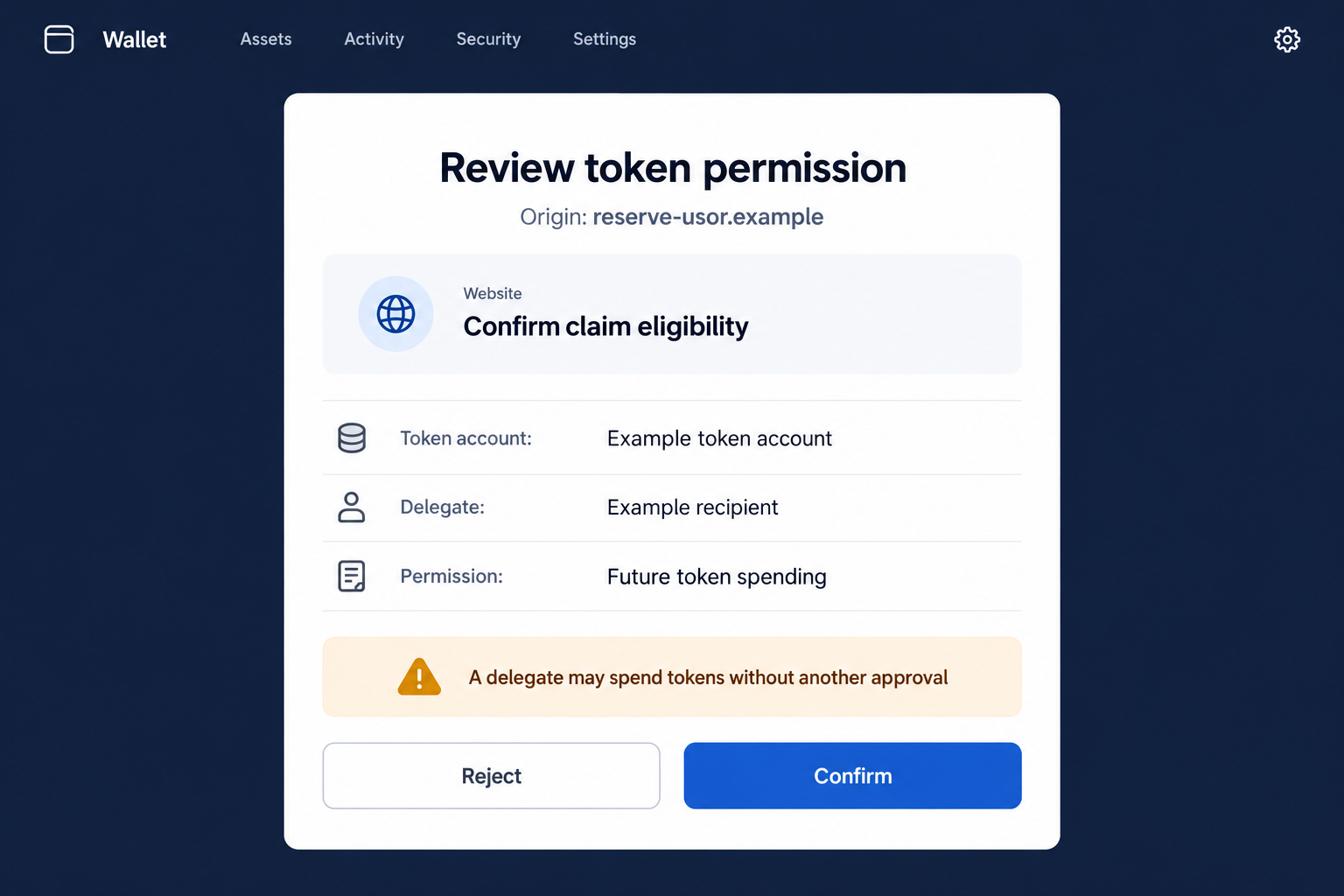
The illustrations use fictional hostnames and a hypothetical Solana permission request. They are not captures of a specific drainer transaction from the recorded sites.
If you tried a claim, check the account and network you actually used. Neither the page’s oil story nor its apparent allocation can establish what happened.
What the Reserve Story Does to the Reader’s Expectations
A tangible commodity can make a token sound less speculative
Oil exists outside the blockchain, and people already associate reserves with substantial infrastructure. That background can make a promotional token name feel grounded before its claims are examined.
The connection still needs evidence. A label cannot establish who owns the asset, where it is held, or what rights a token holder receives.
Those are different questions from whether the page displays an oil-themed design. An interface can borrow an industry’s credibility without demonstrating any relationship to its assets.
Do not convert a reassuring theme into an investment conclusion. Authentic ownership and enforceable rights require information beyond an airdrop headline.
National wording can suggest an official relationship that was never shown
The words “U.S.” and “reserve” can make an offer sound governmental. A reader may infer public oversight even when the page does not establish it.
Names do not confer that status. A government affiliation should be confirmed through the actual institution, not inferred from a token ticker or a website heading.
The Department of Energy’s description of the Strategic Petroleum Reserve provides institutional context. It does not authenticate this token or its promotional claim pages.
A token could also make private backing claims unrelated to federal reserves. Those claims require their own verification and are not resolved merely by identifying a counterfeit giveaway.
Free distribution can distract from the value already in the wallet
A visitor may see no purchase price and assume little can be lost. The account they connect can still hold valuable assets unrelated to the advertised reward.
The relevant cost may be an authorization, not a stated payment. A request involving another token should not be dismissed because the headline promises something free.
For example, an oil-themed claim might be shown beside a wallet holding stablecoins. That illustrative situation explains exposure without identifying an actual victim or transaction.
Review the request using your existing holdings as the context. The alleged new allocation should not overshadow what the wallet may send or permit.
How the USOR Airdrop Scam Works
Step 1: An oil-themed giveaway introduces a supposed entitlement
The offer promises a USOR distribution and presents itself as a rewards opportunity. It invites the visitor to check or claim rather than explaining a verified entitlement first.
Someone interested in commodity-related crypto may find that relevant. Relevance does not establish authorization from a project, issuer, or governmental institution.
The recorded case does not identify one universal advertising route. A forwarded message, advertisement, or social post is evidence of the invitation, not verification of it.
Begin with the organizer and the exact program. Do not let a promise of free tokens decide whether the destination is trustworthy.
Step 2: Reserve and allocation words make separate domains look purposeful
The reported host names include gousoroil[.]lat, allocation-usor[.]com, and register-usor[.]app. Each can sound like a function within a larger rewards operation.
That naming style does not prove the sites are authorized or operated by the same party.
It also does not authenticate another site simply because it is absent from this list.
Look for independent confirmation of the exact domain. A page saying “register” is not evidence that a legitimate institution needs your registration.
The historical hostnames are included as recognition clues only. Do not open them to test the claim or use them as a complete safety checklist.
Step 3: A claim control leads into wallet identification
The reader is encouraged to connect to collect the supposed allocation. A familiar connection dialog can make that step feel like an ordinary account sign-in.
At this stage, distinguish address visibility from financial authority. A site can learn an address and propose requests without automatically possessing the right to spend every asset.
That distinction remains important for a counterfeit. Your response depends on the later actions, not only the label attached to the first button.
Any demand for the phrase controlling the wallet is a separate danger. Do not disclose that secret to unlock an oil-themed allocation.
Step 4: Eligibility wording can conceal token permissions
A harmful journey can introduce transfers, delegated spending, or other consequential requests. We have not independently established the implementation used by each recorded USOR copy.
The picture shows a hypothetical Solana spending delegation under a claim-eligibility description. Its example accounts are not observed addresses from the campaign.
Read the wallet’s explanation of the permission. Being allowed to spend an existing token is different from sending a new reward to your receiving address.
Do not approve an unclear request because it uses reserve or verification language. Those words cannot narrow authority that the actual transaction grants.
Step 5: The actual account result may contradict the displayed allocation
The site can continue showing a reward as pending while the wallet records an unrelated authorization or transfer. The display is controlled by the operator making the claim.
Check whether assets moved and whether permissions remain. A rejected request, an approved delegation, and a completed transfer should not be treated as the same outcome.
Do not sign again to make a pending allocation finish. Repeating the flow can create another request without resolving the first mismatch.
If someone requests a payment to verify the reserve or release the reward, evaluate it independently. A new charge cannot prove the existence of the original allocation.
How to Check an Oil-Related Token Claim Without Accepting Its Premise
Ask what the supposed backing actually means
A backing claim should identify the asset owner, custody arrangement, verification process, and holder’s rights. Those details cannot be replaced by a reserve-themed brand name.
A website may discuss transparency without providing independently usable evidence. A statement that reserves are secure is still a statement from the issuer or promoter.
We did not audit the underlying USOR project. Its financial promises should not be treated as verified facts because a counterfeit page was identified separately.
If the required evidence is missing, name that gap instead of assuming backing exists. Do not use a wallet interaction to answer a custody question.
Verify the exact distribution, not only the token’s existence
A real token can be used as bait for a false giveaway. Finding an asset with the same name does not authorize the website asking you to claim it.
The distribution should have a verifiable organizer and current terms. A token identifier alone does not establish eligibility, timing, or the permissions needed to participate.
Likewise, an exchange or price listing is not an endorsement of every linked promotion. The claim page must establish its own relationship to the program.
Do not accept a direct message as the missing evidence simply because its sender knows the token’s name. That information is public.
Use permission tools for the chain actually involved
If the interaction was on Solana, inspect Solana authority with supported wallet guidance. An EVM-only allowance checker does not automatically review another network’s permissions.
Solflare’s delegation explanation describes future-spending authority. A legitimate application may need it, but an untrusted delegate can misuse the permission.
Confirm the affected token account and requested scope. The claim’s oil theme tells you nothing about whether that authority matches your intention.
If your actual wallet used another network, follow that wallet’s official process instead. Recovery should fit the records, not the network pictured in an illustration.
What to Do if You Have Fallen Victim to This Scam
- Stop the allocation flow and note your actions.
Leave the page and record its address. List whether you connected, signed, granted permission, sent assets, or supplied a secret.
Keep the invitation and existing screenshots. You do not need to revisit the operator to obtain a cleaner example of the claim.
- Check the real account activity.
Use your usual wallet and an independently accessed explorer to inspect transactions. Preserve identifiers, networks, tokens, amounts, and unexpected destinations.
Look beyond USOR. A deceptive permission can concern a different holding from the token advertised in the page’s headline.
- Remove suspicious access on the right network.
Disconnect the application, then examine continuing spending authority. Use verified instructions to revoke unwanted permissions where applicable.
Phantom’s compromise guide separates those tasks and explains why disconnecting alone may not remove an existing spending permission.
- Replace a disclosed controlling secret.
If you provided a phrase or private key, create a new wallet with a new secret using a trustworthy device. Do not rely on an application password change.
Secure legitimate assets carefully. If automated withdrawals occur, seek reliable technical assistance rather than repeatedly adding fee funds to the compromised account.
- Review downloads and browser permissions.
If a claim verifier, unfamiliar extension, or persistent redirect was involved, inspect the device and use updated Malwarebytes to check for unwanted software.
AdGuard may help reduce some malicious-site and scam-ad exposure. It does not verify oil backing, cancel every on-chain authority, or reimburse a transfer.
- Report the particular claim instead of making broad accusations.
Report the domain and invitation on the platform where they appeared. Give appropriate authorities the transaction evidence if assets were lost.
Keep the counterfeit promotion separate from any unverified issuer claims. That distinction makes a report more precise and useful.
- Decline fees for reserve validation or guaranteed recovery.
A stranger may offer to unlock the allocation or recover losses using official-sounding financial language. Another payment does not authenticate their role.
Confirm any genuine service independently. A traceable blockchain record can support investigation, but it is not a promise that your funds can be reversed.
Frequently Asked Questions
Is the USOR airdrop a distribution from the federal oil reserve?
No verified governmental relationship was established. Do not infer one from U.S. Oil branding or confuse it with the Department of Energy’s Strategic Petroleum Reserve.
Does the token name prove that physical oil backs it?
No. Backing requires evidence about ownership, custody, verification, and holder rights. This article did not independently establish those claims for the underlying project.
Are all USOR-themed websites operated by one group?
We did not establish common ownership. The recorded examples share a promotional theme, but that alone does not prove one operator controls them all.
Did every visitor see the pictured Solana delegation?
The image is hypothetical. It explains a permission risk without claiming an identical request was independently observed across the historical copies.
Can existing assets be affected by a free claim?
Yes, if you authorize a harmful action involving them. Read every wallet request, even when the page advertises a different token at no purchase price.
What if a security tool does not flag the site?
An absent warning is not verification of the operator or distribution. Check identity and authorization independently rather than treating a detection list as an approval list.
The Bottom Line
The USOR airdrop scam uses oil-reserve language to make a counterfeit claim appear substantial. Branding cannot prove either asset backing or permission to involve your wallet.
Verify those questions separately. If you already acted, follow the actual account record and chain-specific permissions instead of the promised allocation.

Join the discussion
0 commentsShare your experience or ask a question about this article.
Discussion
Start the conversation
Have a question or something useful to share? Add the first comment.