


A text says USPS tried to deliver your parcel, but something went wrong. You’re waiting for a package, so the request to reschedule feels timely.
A short deadline and a delivery link make the next step seem obvious. First, check whether the message knows anything real about your parcel.
Overview
A missed delivery becomes a reason to open a link
The USPS reschedule delivery scam uses an incomplete or unsuccessful delivery claim to move recipients to a fraudulent web form.
The message can say an address needs correction, a signature was missed, or a parcel is waiting for a new delivery appointment.
Some versions add a short collection deadline. Others ask you to reply before reopening the message or copying the address into a browser.
USPS is being impersonated. Real parcels can need redelivery, but that doesn’t authenticate a link attached to an unsolicited text.
The postal inspectors identify the tracking-text impersonation
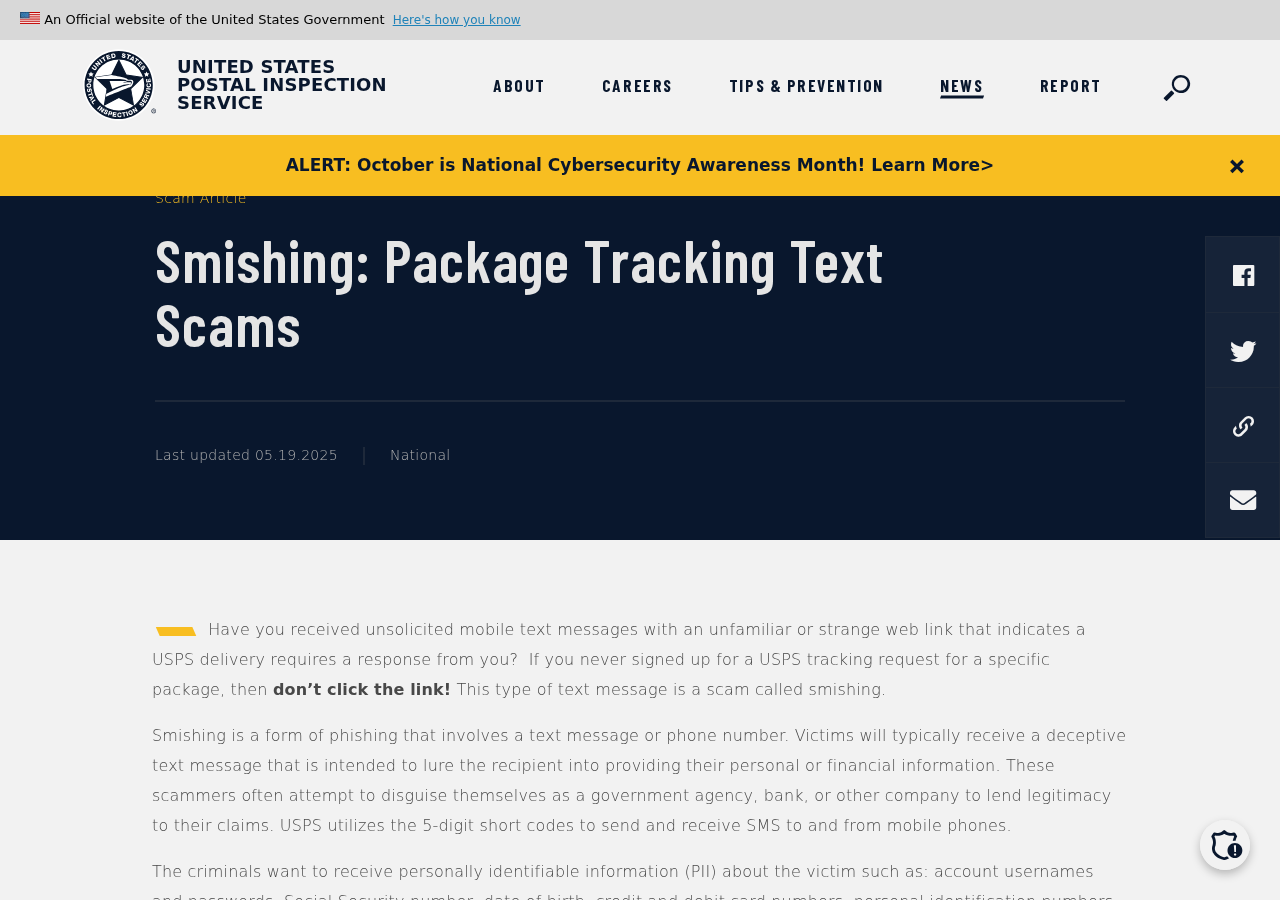
The US Postal Inspection Service’s smishing warning explains how fake parcel texts seek personal and financial information.
Its guidance says genuine USPS package-tracking texts require you to initiate tracking for a specific item and do not contain a link.
That statement concerns the package-tracking service. It isn’t a claim that USPS never sends legitimate email or that every postal service is free.
The original screenshot above shows the inspectors’ warning. It is not a screenshot of an active phishing page or evidence about your particular package.
The real tracking record should drive your next step
Get the tracking number from your genuine order confirmation or sender. Enter it through a USPS route you open independently.
- Check whether a delivery attempt actually appears for your parcel.
- Use the genuine redelivery process if that item needs another attempt.
- Do not provide a card to an unsolicited address-correction form.
- Contact your issuer if you already typed payment details into the linked page.
A parcel you genuinely expect makes the story plausible, not verified. The sender still needs to connect the message to the real shipment.
Why a Parcel Text Is Easy to Believe
It arrives in the middle of an ordinary delivery
Online orders often involve several notifications from a retailer, a marketplace, and a carrier. A brief delivery problem can blend into that stream.
You may also be waiting for an item sent by someone else. That leaves room for a vague “your package” message without a familiar order number.
The scam exploits the gap between expectation and evidence. You supply the context from your own shopping while the message supplies an urgent problem.
Being at home during the alleged attempt doesn’t settle the issue either. Check the actual tracking history rather than arguing with the text.
The suggested fix sounds harmless
Correcting an address or choosing a day feels different from paying a stranger. The first request can therefore seem like ordinary delivery administration.
That framing makes later fields feel justified. Once you’re “rescheduling,” the page can introduce a shipping fee and ask for a payment method.
You can still get your package. The genuine redelivery route gives you a way to check without paying through the text.
A tracking record or authentic notice can tell you whether another attempt or pickup is appropriate. That is more useful than an unexplained payment button.
How the USPS Reschedule Delivery Scam Works
Step 1: A delivery failure message creates an unfinished task
The text announces that the carrier could not finish delivering. It may blame missing address information, a required signature, or an unavailable recipient.
A generic reference to USPS Ground or another postal label can make the notice seem tied to a real service.
But a service name isn’t a tracking record. The message may leave out the actual item number, sender, or verified delivery history.
The unfinished-task framing is the point. Instead of considering whether the contact is authentic, you begin thinking about how to receive the parcel.
Don’t fill in the missing facts yourself. Get the tracking number from the genuine seller or sender, not from an unverified follow-up.
If no package is expected, the message may be easier to recognize. If one is expected, the same independent check still applies.
Step 2: A deadline and reply instruction pull you closer
The message can say the item will be returned unless you act soon. That turns a routine inconvenience into a possible lost purchase.
Some reported variants ask you to reply with a letter, reopen the conversation, or paste the link into Safari.
Those instructions can make an inconvenient link seem like a technical problem you should work around. They don’t make the destination trustworthy.
Don’t reply to activate a suspicious delivery link. Copying the same address into another browser only changes the route to the same unverified website.
A claimed holding deadline should be checked against the real item’s status. There isn’t one universal return deadline for every type of postal item.
If redelivery is genuinely needed, use the carrier’s established process promptly. Ignoring the scam and ignoring your actual package are different decisions.
Step 3: A lookalike destination disguises who receives the visit
The link can use familiar postal wording while taking you to another domain. A website can also reproduce logos and a delivery-status layout.
Long addresses deserve particular care. A brand name at the beginning isn’t always the hostname your browser will contact.
Consider the fictional, nonfunctional example https://usps.com@parcel.example/. The destination in that address is parcel.example, not usps.com.
The text before the @ can be a user-information component. The URI standard distinguishes it from the host.
You don’t need to parse a suspicious address perfectly to stay safe. Open the known carrier site yourself instead of testing the message’s link.
Also check the full host rather than a few familiar letters. Extra words, a different ending, or a misleading subdomain can change who owns the destination.
The encryption indicator doesn’t solve this problem. An encrypted connection to the wrong operator is still the wrong place to submit your information.
Step 4: Address confirmation becomes a card-data request
The fake page may begin with a name and delivery address. A card form then appears as the supposed last step in arranging another attempt.
A small fee can make the risk feel modest. The information requested, however, can include the full card details used for other transactions.
Check the reason for the fee rather than judging only its size. Normal USPS redelivery is different from optional paid delivery-related services.
An unsolicited checkout cannot establish which genuine service you are purchasing. A copied redelivery label does not create that connection.
If the page rejects the card and asks for another, stop. It may have received the first details despite displaying an error.
Likewise, don’t relay a bank code to a follow-up caller. Read what the genuine bank notification authorizes and contact the issuer if it doesn’t match.
Step 5: A confirmation leaves the genuine parcel unresolved
The page can display a new delivery date or a completed status. That output doesn’t prove any instruction reached the Postal Service.
Your actual package may still be awaiting the genuine redelivery request. Check the real tracking record separately so the scam doesn’t create another delay.
Meanwhile, the disclosed address and contact details can make later messages more convincing. Someone may refer to the original “delivery problem” again.
A second request for shipping, insurance, or a refund approval deserves the same independent verification. Don’t treat the earlier form as an established relationship.
Keep the first message and transaction details for reporting. Trying to recover money through the same unverified site only prolongs the contact.
What Genuine USPS Redelivery Looks Like
Use the tracking record or an authentic delivery notice
USPS provides an established redelivery service for eligible items after an attempted delivery.
A genuine notice, PS Form 3849, can supply information needed for that process. A tracking number from your real shipment is another useful starting point.
Follow the carrier’s current instructions for the item. Availability, collection arrangements, and holding periods can depend on its type and status.
If you have a physical notice but aren’t sure about it, open the service independently. You don’t have to scan a code to begin checking.
Separate ordinary redelivery from other postal services
As USPS explains in its redelivery guidance, scheduling is free. That doesn’t make every delivery-related service free.
The question is whether the particular fee exists in the verified service you’re using. A text cannot establish it by displaying a payment form.
If tracking shows no attempted delivery, contact the genuine sender or carrier about the discrepancy. Don’t “correct” it on the suspicious page.
And if the parcel isn’t handled by USPS, use the carrier named in the actual order. Brand names from unrelated shipping services can appear in copied scripts.
What to Do if You Have Fallen Victim to This Scam
- Close the fake delivery route.
Stop entering details and ignore follow-up instructions to reopen the form. Don’t provide another payment method to make the redelivery request complete.
Remember whether you only clicked, typed contact information, supplied a password, entered a card, or installed something. Each exposure needs its own response.
- Contact your card issuer after any payment-data entry.
Use the bank’s usual app or the number on your card. Explain that a parcel-redelivery page received the details.
Do this even if you didn’t finish submitting the form. Ask whether replacement, restrictions, or transaction monitoring are appropriate for what happened.
- Review and report actual charges.
Keep the merchant description, amount, date, and any reference. Tell the issuer which transaction you approved under deception and which charges were wholly unauthorized.
Ask about dispute options and evidence deadlines. Don’t expect the small original fee to represent the maximum possible exposure.
- Restore exposed account access.
If you used a password on the page, change it through the real service. Review unfamiliar sessions and any altered recovery details.
Replace the password elsewhere if you reused it. Use a trusted device when the fake site prompted an application download or remote assistance.
- Preserve the message for postal inspectors.
The Postal Inspection Service’s warning provides reporting instructions, including spam@uspis.gov. Save the sender, destination, date, and screenshot of the original text.
Describe what you entered and any loss. Keep card numbers and private identity documents out of public warnings or comment threads.
- Check whether identity data needs additional protection.
If the form obtained sensitive identifiers beyond ordinary delivery information, follow IdentityTheft.gov’s recovery guidance for the specific exposure.
Be wary of callers who now know your address. Accurate delivery details don’t prove that a new “postal investigator” or refund agent is genuine.
- Deal with unwanted software or permissions where necessary.
A click alone isn’t proof of infection. If you installed software, accepted unexpected permissions, or see persistent browser changes, investigate those separately.
Malwarebytes can help scan for unwanted software. AdGuard can reduce malicious advertising; neither reverses a card disclosure or sends a genuine redelivery request.
- Return to the actual parcel.
Use the authentic order record to find your tracking number. Check the real carrier status and arrange any legitimate redelivery through its own service.
If the seller’s tracking information is unclear, contact that seller through the account used to order. Don’t substitute the scam text’s invented parcel details.
How to Judge Your Exposure After a Click
Only viewing the page is different from submitting details
If you opened the link but entered nothing, close it and check for unexpected downloads or permissions. Don’t assume the click stole every account password.
If you typed into fields, consider those entries potentially disclosed. Some forms transmit information before the final submit button is pressed.
If a code was supplied, tell the relevant provider what the genuine code message described. It may concern an account action rather than a delivery fee.
A reporting step doesn’t replace a protective step
Sending a screenshot to postal inspectors documents the impersonation. It doesn’t cancel an exposed card or remove a password from someone else’s possession.
Similarly, blocking the sender prevents more messages from that number, but does not retract information already entered on the website.
Work from the concrete disclosure: contact details, credentials, payment data, or software access. You can address each without returning to the fake tracking page.
Frequently Asked Questions
Is a USPS missed-delivery text always genuine if I’m expecting a package?
No. Your expectation supplies context, not authentication. Use the tracking number from the real sender and check the carrier independently.
Does USPS charge for a normal redelivery request?
Normal redelivery is free. Separate that from optional paid services and use the genuine process to see what applies to your particular item.
Should I reply to enable the link or paste it into Safari?
No. Those instructions don’t validate the sender. Manually opening the same suspicious address only takes you to the same unverified destination.
Why can a URL show usps.com but lead somewhere else?
The familiar name may appear outside the actual hostname. In an address using @, the destination can follow that symbol. Use the known site instead.
What if I entered my address but not a card?
Watch for personalized follow-up messages and don’t trust them automatically. Protect any other information disclosed; a card replacement isn’t required solely because an address was entered.
Can the fake page really schedule my package?
A confirmation screen doesn’t prove that. Check the authentic USPS tracking record and genuine redelivery service to establish what happened to your real item.
The Bottom Line
Do not use an unsolicited USPS redelivery link to correct an address or pay a fee. Open the genuine carrier service and check the actual shipment.
The USPS reschedule delivery scam turns an ordinary parcel delay into a request for personal and payment information. An expected package doesn’t make that request trustworthy.
If you’ve already supplied a card or password, protect it now through the real provider. Then arrange any necessary redelivery using the authentic parcel record.

Join the discussion
0 commentsShare your experience or ask a question about this article.
Discussion
Start the conversation
Have a question or something useful to share? Add the first comment.