


A W-2 data request lands in payroll’s inbox, apparently from someone you recognize. Finding the file would take minutes, but deciding what to release deserves more thought.
The difficult requests aren’t always full of spelling mistakes. Sometimes the question is whether a familiar person really needs everything the attachment would reveal.
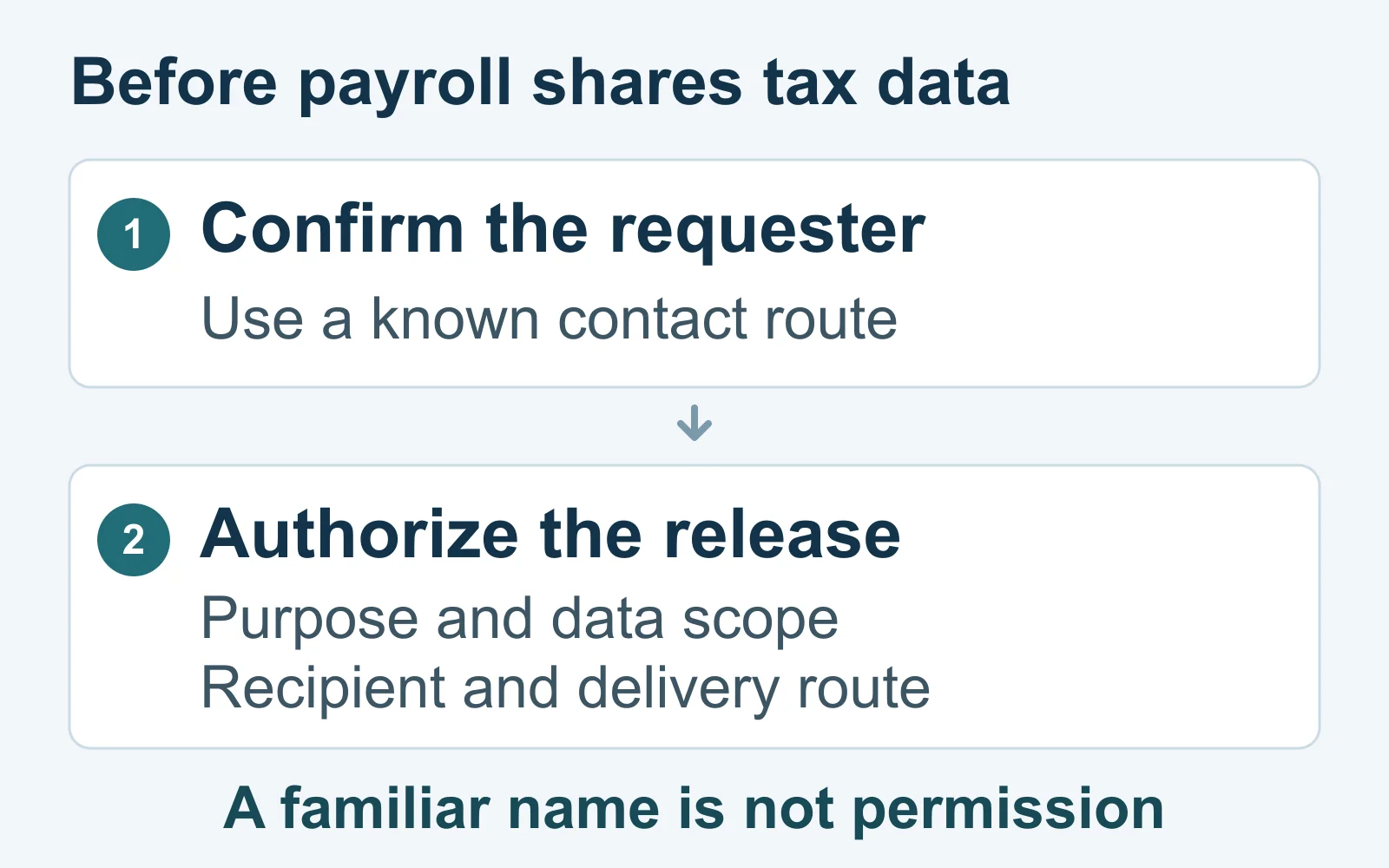
Overview
Confirm the person, then check the permission
This guide is for U.S. employers and payroll teams handling employee tax records. It separates a requester’s identity from their authority to receive particular information.
The IRS explains the legitimate employer purpose of Form W-2. Necessary tax work still requires an appropriate, authorized release process.
Recognizing a manager’s name doesn’t settle the purpose, the requested employee group, or the destination. Those are separate decisions, not optional finishing touches.
Match the output to the actual task
A request can be genuine but too broad. The useful question is what information the approved task requires, rather than which complete file is easiest to send.
Build the decision around a few concrete checks:
- Who requested the information, and how was that independently established?
- What business purpose and internal authority support the release?
- Which employees and information fields are actually needed?
- Who will receive the output through an approved delivery method?
- Who reviews the completed release before anything leaves payroll?
Choose the response according to what happened
An untouched request, a sent employee file, and exposed account credentials create different problems. Don’t report them as though they were interchangeable events.
Use those differences to choose the appropriate follow-up. What a message requested may not match the information in the file that payroll actually sent.
Why a Real Requester Can Still Need a Smaller File
Identity checking answers who is asking. Authorization answers what that person may receive for this task. A successful check of the first doesn’t complete the second.
The FTC’s business information-security guide recommends limiting sensitive information to legitimate needs and limiting access according to the employee’s job.
Apply that distinction without assuming bad intent. A colleague may use a familiar file name when an existing summary would answer the actual question.
Equally, don’t invent your own reduced dataset and assume it satisfies a legal or payroll obligation. Let the authorized data owner confirm the required output.
The outcome can be approval, a narrower output, clarification, or a hold. Holding an unresolved request isn’t the same as accusing the requester of fraud.
How to Verify an Employee W-2 Data Request
Step 1: Pause the release and identify the request
Keep the original message and identify the requested action before collecting attachments. Is someone asking to view information, receive a copy, or change an established transfer?
Notice whether the request names a particular tax year, employee group, file, or destination. Missing details are questions to resolve, not blanks to fill by assumption.
If another person is already preparing the export, make the hold explicit. Otherwise, one colleague may investigate while another sends the file believing approval is complete.
Step 2: Reach the requester independently
Use a known internal directory, established contact record, or an in-person conversation. Don’t make the disputed message the source of its own verification.
The FTC specifically recommends independently checking emails requesting sensitive information, without relying on the reply path or contact details supplied in that message.
Ask about the actual request rather than merely confirming that the person is available. Establish what they asked for and whether they recognize the proposed destination.
A matching display name or a familiar conversation thread can help you locate context. It should not replace this check.
Step 3: Confirm the purpose and internal authority
Identify the task the information will support and the role allowed to approve it. A person’s seniority alone doesn’t explain the full scope of every release.
Ask who owns the data and which established process applies. If the person requesting information cannot authorize disclosure, obtain the appropriate approval separately.
Keep urgency out of that decision. A meeting starting soon may explain the desired timing, but it doesn’t establish permission to release employee tax records.
Step 4: Define the employee group and information fields
Confirm the population and period before selecting records. Current employees, former employees, one department, and the entire prior-year workforce are not interchangeable groups.
Then identify the required fields or documents. Ask whether the approved task needs individual records, a limited extract, or an existing aggregate report.
Check the proposed file itself, not only its name. A familiar export may include additional worksheets, older records, or information unrelated to the approved task.
Record the decision without copying the sensitive contents into the approval ticket. The record should explain the scope, not become another employee-data archive.
Step 5: Verify the destination and delivery method
Confirm the intended recipient and the approved transfer route together. A correct person’s name does not automatically validate a newly supplied mailbox or upload location.
The FTC advises protecting sensitive transmissions and warns against sending identifying information through unencrypted email. Follow your organization’s approved method rather than improvising a workaround.
If a payroll provider is involved, check the established engagement and recipient. An existing relationship doesn’t authorize every new destination appearing in a message.
Have the responsible team resolve an unfamiliar transfer route before release. Don’t test it by uploading a real employee file to see whether it works.
Step 6: Have the release reviewed and document the decision
The IRS suggests considering two-person review of W-2 requests. This is a practical control, not a universal legal requirement for every employer.
Give the reviewer the verification result, approved scope, destination, and proposed output. Asking someone to reread the same unverified email adds little independent assurance.
Record whether the request was approved, narrowed, declined, or held. Include the responsible roles and any unresolved question, rather than a vague note that somebody checked it.
Worked Example: A Familiar Manager, an Overbroad Request
Consider a fictional finance manager preparing an internal planning discussion. Payroll receives a request for the employee tax file, with delivery to a newly supplied address.
The payroll worker recognizes the name but uses the established internal directory to contact the manager. The manager confirms that a request was made.
That resolves one question, not the whole release. The worker asks what the planning discussion needs and who has authorized access to individual records.
The conversation reveals that the manager wants a comparison of departmental totals. The authorized data owner identifies an existing report that answers that question.
Payroll doesn’t assume that any summary is automatically suitable. The owner confirms the population, period, fields, and recipient before the output is selected.
The newly supplied destination is checked separately. If it isn’t an approved route, the team uses its established process rather than copying the original email’s instructions.
The release record describes the approved report and reviewers without attaching the full tax file. Everyone can understand the decision without receiving unnecessary employee information.
No one has to declare the manager a scammer for this control to help. A legitimate business question and an excessive attachment can coexist.
What changes when a payroll provider asks?
Imagine a separate, fictional request from an established payroll provider. Its normal engagement requires a defined set of employee records, but this message proposes a different transfer location.
The useful check isn’t whether outsourcing is inherently suspicious. It is whether the request matches the approved engagement, current recipient, required data, and established delivery arrangements.
Contact the provider through the existing relationship and involve the internal owner responsible for that engagement. Resolve the changed route before sending records.
The FTC recommends examining service providers’ security practices and documenting expectations. That supports a managed relationship, not unquestioning trust in every message using the provider’s name.
A Release Record That Doesn’t Duplicate the Employee File
A small decision record helps another authorized reviewer understand the release. It should identify the checks performed without exposing the underlying employee records.
| Decision | Useful record |
|---|---|
| Requester | Record the established contact route used for confirmation. |
| Purpose and authority | Identify the approved task and responsible authorizing role. |
| Population and fields | Describe the approved scope without listing employee information. |
| Recipient and delivery | Record the verified destination and approved transfer method. |
| Review and outcome | Identify the reviewer, decision, and any unresolved question. |
This is an adaptable operational record, not an official IRS form. Your organization’s policy determines who may authorize, review, and retain it.
Choose the Right Incident Branch
Before escalating, describe what actually happened. A reply, a file transfer, and entering credentials can require different follow-up, even when they began with the same message.
The request arrived, but no employee records were sent
Check whether any reply contained sensitive information. Preserve the request and tell the responsible team what was, and wasn’t, disclosed.
An employee file or tax information was sent
Identify the exact file, recipient, transfer method, and known exposure. Do not assume that asking for deletion proves every copy is gone.
Account credentials were entered or shared as well
Tell the security team about that additional exposure. File-disclosure reporting does not replace the organization’s process for protecting a potentially compromised account.
What to Do if Employee Tax Data Was Shared Without Authorization
-
Stop additional releases and alert the responsible internal team. Identify the incident owner rather than forwarding the employee file widely to explain what happened.
The FTC’s business breach-response guide recommends coordinating appropriate expertise, investigating scope, and preserving evidence. The response depends on the incident and organization.
-
Build a timeline from the available records. Identify when the request arrived, which file was selected, and when the recorded transfer occurred.
Record what is confirmed and what remains unknown. A sent message, a delivered file, and confirmed access are different observations; don’t silently substitute one for another.
-
Use the sent artifact to establish its contents. A freshly generated payroll export might contain different employees or fields, especially if records changed afterward.
If credentials were also disclosed, activate the appropriate account-protection procedure. Don’t treat a pure file-disclosure event as automatic proof of malware infection.
-
Use the correct official reporting route. The IRS procedure below distinguishes the attempted request from employee W-2 information that was actually disclosed.
If you replied without sending a file, check the reply’s contents with the incident team. Don’t invent a confirmed data loss or overlook information included in the reply.
-
Assign the next investigation action to a named role. Note what information that person needs and when the incident owner should expect an update.
Don’t mark the incident complete simply because a report was sent. Identify which exposure questions remain open and who is responsible for answering them.
Reporting a W-2 Attempt or Data Loss to the IRS
For suspected W-2 phishing, follow the current IRS reporting instructions. Never include employee personally identifiable information in these submissions.
For disclosed W-2 information, notify dataloss@irs.gov with the subject W-2 data loss. Include the business name, relevant EIN, contact name and number, incident summary, and affected employee count.
Also report the scam email to phishing@irs.gov, using W-2 scam and identifying that a disclosure occurred. Send unanswered attempts to that phishing address.
Preserve the original email or headers when reporting; ordinary forwarding can lose useful information. Keep employee files out of the submission, including attachments or quoted material.
The IRS also publishes employer data-loss guidance covering state-tax and law-enforcement coordination. Have the incident team handle the applicable follow-up rather than assuming one email completes every obligation.
Keep an Incident Timeline and an Action Log
NIST’s incident-response guidance covers investigation actions and collected incident data. It calls for protecting the records’ integrity and limiting access to authorized personnel.
An event entry explains what happened to the file. An action entry explains what someone did about it afterward, helping colleagues distinguish observations from follow-up work.
For example, a payroll incident record might contain these separate entries:
- Event: Payroll sent the selected export to the recipient shown in the transfer record.
- Evidence: The incident team retained the original sent artifact and its transfer reference.
- Action: Payroll halted a second queued transfer after the designated incident owner requested it.
- Uncertainty: The available record does not establish whether the recipient opened the file.
- Next owner: The assigned investigator will update the entry after checking the available delivery evidence.
These are fictional record entries, not evidence that any particular transfer happened. Use actual system observations and keep unknown details explicitly unresolved.
Frequently Asked Questions
Does confirming the executive’s identity authorize the whole file?
Identity is only one part of the decision. Confirm the business purpose, internal authority, approved scope, recipient, and delivery method before release.
Is using two reviewers legally mandatory for every employer?
The IRS suggests considering two-person review. Don’t turn that recommendation into a universal legal rule; follow applicable requirements and your organization’s authorized process.
Can a legitimate payroll provider receive employee tax records?
A legitimate engagement can require sensitive information. Verify that the particular request, population, recipient, and transfer method match the approved arrangements before sharing.
Does receiving a suspicious request mean employee data was stolen?
The request alone doesn’t establish a disclosure. Determine what was actually sent or entered, including information in replies and any additional account exposure.
Should we send employee W-2 copies with the IRS loss report?
Do not attach employee personally identifiable information. Preserve those records internally under the incident team’s controls and follow the official reporting instructions.
Should every affected employee automatically file Form 14039?
No single form fits every individual’s situation. Direct employees to current IRS instructions rather than prescribing an affidavit without considering their circumstances.
The Bottom Line
Hold an unresolved W-2 data request until the requester, authority, scope, destination, and delivery process are checked. A familiar name doesn’t authorize an unlimited release.
If information already left, stop further disclosure, preserve the evidence, and involve the responsible incident team. Use the appropriate official reporting route without resending employee records.

Join the discussion
0 commentsShare your experience or ask a question about this article.
Community experiences
Did this happen to you?
Your experience could help someone recognize the same scam. Submit a private report for our team to review.
I experienced this tooReports are reviewed before publication. Sharing publicly is always your choice.
Discussion
Start the conversation
Have a question or something useful to share? Add the first comment.