


A message from your mother says there’s a hospital emergency. You’re away from home, and she needs money before you can get there.
The message comes from the same number you’ve used to reach her for years.
Overview
The request came from the account the family already knew
A family in Malaysia said someone took over the mother’s WhatsApp account and used it to message her contacts. The person claimed there was a hospital emergency.
One son was away at college. He believed the messages, transferred RM2,000 and was then asked for another RM3,000. The family reported a total loss of RM5,000.
The family also reported it to the police. Their account leaves open how someone got into WhatsApp or whether anyone recovered the money.
The family had two transfers and an account takeover to report
The mother needed to regain control of her account and warn people who might still trust the messages. Her son needed to report transfers that had already left his bank.
Those actions can happen at the same time. If a trusted person can help, have one person contact the bank while the other reaches family and starts the account recovery.
Write down the records each organization needs:
- The mother’s familiar WhatsApp number and when the unusual messages appeared.
- Each hospital claim and any payment instructions the recipient received.
- The exact amounts, times and recipient details from the bank.
- Whether the owner still controls the phone number and can receive verification messages.
- The bank, police and any platform case references as they are issued.
A message history can make a false emergency look real
The number does not let your family see who is typing. A request can look like a continuation of a normal conversation even when someone else has control.
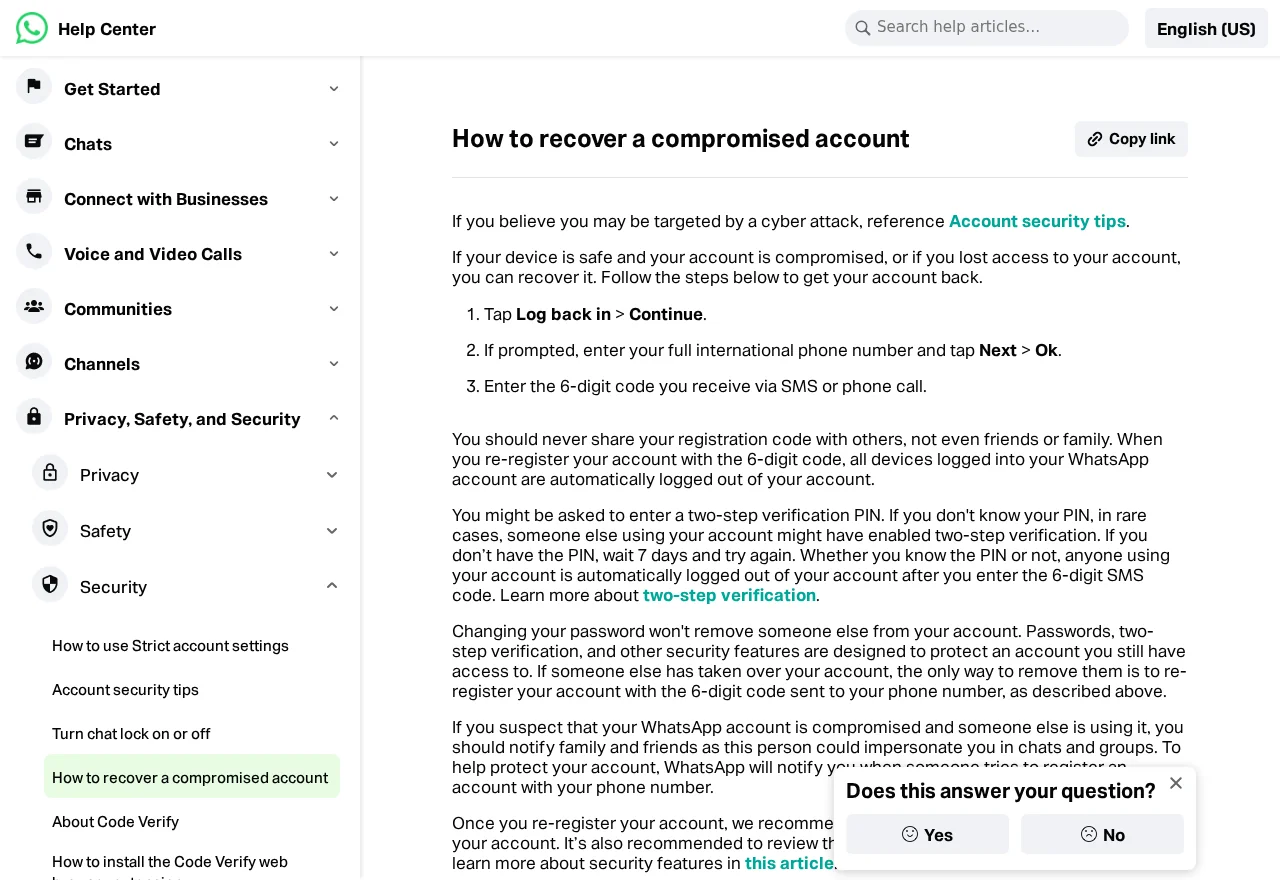
WhatsApp’s official recovery guide explains how to re-register an account and what to check afterward. Use it from a device you trust.
Bank Negara Malaysia’s fraud guidance tells affected customers to contact their bank or the National Scam Response Centre at 997 promptly, then lodge a police report.
How the WhatsApp Hospital Emergency Scam Works
Step 1: A message arrives in a familiar conversation
A new telephone number can make a relative suspicious. In this case the son recognized the account and had a reason to take the message seriously.
The same photo, name and past conversation can still be visible on the recipient’s phone. None of those details can confirm who typed the new request.
Use a separate route to reach the family member. Try a known ordinary phone number or contact another relative who can check on them in person.
If only the chat is answering, put the payment on hold. Tell a trusted family member what you received so they can verify the emergency independently.
Step 2: A hospital story makes it feel risky to wait
A possible emergency is a good reason to check quickly. The message makes it feel as if sending money is the fastest way to help.
Ask where the person is and who is with them. Then verify that information with someone you can reach independently, using contact information you already trust.
If you need to reach a hospital, find its official switchboard yourself. Ask how family can get help or confirm billing, understanding that privacy rules may limit what staff disclose.
If you learn a person truly needs urgent help, respond to that emergency. Handle any invoice through the hospital’s verified procedures.
Step 3: The first payment makes the second one seem routine
The son said he sent RM2,000. A second request followed for RM3,000. By then the hospital story had already explained why money supposedly needed to move.
Stop when a new amount appears, even if you already paid. Ask a trusted family member to check before you send any further money.
Keep a separate record for each transfer so the bank can compare amounts, timestamps and recipients. A second payment may have gone somewhere else.
If a transfer is still pending, contact the bank immediately. Ask what can be done with that entry and report any payment that has completed as well.
Step 4: The account and money reports go to different places
Regaining WhatsApp can stop some messages from going out. It cannot reverse a bank transfer that already happened.
Start with your bank or Malaysia’s official response line. Explain that the number was familiar and the real account owner had never requested the money.
The account owner should use WhatsApp’s recovery steps. Give relatives a clear warning through a channel the affected account cannot control.
Preserve the original chat while you can. A bank record shows the payment. A screenshot shows what the recipient believed when they sent it.
How to Check an Emergency Before Sending Money
Call the relative or someone nearby
When you are away at college or work, ask a relative nearby if they can speak to the person directly. A second source can resolve the question quickly.
Use family contacts you already know. Avoid calling a number introduced by the same message as a doctor, hospital employee or friend.
If you reach the relative, ask what is happening in their own words. Keep the conversation short if they really are dealing with an emergency.
If there is no answer, check with another trusted person. Waiting for confirmation is safer than sending money to an account you have never used for the family.
Check who issued the bill and who collects it
A hospital can tell you its official payment routes. A chat request to pay a private account needs independent confirmation before you treat it as an invoice.
If you know the patient uses insurance or other coverage, ask how bills are handled through official channels. A stranger in chat cannot define that process.
If you agree to help with a verified bill, save the hospital’s payment instructions. If none of the payment details came from the institution, stop and get them independently.
Tell people where the false request came from
Contact close relatives and anyone likely to send money. Give them the time the messages began and tell them to ignore the hospital request while you deal with the account.
Warn people through an ordinary call or another verified account. A warning sent from a number you are still trying to recover can be hard for relatives to trust.
Ask whether anyone received another request, transferred money or disclosed sensitive details. Each person should report their own bank transaction while the family shares the relevant timeline.
If someone replies with a screenshot, keep it private. Avoid circulating account numbers, hospital claims or personal circumstances across a group that does not need them.
Give the bank a record of both transfers
If your bank shows both transfers together on a statement, open their individual details. Save each reference with the amount and time.
Tell the fraud team which payment came first and when the second request appeared. If the recipient changed, highlight that difference.
If one family member made the transfer on behalf of another, record the funding account and who approved it. The bank can tell you who must make the report.
Keep a separate note of any new amounts requested after the original two payments. Report payment attempts as context and actual debits as transactions for review.
If the bank asks for screenshots, explain which came from your phone and which were sent by another relative. That helps it read the timeline without guessing.
Agree how your family will verify the next request
Agree that money requests get a normal phone call first. If the person cannot talk, use a second family contact who can check on them.
Keep a current number for relatives who live away from home. If someone’s phone changes, share the new number through another contact before relying on it.
If older relatives are unfamiliar with WhatsApp’s device settings, help them review connected devices once they have regained access. Do that with them and keep their registration codes private.
Tell family members where the police or bank references are stored. They can follow up even if the person who usually handles the account is unreachable.
When messages resume from the recovered account, verify it in a call once. Then use that route to confirm which earlier requests were false.
Keep one timeline while several people are helping
Identify when the affected person first received an unusual login notice, if there was one. Do not assign that time to the takeover unless the account owner can confirm it.
Record when each relative first heard about the emergency. The first time anyone received a message can differ from the date they realized the story was false.
If more than one person was asked to pay, list their requests individually. The family can compare the sequence without combining anyone’s bank credentials or private records.
Warn the rest of the family group
Ask a group administrator to warn members or remove a suspicious new participant where appropriate. If the account is genuine but compromised, tell members to ignore its payment instructions.
If a stranger posts new banking details in the group, stop payments and preserve the message. The change is important even if you cannot see who now controls the account.
Once the owner regains control, ask them to confirm that they can send and receive messages normally. Review which conversations need a correction or a warning.
If someone was told to keep the emergency secret, let them know they can ask a trusted relative to check what happened.
If nobody can reach the account owner, give each family member a known number to use for updates. That keeps the impersonating account from becoming the only source of news.
What to Do if You Have Fallen Victim to This Scam
-
Stop sending money and call your bank’s official scam line. In Malaysia, follow Bank Negara Malaysia’s directions for the National Scam Response Centre at 997.
-
Give the bank the details for each transfer including the amount, time, recipient and reference. Explain that the request came through a compromised family account.
-
Warn relatives through numbers you already know or another trusted channel outside WhatsApp. Ask them to save the message and report any payments of their own.
-
Follow WhatsApp’s instructions to re-register your number if your account was taken over. Keep the registration code to yourself, even if a familiar contact asks for it.
-
Review linked devices when you regain access and sign out of any you don’t recognize. Turn on two-step verification once you control the account again.
-
Take the messages and transfer receipts to the police along with call and account details. Save the police reference with the bank’s case number so you can follow up.
Tell relatives the account is still compromised during recovery
Check whether the owner’s phone can receive normal calls and messages. If the number lost service unexpectedly, contact the mobile carrier through its genuine support channel.
If WhatsApp asks for a two-step verification PIN the owner does not know, follow its recovery instructions. It may require a waiting period before the owner can sign back in.
WhatsApp says re-registering with the code it sends logs other devices out. Enter the code only inside the official app and keep it private even if recovery is taking time.
Keep warning close contacts while the account is unavailable. The bank report and police report can proceed before WhatsApp recovery is finished.
If a stranger offers to recover money
Use the bank or official complaint reference you already have to check the status. The police or bank can explain the next steps through their established channels.
Do not share new codes or pay an advance fee to someone who appears in a chat claiming to be from a bank or national response center.
Save the new message and mention it to the institution handling the fraud. Treat that contact as another event, even if it already knows the amounts you transferred.
Frequently Asked Questions
How can the request come from my mother’s usual number?
Someone can gain control of an existing account. The conversation on your phone can still display the same number. Verify urgent payment requests through a separate call.
Does this case show how WhatsApp access was lost?
The family described a takeover without evidence of the entry method. Follow the official recovery steps and review linked devices without assuming a specific technique was used.
Should I call the family member inside WhatsApp?
Use an ordinary phone call or another route you already trust. If the owner cannot answer, try a relative who can check on them.
Can the bank recover both transfers?
Report both transactions immediately and ask what action applies to each. A completed transfer and a pending transaction can have different options.
Can a new password alone remove someone from WhatsApp?
Use WhatsApp’s account recovery instructions to re-register the phone number. Review linked devices and set up the available account protections afterward.
Should we wait for account recovery before reporting the money?
Report the transfers to the bank immediately. Another family member can warn contacts and help the owner work through account recovery in parallel.
The Bottom Line
Pause when a familiar WhatsApp account asks for hospital money. Verify the emergency outside the chat before sending anything.
If money has already moved, contact the bank now and save the transfer records. Warn relatives through another channel and help the account owner recover access.

Join the discussion
0 commentsShare your experience or ask a question about this article.
Community experiences
Did this happen to you?
Your experience could help someone recognize the same scam. Submit a private report for our team to review.
I experienced this tooReports are reviewed before publication. Sharing publicly is always your choice.
Discussion
Start the conversation
Have a question or something useful to share? Add the first comment.