


A text says a Washington toll bill is overdue. The amount sounds plausible, and the message warns that waiting could make the problem more expensive.
The WSDOT Good To Go text scam puts drivers in that rushed position. Before settling anything, separate the notice on your phone from the actual toll record.
Overview
A fake notice borrows a real Washington toll service
Good To Go! is Washington’s legitimate toll payment system. Impostors use its name and WSDOT branding to make a false payment request sound official.
The text may describe an unpaid toll, a final reminder, or a penalty deadline. Its link directs the recipient toward a website chosen by the sender.
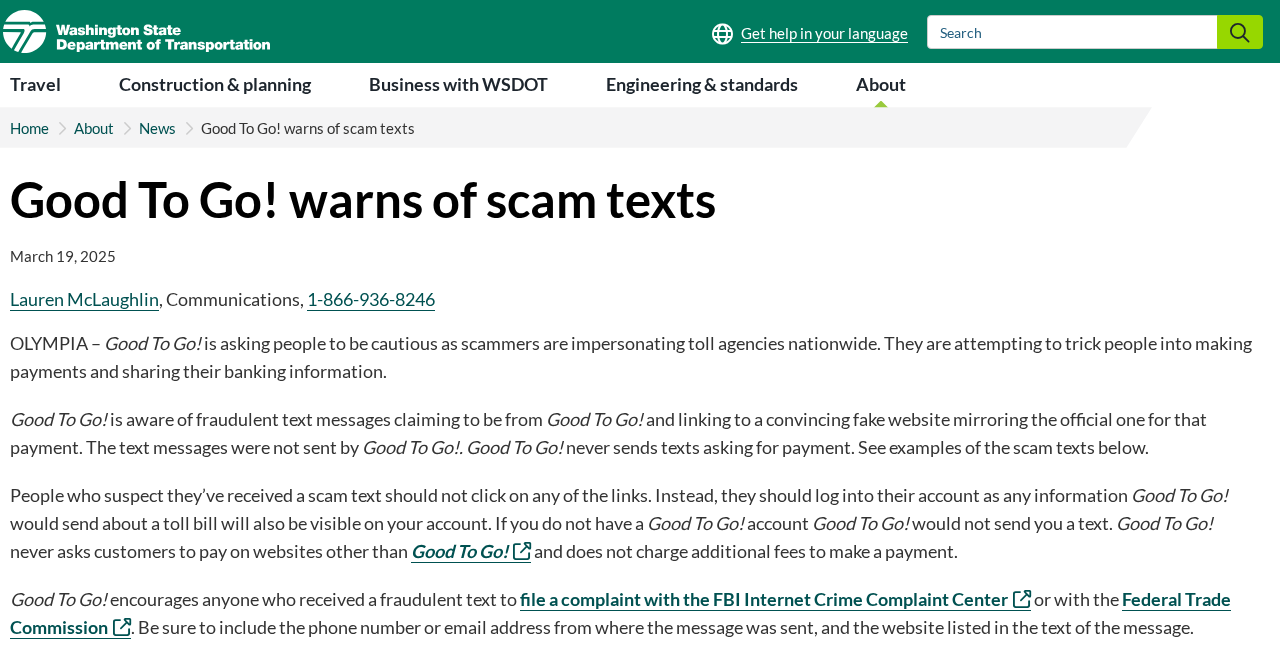
WSDOT’s official scam-text warning describes fake pages that imitate the genuine payment website.
The warning is about those messages, not a claim that Washington tolls or every real toll bill are fraudulent.
The official payment rule is clear
Good To Go! says it never sends texts asking for payment. It identifies MyGoodToGo.com as its online payment destination.
That gives you a stronger test than spelling, logos, or a sender number. A text demanding payment through its link conflicts with the service’s stated practice.
You may still have a genuine bill to address. Rejecting the text’s route and checking your real account are compatible decisions.
If you do not have an account, do not assume a text creates one or establishes a debt. Check any legitimate toll concern independently.
The small toll amount is not the whole risk
The request may look inexpensive, but the fake payment process can collect information worth more than the supposed toll.
- Card details entered into a lookalike payment form.
- Personal information supplied to locate or verify the alleged bill.
- Account credentials entered on a copied sign-in page.
- A banking approval misunderstood as a routine confirmation.
- Another payment demanded after a supposed failed attempt.
These are possible exposures to assess, not proof that every recipient experienced all of them. What you actually did determines the response.
Why the Message Can Catch a Careful Driver
You may remember a journey but not its billing
Drivers do not always remember every bridge crossing or express-lane trip. A toll notice can fit a journey you vaguely recall.
The text takes advantage of that uncertainty. You supply a possible explanation for the charge before verifying who requested it.
A genuine journey does not authenticate the message. A broadly sent scam can reach people who recently traveled without knowing their route.
Use the actual account or bill to identify a trip. Do not let the surprise text fill in details the sender has not established.
A penalty warning makes a quick payment feel protective
The message suggests a minor balance will become a serious issue if you wait. Paying quickly can feel like avoiding trouble.
Real toll billing can have consequences when a genuine debt remains unresolved. That fact makes a false threat more convincing.
The correct response is not to dismiss every penalty as imaginary. It is to establish the real bill through the proper service.
A deadline appearing only in an unverified text has not earned authority over your card or bank account.
The familiar name can distract from the destination
A notice can mention WSDOT several times while sending you somewhere unrelated. The name in the message and the owner of the website are separate questions.
A copied page may look more convincing than the original text. That does not independently validate the contact that sent you there.
Do not use the page’s appearance as permission to stop checking. The website may simply continue the same impersonation.
How the WSDOT Good To Go Text Scam Works
Step 1: An unexpected reminder claims an unpaid balance
The text presents a toll issue as something already on file. Words such as “final” or “overdue” make it sound like earlier notices existed.
The recipient may wonder whether they missed a bill or misunderstood an account charge. That uncertainty makes the payment link appealing.
A specific amount does not prove an actual trip. Numbers can make a generic message feel personal without providing a genuine billing record.
A displayed phone number also does not authenticate the sender. Nor does a message inside a familiar-looking conversation establish its origin.
Before using the link, ask what independently confirms the debt. The message itself cannot be both the accusation and the verification.
Step 2: The link opens a copied payment experience
The destination imitates toll payment branding, navigation, or form fields. The transition can feel like entering an established service.
A familiar logo is easy to recognize, but ownership is harder to judge quickly. The scam relies on you substituting recognition for verification.
WSDOT’s warning specifically describes convincing fake websites. A professional appearance is therefore not a reason to ignore the agency’s payment rule.
A padlock does not solve the identity problem. It indicates an encrypted connection, which a fraudulent website can also use.
Return to the service through your own trusted route. Do not search for support using a number or web address supplied by the suspicious text.
Step 3: The page asks for information to settle the supposed toll
The form may ask for identifying or payment details before showing a record you can independently confirm.
A recipient can see those fields as ordinary administration. The operator sees data that may enable charges, account attempts, or more convincing follow-up contact.
Be alert when the request expands beyond the original problem. A supposed toll lookup should not require your banking password.
Giving a name or vehicle detail does not obligate you to finish the form. Stop as soon as the process becomes questionable.
If information was entered, do not assume a missing confirmation means it stayed private. A fake page can collect data without completing a genuine transaction.
Record each field you filled in and every approval you made. Tell your bank when you cannot remember whether the form was submitted.
Step 4: A payment or approval can become the real loss
The page presents payment as the way to prevent penalties. At this point, a frightening notice has become a financial action.
If your bank requests approval, read the actual amount, recipient, and purpose. The fake page’s description may not match the bank’s action.
A security code is not just text to paste into any form. It may authorize a transaction or another account change.
Do not approve an unfamiliar action because the website claims it is checking the card. A verification story should not override the bank’s details.
If a payment supposedly fails, repeated attempts can expose another card or create another charge. Stop rather than trying every payment method you own.
These are potential extensions of the payment trap. Report the sequence that occurred in your own case instead of assuming every branch happened.
Step 5: The fake receipt leaves the genuine toll situation unresolved
The page may display a paid balance or successful confirmation. That is still a statement from the same unverified destination.
It does not establish that money reached Good To Go! or that a real toll bill was settled.
That creates two separate jobs after a loss: contain the financial exposure and check whether any legitimate bill still needs attention.
Do not rely on a new text offering a receipt, refund, or further “correction.” Reconnect through the service and bank you independently trust.
How a Genuine Toll Bill Can Be Checked
Read the real account or mailed notice
WSDOT’s toll bill guidance explains actual account alerts, bill activity, and notices of civil penalty.
Pay By Mail bills go to the registered vehicle owner. Good To Go! account bills use the account’s name and address.
This does not make every piece of paper authentic either. If something is questionable, verify it through the agency rather than accepting its printed contact details blindly.
The useful difference is access to an independently confirmed record. It should explain the trip and charge without relying on the surprise text.
Do not confuse a posting date with the journey date
A bill can show when an item posted as well as when the toll trip occurred. Those dates answer different questions.
If you do not remember driving on the posting date, check the actual travel date before assuming the charge is fraudulent.
Likewise, a reversal can appear alongside a later reposting. The agency explains how unpaid toll activity can be credited back and reapplied.
Ask verified support about confusing entries rather than accepting a stranger’s promise to remove them. A detailed statement deserves a detailed explanation.
Keep genuine disputes separate from phishing
A real bill may contain a trip or ownership issue you need to question. Use the genuine dispute process for that record.
A scam text is a different problem. Reporting it does not automatically erase a legitimate balance or pause a real deadline.
If the car was rented, sold, or used by another person, assemble the relevant records. Let verified support explain how they apply.
Three Checks Before Sending Money
The contact channel
Good To Go!’s stated rule is that it does not request payment by text. Start there rather than grading the message’s design.
You do not need to determine whether every possible account notification is legitimate. A payment demand already gives you a clear reason to check elsewhere.
The bill you can independently identify
Establish the relevant vehicle, trip, and billing record through the genuine service. A vague notice about “your vehicle” is not enough.
If no matching issue appears, do not give the sender additional details to “find” it. Reach the proper support team with your concern.
The destination receiving the payment
The official service identifies MyGoodToGo.com, not a rotating payment domain sent by text. Type your trusted destination yourself or use a saved bookmark.
For another organization’s bill, such as a rental provider’s charge, verify that organization separately. Do not force every payment into the stranger’s toll website.
What to Do if You Have Fallen Victim to This Scam
-
Stop the text-controlled payment process. Do not submit another card, repeat an approval, or pay a new fee to correct the first attempt.
Keep the message, destination, and any displayed receipt. Note when you acted and which information or approvals were involved.
-
Contact the card issuer or bank promptly. Explain that a fake toll page collected financial details or obtained a payment.
Include any banking code, approval, or repeated attempt. Ask about card replacement, pending transactions, a dispute, or a transfer recall as applicable.
Distinguish what you approved under deception from activity you never authorized. Accurate details help the bank assess the case.
-
Secure an exposed login through the genuine provider. If you entered a toll-account password, change it through the real service.
Replace reused credentials elsewhere and review unfamiliar account changes. Do not send the replacement password to a caller offering to confirm the repair.
If you shared only card information, do not assume every online account was accessed. Keep the response tied to the actual disclosure.
-
Check the genuine toll record separately. Use independently obtained Good To Go! information to establish whether a real bill needs payment or a dispute.
Tell verified support that you encountered an impostor notice. A payment to the fake site should not be assumed to appear on the real account.
Keep legitimate correspondence and deadlines organized while the financial fraud is addressed.
-
Assess any software or browser permissions involved. Merely reading a text is not evidence that your device was infected.
If you installed suspicious software on a computer, Malwarebytes can help inspect it. End unauthorized remote access before using sensitive accounts.
AdGuard may reduce later exposure to known malicious pages and advertising. It does not verify a toll balance or retrieve stolen card data.
Remove unwanted browser notification permissions if the fake site obtained them. Do not install another “cleaner” supplied by the same contact.
-
Report the attempt with useful evidence. WSDOT recommends reports to IC3 or the FTC’s fraud reporting service.
Include the source number or address, website destination, and relevant transaction details. Keep sensitive records out of public comments.
Washington’s Attorney General also warns about driver-targeted impersonation. Reporting a pattern does not replace urgent bank contact after a payment.
-
Reject paid recovery promises. A person claiming they can cancel the fake penalty or guarantee a refund may be another impostor.
Check follow-up requests through the institutions already handling your case. Do not send crypto, gift-card codes, or another card payment to recover the first loss.
Frequently Asked Questions
Does Good To Go! send texts asking for toll payment?
WSDOT says it does not. A text-controlled payment demand should be rejected while you check any genuine bill independently.
Does receiving the scam mean I have an unpaid toll?
No. The message does not establish a debt or trip. Your actual account or verified bill is the place to check.
Can a real toll bill still have penalties?
Yes. Do not confuse a fake text threat with the absence of legitimate billing consequences. Address verified notices through the agency’s proper process.
Why does the fake website look like Good To Go!?
WSDOT documents copied payment pages. Familiar branding can conceal a different operator; appearance alone does not authenticate where money or information goes.
What if the page said my payment was successful?
That confirmation does not prove the real toll account was paid. Contact the issuer about exposure and check the genuine bill separately.
Should I pay again to receive a scam refund?
No. Work through the bank or other verified institution. An additional payment to an unverified recovery contact can create another loss.
The Bottom Line
Do not pay through a WSDOT or Good To Go! text. The agency says it never requests payment that way; check your real toll record independently.
If the fake page obtained card details, credentials, or money, contact the relevant institution promptly. Reporting the text and settling a genuine bill are separate actions.

Join the discussion
0 commentsShare your experience or ask a question about this article.
Discussion
Start the conversation
Have a question or something useful to share? Add the first comment.