A Question for Cruel Sister. Comodo CIS, Why?

  • Thread starter Thread starter Rodney74
  • Start date Start date
Status
Not open for further replies.
R

Rodney74

Thread author
Dear Cruel Sister and / or Members.

I understand you like Comodo FW, but not Comodo IS...

So my question is.

If a person sets up the firewall in Comodo IS, using CS settings from the CF settings video.

Then you end up with the same protection, as setting up the Fire Wall in Comodo Free Firewall.

But you get antivirus support although, not a really good one... Is this right?
 
  • Like
Reactions: shmu26
I have Comodo FW setup according to your settings, running it with Kaspersky AV 2017...

And I have noticed, that with the Comodo FW, Comodo tries to install a file named Internet Security or something like that, with the plain Jane firewall. I uninstalled it.
 
  • Like
Reactions: Andytay70
Dear Cruel Sister and / or Members.

I understand you like Comodo FW, but not Comodo IS...

So my question is.

If a person sets up the firewall in Comodo IS, using CS settings from the CF settings video.

Then you end up with the same protection, as setting up the Fire Wall in Comodo Free Firewall.

But you get antivirus support although, not a really good one... Is this right?
The AV module of comodo is very average and mostly introduced as a convenience feature to satisfy the masses (before it, people had to choose an AV to run alongside Comodo FW, there was no Windows Defender as built-in AV ).

note than the AV of CIS monitor the sandbox.

Comodo's Myths & Facts

Personally i would use CIS instead of KAV + CFW because i don't want more resources eaten and conflict between 2 HIPS, the AV module of CIS is quite light and Comodo main power is its HIPS.
 
Comodo's AV is garbage is the issue. It's also pointless: Comodo Firewall already has it's file rating system built into CFW, so if Comodo's AV already detects a file as malicious the file rating system is also going to list said file as malicious and will block it's execution. The only difference is the AV has the ability to quarantine/delete the malware on download while CFW will allow it to be downloaded but won't allow it to run.

Pairing CFW with a third-party AV isn't necessary but it will mean less work for CFW's sandbox. Any malware that the AV has a signature for will either be blocked before it's allowed to download or quarantined after it's downloaded and any malware that the AV doesn't have a signature for will be sucked into CFW's sandbox where it will either be terminated by Comodo when it tries to gain admin privileges or will sit in the sandbox unable to do anything until it self-terminates due to it being unable to access the resources needed to do it's job.
 
The AV module of comodo is very average and mostly introduced as a convenience feature to satisfy the masses (before it, people had to choose an AV to run alongside Comodo FW, there was no Windows Defender as built-in AV ).

note than the AV of CIS monitor the sandbox.

Comodo's Myths & Facts

Personally i would use CIS instead of KAV + CFW because i don't want more resources eaten and conflict between 2 HIPS, the AV module of CIS is quite light and Comodo main power is its HIPS.

CS Settings in her video for CFW V10, has you disable Comodo FW hips.
 
Did I make the question confusing? In case I did let me re state it here.

If you use CIS or CFW.... You can use Cruel Sisters settings for the firewall in either one, thus end up with same protection, except CIS has an antivirus.. Right?
 
  • Like
Reactions: GonzitoVir
CIS also has Secure Shopping, which CFW doesn't AFAIK.
I believe the newest version of CFW gives you the ability to implement Secure Shopping according to its changelog although I can't confirm this myself currently.
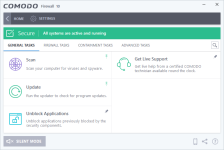
Note: It offers Comodo Firewall and Comodo Antivirus alone. You can always install Secure Shopping from inside "Tasks->General Tasks" section.
 
Comodo's strong capabilities goes on HIPS and Autosandbox; honestly there file-system rating component can be considered as their Antivirus component already. ;)

AV of Comodo is already ''overrated' because of overpowered technologies.

In that case you can exert maximum protection with Comodo Firewall without any circumstances. Antivirus component adds only 0.0001% of the protection state.
 
Did I make the question confusing? In case I did let me re state it here.

If you use CIS or CFW.... You can use Cruel Sisters settings for the firewall in either one, thus end up with same protection, except CIS has an antivirus.. Right?
Right.
Only difference is you are wasting system resources on a weak AV, instead of wasting system resources on a stronger AV (the one of your choice).
 
Hello,
CFW offers protection, I'm ok. But an AV provides information.

When a process is in the SB, sometimes it's not easy to understand if it's legitimate or not. (I agree that sometimes it's obvious).
If you have an AV that inform you that the thing is a malware, before it goes to the SB, I think it's better.
 
Rodney- A very timely question as I'm going to wrap things up this weekend with a CF vs ransomware video.

First, let me answer your question- CIS and CF are essentially identical products except CIS has a Local AV module- that is, you can actually run an AV scan on your system. But understand both products have cloud AV functionality. The reason that I do not suggest using CIS is that (and I'll have to call a Spade a Spade) the Comodo AV is not mediocre, it is totally Horrid. So why burden yourself with something that sucks?

Understand that a bad AV tacked on to a product does not diminish the strength of the overall protection. For example, if AppGuard decided to add ClamAV to the product, would Umbra stop using it? No, he would just call them idiots and shut off that module (sorry, Umbra, for assuming your actions!). I feel the same way about Comodo- although I probably hold the Comodo AV in more contempt than anyone else on MT, I personally would use no other product than CF. So Fxxx the AV and let's instead look at the other protective components involved:

CF is a wonderfully complex product. One can increase the protective baseline by changing configurations, you have a Sandbox ("Containment"), a Firewall, and a HIPS module. The complex part about Comodo, and something that may be not initially understandable, is that by bleeding in resources to one component will decrease the need for others. Case in point is that I suggest that the HIPS module be disabled in my setup- this is not because I feel the HIPS sucks (far from it, it is excellent!). It's just that as we will increase the Sandbox level to either Restricted or Untrusted, the need for the HIPS being active diminishes to nothing. So at the default Comodo settings (Firewall Security, Sandbox at Partially Limited) the HIPS module is needed; but at the Proactive configuration with the Sandbox at Restricted (or Untrusted) the HIPS will just generate popups without any increase in system protection.

Now to the Firewall- it's an Urban Legend that the Comodo Firewall module itself is excellent. It's not- it is totally oblivious to malware hollowed processes connecting out. But as the Firewall is being used in conjunction with the HIPS and Sandbox at default, or with the Sandbox itself at my settings this deficiency is negated (although my one Firewall setting change is also needed).

Finally, does one need an AV to supplement CF? No, not really, but as it can be of use if you are trying to install a legitimate unsigned application (like VT Uploader or SeaMonkey Browser). Comodo will isolate unsigned applications (which is a GOOD thing), so an excellent freeware AV like Avast (yes, I'm liking this one recently) or Qihoo really will give a fine second opinion.

At this point I would normally write "I hope this helped", but I'm sure I totally confused you, and I apologize for that!

M

 
I believe the newest version of CFW gives you the ability to implement Secure Shopping according to its changelog although I can't confirm this myself currently.

There is no "Secure Shopping" in Comodo firewall

cf.png
 
Status
Not open for further replies.

You may also like...