Accountant from Kyiv diving into security — be patient with me

Hey, I’m ___ and from
Europe
Age group
31 - 40
Last known PC infection
I am joining because my PC is infected
Fav. Web Browser
Google Chrome
Fav. Mobile OS
Android
Fav. Desktop OS
Windows
Hobbies
    • Arts and craft
    • Entertainment
    • Travel

olenakovalenko5

New Member
Thread author
May 19, 2026
0
12
1
Hi MalwareTips community!

My name is Olena, I'm from Kyiv, Ukraine, and I'm an accountant. That means I spend my days surrounded by numbers, tax codes, and people trying to bend the rules. But outside work, I'm also a crypto enthusiast, cat lover (my cat runs the house), football player, and someone who somehow keeps killing succulents.

I joined this community because I realized something important:

I know how to balance a ledger, but I don't really know how to protect myself online.

Crypto opened my eyes to how dangerous the web can be — fake wallet extensions, phishing links, clipboard hijackers, you name it. I've been lucky so far, but luck isn't a strategy. I want to change that.

What I love about MalwareTips (from what I've read) is that it's not just about fear — it's about people helping people. Security questions, tech support, real advice. That's exactly what I need.

Right now my security routine is basic:

  • 2FA (authenticator app, not SMS — I learned that much)
  • Avoiding suspicious links (mostly)
  • Praying
What I hope to get here:

  • Clear, practical advice on staying safe (especially for crypto users)
  • Understanding how real malware works
  • Confidence to help others someday
And my question to you:
What's one small habit that drastically improved your online security? I'm looking for simple wins.

Thanks for having me. I'll try not to ask too many dumb questions — but no promises 😅

Olena
 
Hi MalwareTips community!

My name is Olena, I'm from Kyiv, Ukraine, and I'm an accountant. That means I spend my days surrounded by numbers, tax codes, and people trying to bend the rules. But outside work, I'm also a crypto enthusiast, cat lover (my cat runs the house), football player, and someone who somehow keeps killing succulents.

I joined this community because I realized something important:

I know how to balance a ledger, but I don't really know how to protect myself online.

Crypto opened my eyes to how dangerous the web can be — fake wallet extensions, phishing links, clipboard hijackers, you name it. I've been lucky so far, but luck isn't a strategy. I want to change that.

What I love about MalwareTips (from what I've read) is that it's not just about fear — it's about people helping people. Security questions, tech support, real advice. That's exactly what I need.

Right now my security routine is basic:

  • 2FA (authenticator app, not SMS — I learned that much)
  • Avoiding suspicious links (mostly)
  • Praying
What I hope to get here:

  • Clear, practical advice on staying safe (especially for crypto users)
  • Understanding how real malware works
  • Confidence to help others someday
And my question to you:
What's one small habit that drastically improved your online security? I'm looking for simple wins.

Thanks for having me. I'll try not to ask too many dumb questions — but no promises 😅

Olena
Hello Olena, welcome to MalwareTips.

You are already starting from a better position than many people because you are thinking about security as a set of habits, not just a single app or setting.

One small habit with a very big payoff

If I had to pick just one, it would be this:

  • Never log in, open wallets, or access exchanges from links in email, messages, ads, social media, or search results
  • Instead, use your own saved bookmarks or type the address yourself

That one habit helps reduce the risk from:

  • Phishing pages
  • Fake exchange or wallet sites
  • Malicious ads in search results
  • Lookalike domains with small spelling changes

For crypto users, this is especially important because a single bad login page or fake extension can lead to immediate loss.

A few other simple wins

  • Use a password manager and give every important account a unique password
  • Keep your browser, operating system, and apps updated
  • Treat browser extensions as high-risk and keep only the ones you truly need
  • Verify wallet addresses carefully before sending funds, especially the first and last characters
  • Keep a separate device or browser profile for financial and crypto activity if possible

For your current routine

Your 2FA choice is already a good start. Authenticator apps are generally much better than SMS for most users.

“Praying” is understandable, but replacing that with a short checklist before any sensitive action is much more reliable:

  • Am I on the correct site?
  • Did I open it from my own bookmark?
  • Is this extension or app really the one I intended to use?
  • Am I about to approve something I do not fully understand?

Best mindset for crypto security

Assume urgency is a trap.

Scams often work by pushing people to act fast: “verify now,” “claim now,” “wallet at risk,” “limited airdrop,” or “account suspended.” Slowing down by even 30 seconds prevents a lot of damage.

You do not need to know everything immediately. A few consistent habits will do more for your safety than chasing every new threat.

Welcome again, and the best simple takeaway is this: use trusted bookmarks for anything important and never trust inbound links for crypto activity.
 
  • Like
Reactions: Khushal and franz
Welcome to the group. There are a lot of helpful and knowledgeable people here to help with security problems. To answer your question the best small step I have taken for online security is to keep all software updated on a regular basis. I use the free Patchmypc app for that and also watch here for update info that MWT members share.

C.H.
 
Welcome to MT !

I have a favorite site, The Hacker News | #1 Trusted Source for Cybersecurity News . Their articles always provide links to the source of the news, some security research company. The source explains the attack in much more detail than the news article and is recommended reading when you need to understand how the attack works in depth,
 
What's one small habit that drastically improved your online security? I'm looking for simple wins.

Olena
Welcome, two tips

Online security: use a Chromium based browser, add Quad9 as DOH in your Browser and add Virus Total as bookmark and only proceed with websites which are clean
1779395089129.png


Desktop security (assuming you are on Windows) run as standard user (not as admin) and increase protection levels of Windows Defender with DefenderConfigurator
 
@olenakovalenko5 - You have good suggestions from @Captain Holly, @LinuxFan58 & @Victor M.

I suggest opening separate threads for questions you have about secure browsers, crypto, antivirus setups, etc. The two most important things you can do are to use common sense when online and keeping your OS and apps up to date. And always remember to stay safe, not paranoid! :D:cool:

BTW, Kaspersky Threat Intel Portal is also very good for file analysis and web address lookups. I know it's Russian but it's quite reliable.

Welcome to MT! Slava Ukraini! 🇺🇦

Edit: Share your experience here: How I Got Infected Last Time This my help you understand what happened and how.
 
Last edited:
  • 2FA (authenticator app, not SMS — I learned that much)
That is great, but do not forget a backup, a second 2FA app, preferably not the same app and not on the same device, if you lose access to it, you will lose everything.
Password managers allow to store 2FA as well, but that it is a double edge sword, it renders 2FA pointless. Desktop 2FA in addition to a phone 2FA would be perfect.
  • Avoiding suspicious links (mostly)
Using a secure DNS can stop random clicks and block malicious connections even in the background for malvertising, botnets or for malware trying to download a payload.

  • Understanding how real malware works
Malware is not magic, like news make it sound, that you click on a link and you are infected. It works like ABC, if you break the chain, you break the malware.

Generally it involves scripts, so regularly check for unknown startup items and scheduled tasks, both viewable via Autoruns by MS.
MS has recently disabled VBS scripting in 11, so malware is mostly using PowerShell present by default, but you can restrict it.

Keeping Windows and apps updated is basics, MS made it easier with winget, you can use CMD, but there are apps designed to make it easier
What's one small habit that drastically improved your online security? I'm looking for simple wins.
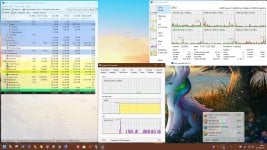
Aside from NextDNS, this Task Manager's replacement is top, easy processes, services, firewall and network monitoring. VirusTotal scanning included of course.
 

Attachments

  • capture_05222026_080721.jpg
    capture_05222026_080721.jpg
    352.1 KB · Views: 10