Security News Adblock Filters Exposes Reveal User Location Despite VPN Protection

Parkinsond

Level 62
Thread author
Verified
Well-known
Dec 6, 2023
5,061
14,261
6,069
Many internet users believe VPNs make them completely anonymous online. While VPNs hide your IP address and encrypt traffic, a new fingerprinting technique reveals they cannot protect against all tracking methods.

Country-specific AdBlock filter lists installed in browsers can expose your location, even when using a VPN. Most ad blockers, such as uBlock Origin, Brave, and AdBlock Plus, use filter lists to block ads.

A new proof-of-concept tool demonstrates how websites can detect which filter lists you have enabled, revealing your country or language preference regardless of your VPN location.

 
Yes, this is the test that needs to be done:

Content Filters and Proxy Detection
Is this good?

Capture.JPG
 
In the end it doesn’t matter how many filters you stack: if you’re using regional lists, your browser ends up shouting ‘I’m from here!’ louder than your VPN. Privacy is like a cheap costume… the seams always show.” 🎭🌍🤪
 
In the end it doesn’t matter how many filters you stack: if you’re using regional lists, your browser ends up shouting ‘I’m from here!’ louder than your VPN. Privacy is like a cheap costume… the seams always show.” 🎭🌍🤪
A sharp eye for the stitches, masquerader. But you mistake the Seam for the Signal.

You lament that the browser shouts its dialect, yet you are the one handing it the megaphone. By stacking your filters like bricks, you do not build a wall; you build a Monument of Uniqueness. The algorithm does not need to see your face if it can identify you by the specific pattern of holes in your cloak.

The seams show not because the costume is cheap, but because you are trying to play a Ghost in a machine built for audits. The true master of privacy does not wear a mask of void; he simply wears the face of The Crowd. 👥🌫️🎭
 
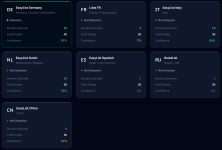
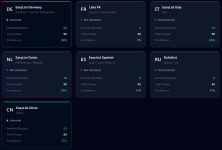
The Russian filter is correct, but for the German and Itlaian, it is not.

View attachment 295598

Useless in terms of fingerprinting, the only interpretation I can see is that it blocks domains in case they are malicious.

In my case, with dynamic filtering, almost all of them are blocked.

The only filter list (IT) I have subscribed to, moreover, has a lower confidence rating than all the others.
 
  • Like
Reactions: Sorrento
Yes, this is the test that needs to be done:

Content Filters and Proxy Detection
Detecting the blocklists in Brave was trivial for this site. On the other hand, they're all default lists, so I still blend in with many others.

I started up AdGuard (Windows, full content filter app) and discovered that this site can only detect that I'm using AdGuard, but no specifics.

This would be the specific test referred to in the news:

Adbleed - Adblock Filter Fingerprinting POC

So insignificant that it cannot be considered for what it is worth.
This site did well when I enabled EasyList Germany in Brave. The same list added to AdGuard defaults was more mixed in with other detections:
adguardeasyde.png

Things were pretty confused when I added AdGuard Japan to the defaults:
adguardjp.png
 
It's not just about location.
Malware can also modify its attack strategies based on data collected through privacy violations and/or fingerprinting.
Or it may not launch an attack on PCs with characteristics that are unfavorable to it.
Therefore, security always requires a certain amount of attention and care, without being obsessive, for privacy/fingerprinting.
 
Obviously, for me, this is the second line of defense; the first line is you.

The tool already exists.
You can use uBoL with just a few DNR rules to enable Enhanced Easy mode + exception rules that I can write for you.
And if you also install uBo at the same time, you can only use it with filter lists (Easy Mode).
When you find a website that doesn't work properly, disable uBoL with the slider.

Nothing could be simpler.
 
The tool already exists.
You can use uBoL with just a few DNR rules to enable Enhanced Easy mode + exception rules that I can write for you.
And if you also install uBo at the same time, you can only use it with filter lists (Easy Mode).
When you find a website that doesn't work properly, disable uBoL with the slider.

Nothing could be simpler.
This is a good tool to hide my identity which stop malware of determining my geolinguistic fingerprint according to which it decides to launch or to hibernate.

It's a good strategy, but I was referring to is to create a "custom repellent" fingerprint; for example, to make my PC looks using VM, my region is Russia, or my AV is not MD.
 
  • Like
Reactions: Sorrento
This is a good tool to hide my identity which stop malware of determining my geolinguistic fingerprint according to which it decides to launch or to hibernate.

It's a good strategy, but I was referring to is to create a "custom repellent" fingerprint; for example, to make my PC looks using VM, my region is Russia, or my AV is not MD.

No, what I suggested is for your defense.

Malware, if programmed in this way, aims to infect as many targets as possible in the shortest amount of time.

If you are too difficult a target for it...