AirVPN leaking?

Status
Not open for further replies.
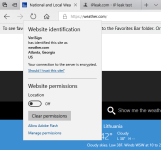
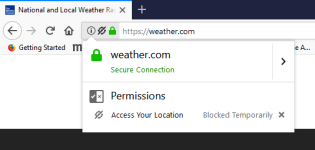
With location service on in Windows settings and AirVPN on, it also shows my real location in Weather.com when clicked section "FIND ME", and same for any browser if the webpage is granted my location access. I usually have location service disabled in Windows, as well as whenever webpage in EDGE requests my location in the meddle lower bottom, I click "No"
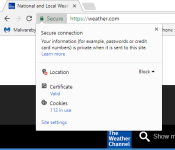
chrome.PNG edge.PNG firefox.PNG
 
Last edited by a moderator:
  • Like
Reactions: upnorth
*Not using AirVPN

But I opened Edge (private mode) with my VPN enabled and it never detected my real IP. And I do keep location services turned on Windows but NO default location.

In Windows settings, Privacy settings (location) I would make sure you don't have a default location set, and clear your location history.
 
  • Like
Reactions: upnorth
View attachment 176926 Ok I think I have it. Besides turning off location in Windows privacy setting, I found the spot in Edge settings to clear a bunch of stuff and then set it to do it automatic when closing Edge.
So it's cookies and not leaking? They just grab it when you are off the vpn i guess.
 
Status
Not open for further replies.