


silversurfer
Super Moderator
Thread author
Verified
Top Poster
Staff Member
Malware Hunter
Forum Veteran
- Aug 17, 2014
- 12,743
- 123,906
- 8,399
The "external sender" warnings shown to email recipients by clients like Microsoft Outlook can be hidden by the sender, as demonstrated by a researcher.
Turns out, all it takes for attackers to alter the "external sender" warning, or remove it altogether from emails is just a few lines of HTML and CSS code.
This is problematic as phishing actors and scammers can simply include some HTML and CSS code in their outgoing emails to tamper with the wording of the warning message or to make it disappear altogether.
Email security products such as enterprise email gateways are often configured to display the "external sender" warning to a recipient when an email arrives from outside of the organization.
IT administrators enforce displaying such warnings to safeguard users against phishing and scam emails arriving from untrusted sources.
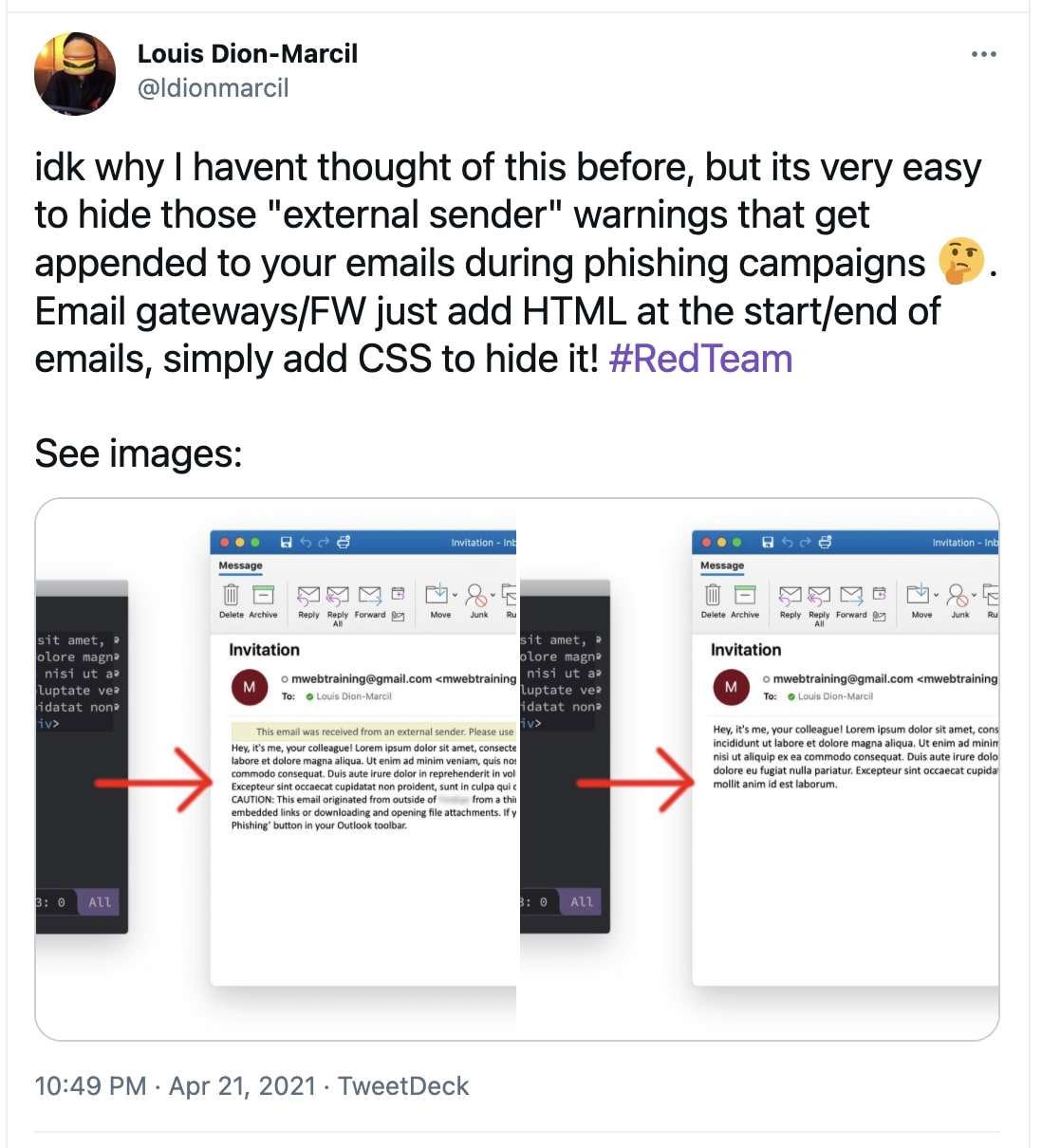
However, this week a researcher has shown a rather simple way that email senders can use to circumvent this protection applied by email security products.
By appending just a few lines of HTML and CSS code, researcher Louis Dion-Marcil showed how an external sender could hide the very warning from an email message.

Attackers can hide 'external sender' email warnings with HTML and CSS
The "external sender" warnings shown to email recipients by clients like Microsoft Outlook can be hidden by the sender, as demonstrated by a researcher. Turns out, all it takes for attackers to alter the "external sender" warning, or remove it altogether from emails is just a few lines of HTML...


