
Then why BD is showing four vulnerabilities (weak settings) for IE? That's weird.IE is removed from W 11 24h2, regardless of being LTSC or GAC.
No. Genuine MSDN ISOPirated LTSC ?


Open MalwareTips from your Home Screen or desktop. Follow discussions, find answers and pick up where you left off.
If you cannot find an install option, update your browser or use its bookmark option to keep MalwareTips close.
After installation, open the app and sign in. Enable push notifications in Preferences if you want alerts. On iPhone and iPad, push requires a Home Screen web app and iOS or iPadOS 16.4 or later.
Sign in to manage notificationsInstallation is optional. Your notification settings stay under your control.
Then why BD is showing four vulnerabilities (weak settings) for IE? That's weird.IE is removed from W 11 24h2, regardless of being LTSC or GAC.
No. Genuine MSDN ISOPirated LTSC ?
Here are the suggested fixes from BDWell some of those IE settings still matter to MsEdge I think. What are they ?
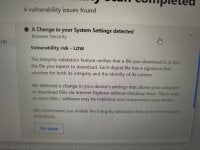
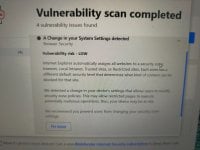
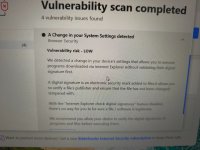
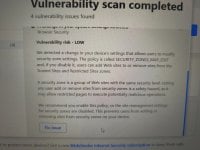

I'm now more concerned. Any suggestions? This is a clean install of Windows 11 Enterprise LTSC 2024.It adds up to basically to allowing malicious downloads. But BD is not giving out their gpedit path. And as I remember IE got a ton of them. Could be a downgrade attack where the attacker sets up low security to enable future move.
So I count 3 problems.
1. Unexpected change to non-ISP DNS server allows BD to connect.
2. IE vulnerabilities discovered, BD says they were modified.
3. MsEdge connecting outbound without permission or interaction to a non-MS site
I don't know, I've got a suspicious mindset. You set the threshold to make this an incident.

B has only online installer.install BD while offline if possible
Do you think it is BD that caused the issue because it tries to scan encrypted traffic and it failed to install it's certificate?I would re-install LTSC offline ( using BypassNRO=1 registry key at HKLM>Software>Microsoft>Windows>CurrentVersion>OOBE ), Use the ISP's DNS. install BD while offline if possible. Then go online and immediately activating BD. And see if the same problems re-occur. If nothing then good. Then if BD doesn't report those same vulnerabilities better. And if BD doesn't alert you to the same outgoing MsEdge connection, then I would say you had an intrusion.
I see your point here, but I don't want to reinstall Windows because I need to understand what happened, so I'm waiting for BD support because they might ask me to provide them with other logs.But even if BD couldn't install it's own cert, that doesn't explain why MsEdge was connecting to that site, which is non-MS.
If you are willing to wait a day for BD users to chime in regarding those vulnerabilities then go ahead and wait. But re-installing LTSC and BD only takes 45 mins.
I downloaded the iso and check the hash to verify it. I activated it with a product key.You have official LTSC .ISO right? But how do you activate it? Cheap bought key then fine, but if it's KMS or what ever pirated activator is in fashion that may be your problem?
Well then you shouldn't have a problem, Windows is always calling out that's the problem, sometimes its fine and then sometimes maybe malicious.I downloaded the iso and check the hash to verify it. I activated it with a product key.
Dude Ur freaking me outNot saying that you definitely have an intrusion, but in incident response, quick decisive mitigation is best. You can't let it linger - you won't know what they'll do to ensure persistence, maybe add a rootkit, maybe add another backdoor, maybe add a boot sector infection, maybe leap onto other machines in the LAN ...
If you want to wait for BD tech support to explain things, then add network segmentation and confine your machine. Network containment is the first thing to do when you suspect an intrusion. Then do a second opinion scan ( Norton Pencil, KVR ...) Then you can afford to wait.

How is it the same? You got a cert warning to moneytize something dot live. And your quoted example was for google.I found this which is the exact issue I experienced.
https://community.bitdefender.com/en/discussion/100605/constant-suspicious-connections-from-chrome
And this one is another different url.
Members who viewed this thread in the last 5 minutes

