

BIOS update via Windows Update

mkoundo

Level 8
Thread author
Verified
Well-known
Jul 21, 2017
358
3,647
669
uk
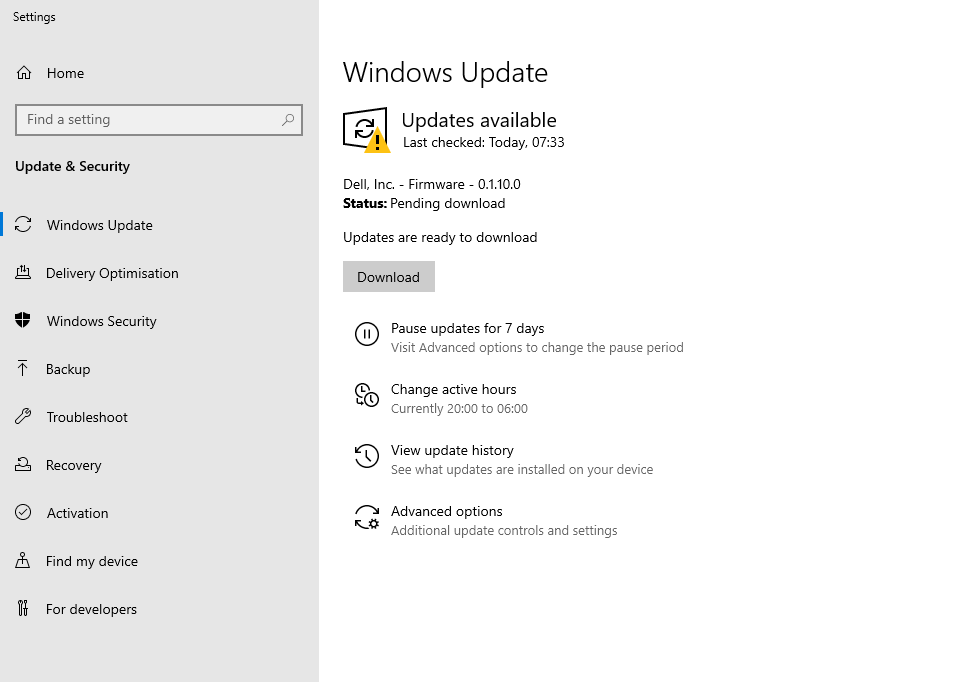
anyone seen a BIOS update pushed through windows update before?

First time i've seen this.

Dell XPS13 9380

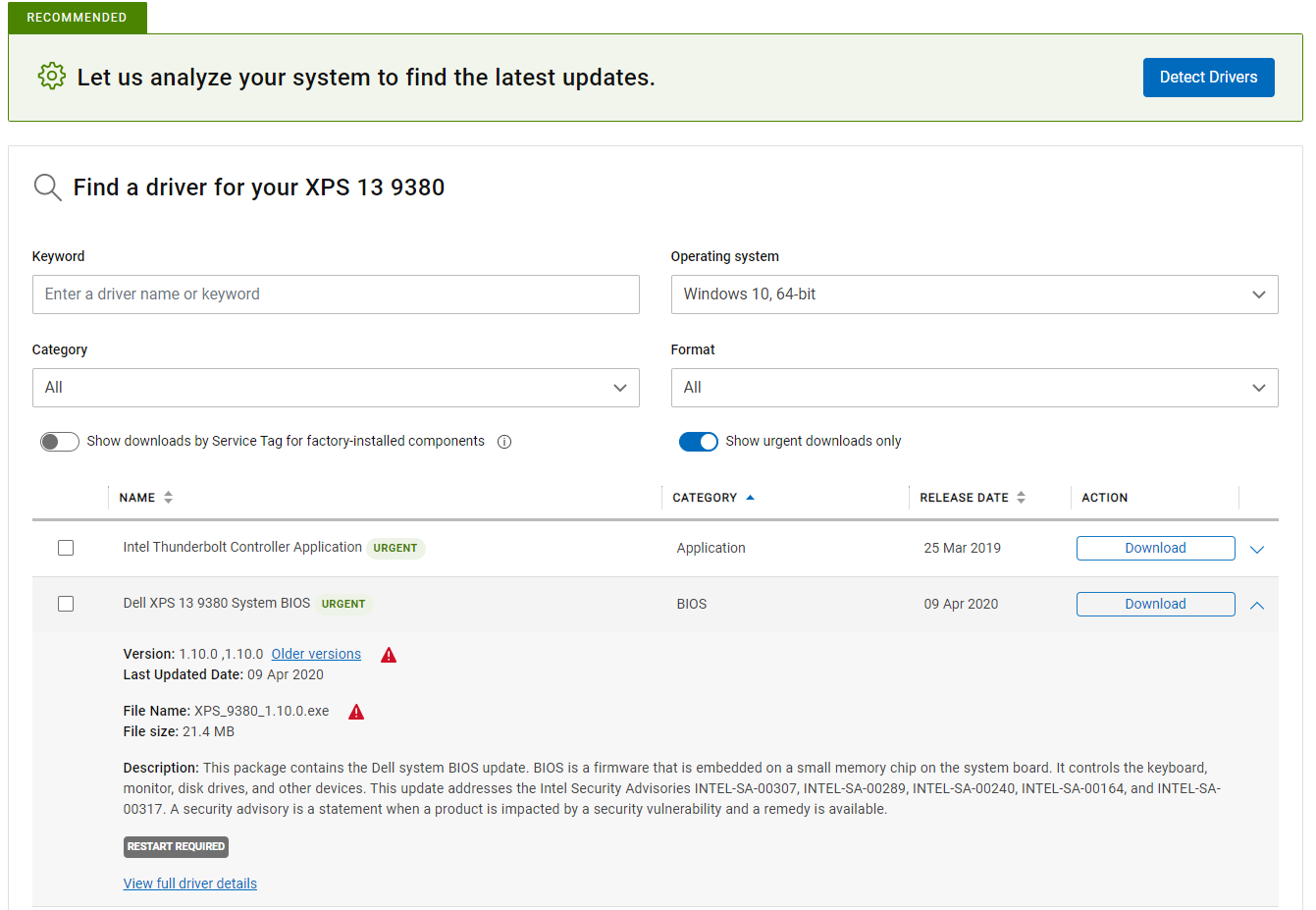
The bios update addresses the Intel Security Advisories INTEL-SA-00307, INTEL-SA-00289, INTEL-SA-00240, INTEL-SA-00164, and INTEL-SA-00317.
1587714558744.png


1587714624377.png
 
Yep, I had exactly the same last week, on a new Dell Inspiron notebook. I had not bothered with Dell Command Update yet, I like to do the Windows Updates first, and a new bios came in through Windows Update. Immediately after that I checked the Dell Command Update, and yes, the latest version (just a week old) was already installed.
 
To add to my last comment, I am constantly working with a with variety of older laptops and desktops from Acer, Dell, HP, Lenovo and have never seen a BIOS update offered in Windows Update, even when the computers have an outdated BIOS.

Updating the BIOS can cause serious problems if there is a power failure.
 
Updating the BIOS can cause serious problems if there is a power failure.

That's why it should always popup seperately and ask for user approval, but in my situation it came along automatically in a large batch of updates.

I'm guessing here, but if I was the decisionmaker at Microsoft, I would only offer this service to computers with a fully charged battery. So no desktops without connected UPS, and no half-empty laptops. Possibly only to DualBios / BiosGuard models. Just to prevent complete hardware failure after a failed BIOS flash.
 
There is a perception that the bios update is subject to a 'strict handling warning'. Is that already the norm in the past?
Above all, I'm terrified that the glitch will be able to do that through a standard Windows update.
 
They're called "UEFI Capsule Firmware Updates" and Microsoft has documented how to publish these: Windows UEFI firmware update platform - Windows drivers

Note that, if for whatever reason you don't want them, you can also usually disable a BIOS option named similarly (UEFI Capsule). This may be helpful if, for example, a BIOS update has a regression that you don't want to get, or you simply don't feel comfortable with having BIOS updates applied automatically.
 
I really like the idea that one no longer need HP Support Assistant.
Me too, I really don't like HP Support Assistant, it continuously overrides how I set it up - e.g. re-appearing as a toolbar no matter how many times I change the settings. Its not easy to uninstall either. I like the idea that I can use it to check for the manufacturer's updates, which I do regularly, but it doesn't trust me to be capable of deciding how often I want to do that. I've tried watching what it reports back to HP, found it hard to tell exactly how much more its feeding back besides checking for updates, I'm sure its more than necessary. So if Windows Update can replace it I'd welcome that a lot.
 
They're called "UEFI Capsule Firmware Updates" and Microsoft has documented how to publish these: Windows UEFI firmware update platform - Windows drivers

Note that, if for whatever reason you don't want them, you can also usually disable a BIOS option named similarly (UEFI Capsule). This may be helpful if, for example, a BIOS update has a regression that you don't want to get, or you simply don't feel comfortable with having BIOS updates applied automatically.


yep, found it....

1587974589034.png