Troubleshoot Dell PC CPU Fan Error. Spins for a few seconds and sometimes does not spin at all.

JakeXPMan

Level 17
Thread author
Verified
Top Poster
Well-known
Forum Veteran
Oct 20, 2014
832
3
3,267
1,568
45
USA
Briefly explain your current issue(s)
CPU Fan barely moves, only 1-3 seconds (will last a second or two extra with a head start spin) Sometimes it does not move at all.
Steps taken to resolve, but have been unsuccessful
Already clean, checked motherboard, attached and re-attached the fan cable.
Your current Antivirus
Windows Defender
Got this nice "used" DELL PC to upgrade my own, It has an i7 intel processor, Windows 11 and a new SSD. When arrived in mail, I opened the BOX (seemed to be bashed around a bit), I opened the side panel up, and noticed the plastic fan blade off the CPU FAN bearings entirely. So, I put it back onto it's Heatsink (seems to have a magnetic pull securing it in?) and fired up the PC to a CPU fan error.
(All other tests have GREEN check marks)

+ Dell error code 2000-0511 validation code 130859

Seems like it's hinting at BIOS settings, or a failure from a faulty fan.

I actually never had a fan problem before with a PC. Nor have I seen a CPU temp reach 90C. (That I'm aware of) I disconnected the wire, reconnected the cables. No change,
I will either buy a new fan, or do something BIOS related to fix this. It's likely one of these two issues. Is there a way to decide which is the sure problem to attend to here? I don't want to mess with BIOS unless I absolutely have to. I hope I just have to replace the fan, but I will take on whichever task I need to.

One tip I seen in a video, said to remove RAM and place back into the slots and I don't really see how this would help the fan, but
I noticed something with one of the RAM sticks... it has a metal shield surrounding it (just one of the RAM sticks) making it difficult to even access one of the RAM's,
It almost looks like 2 sticks of RAM itself on slot 1... I don't know what this "guard rail" shield for the RAM is? ... I never seen anything like it, RAM tests passed both times, no errors. Is this to help secure a lose Ram slot, or is it for guidance to install RAM???

Any clarity or help here would be great.
~Thanks~
 
The error code 2000-0511 refers to a fan malfunction. It's likely the CPU fan is faulty, especially since you mentioned it was off its bearings. I'd recommend replacing the fan first before messing with BIOS settings.

As for the RAM, the metal shield is likely a heat spreader, used to dissipate heat and improve performance. It's normal and shouldn't cause any issues. The RAM passing tests indicates it's functioning properly.
 
Upvote 0
If I remember correctly Lenovo Thinkpads got ways to bypass those faulty errors like fan issue. Some key combinations. Not sure for Dell but you can google that. In case you wanna proceed running without a fan for none power users, it's doable.
 
Upvote 0
As regards the RAM it seems like one stick of RAM has a heatsink on & one doesn't, so maybe someone has upgraded the RAM with differing modules which often is not a good idea or a heatsink has fell of, I would think RAM is not the issue.
My Corsair Vengeance RAM has heatsinks on, I'm not sure how effective they are but may help in overclocking? As regards your fan I would replace it, as it likely I feel is the problem.

I certainly would not use any CPU without a running fan at all or you will likely fry your CPU totally even for short periods, though the mainboard might shut the CPU down?

There many fans on Amazon for example & not expensive, measure your fan & see what you find, if you remove the fan cable remember what socket it goes in as often there are many, I take a photo usually of it. Most fans now have a 4 pin connector which allows the system to run the fan at the appropriate speed but some have less pins so plz make sure the fan plug is of the correct type.

Edit: Its often easier the buy a heatsink & fan together but if you remove the heatsink you will need to clean the CPU carefully to remove the old paste (I use a VERY small amount of meths on kitchen roll) & apply a very thin coat of heatsink paste, an amount often comes with a new heatsink/fan, again there are many types so find the correct one for your CPU.
 
Last edited:
Upvote 0
I had a dell xp8940 desktop awhile ago and upgraded fan as they were running (seemingly too often),it's a shame your not getting compensated gl
Slight delay in shipment but the CPU Fan will get here tomorrow. It's alright on the compensation as I got a deal on this PC, probably $50 cheaper then the cheapest with the specs and the things considered. If I was the seller, I'd charge more for shipping and pack a bit heavier, safer.

So, if by chance I can't get this new PC running properly. I won't be losing much, and can eventually sell some working parts on it.
 
Upvote 0
Got this nice "used" DELL PC to upgrade my own, It has an i7 intel processor, Windows 11 and a new SSD. When arrived in mail, I opened the BOX (seemed to be bashed around a bit), I opened the side panel up, and noticed the plastic fan blade off the CPU FAN bearings entirely. So, I put it back onto it's Heatsink (seems to have a magnetic pull securing it in?) and fired up the PC to a CPU fan error.
(All other tests have GREEN check marks)

+ Dell error code 2000-0511 validation code 130859

Seems like it's hinting at BIOS settings, or a failure from a faulty fan.

I actually never had a fan problem before with a PC. Nor have I seen a CPU temp reach 90C. (That I'm aware of) I disconnected the wire, reconnected the cables. No change,
I will either buy a new fan, or do something BIOS related to fix this. It's likely one of these two issues. Is there a way to decide which is the sure problem to attend to here? I don't want to mess with BIOS unless I absolutely have to. I hope I just have to replace the fan, but I will take on whichever task I need to.

One tip I seen in a video, said to remove RAM and place back into the slots and I don't really see how this would help the fan, but
I noticed something with one of the RAM sticks... it has a metal shield surrounding it (just one of the RAM sticks) making it difficult to even access one of the RAM's,
It almost looks like 2 sticks of RAM itself on slot 1... I don't know what this "guard rail" shield for the RAM is? ... I never seen anything like it, RAM tests passed both times, no errors. Is this to help secure a lose Ram slot, or is it for guidance to install RAM???

Any clarity or help here would be great.
~Thanks~
It sounds like you're dealing with a faulty CPU fan, especially since the blade was off when you got the machine and you're seeing high temps and that specific Dell error (2000-0511). This isn't usually a BIOS issue; it's almost certainly mechanical damage, likely from shipping. Your best bet is to replace the CPU fan with one compatible with your Dell and its i7 processor. As for that metal "shield" on your RAM, don't sweat it—that's just a heat spreader, a normal feature on many RAM sticks to help with heat dissipation. Since your RAM tests passed, there's no need to mess with it. Focus on getting that new fan in, and your temp issues should clear right up!
 
Upvote 0
Good advice in the posts, hit likes on all, thanks.
The CPU Fan arrived in the mail near evening this past Monday, I made the replacement yesterday. It works really well. I did see some thermal paste was on the bottom the the heatsink (probably a bit dry but still grayish blue) looked to be on there well, so I left it on. (Wanted to make sure the fan works before I try anything more) and does work great, and passed the Fan test this time.

Now, on top of the CPU appeared to have a generic, wax or bubble-drops cooling solution, looked to be applied pretty humble, marginal. Temp went from 90c and (throttling a bit, without a fan) to now a consistent resting temp of 75c for the Intel Core i7-4790. After 2 hours of being on it's 74c.

I am not sure what the resting temp should be, but I think it could reach somewhat lower with new thermal compound? Do you think I should get some Thermal paste or is 75c "the usual", I see 70c is not uncommon for i7-4790 ? Videos online sometimes say all different things.

I been checking videos on adding new thermal paste, removing the old stuff with paper towel and rubbing alcohol. Probably going to take that route, as long as the fan wires come out. This was the tricky part for me, safely removing the wires. They are secured close to a capacitor, not easy to get a hold of, and got very stubborn, first time was ok, but the second time removing, after forcefully shaking left-right and starting to sweat... it suddenly just floated out, victory !

Well, now I think, if this wire thing happens again, I can get my bro to help by holding the Fan away from CPU leave the wire in place, and I can clean off the Heatsink and Processor, add the compound, place it back and fasten corner to corner putting the screws back on.

I would only need to add thermal paste to the CPU, not the heatsink yeah? Is there a brand or type that is better or to avoid? I never needed to apply a paste before, my PC's in the past always seem to maintain running in cool temps.

I plan to go from light gaming to do more 'medium' gaming on the PC, so good time to learn probably. Shall I go ahead and proceed ?
 
Upvote 0
Good advice in the posts, hit likes on all, thanks.
The CPU Fan arrived in the mail near evening this past Monday, I made the replacement yesterday. It works really well. I did see some thermal paste was on the bottom the the heatsink (probably a bit dry but still grayish blue) looked to be on there well, so I left it on. (Wanted to make sure the fan works before I try anything more) and does work great, and passed the Fan test this time.

Now, on top of the CPU appeared to have a generic, wax or bubble-drops cooling solution, looked to be applied pretty humble, marginal. Temp went from 90c and (throttling a bit, without a fan) to now a consistent resting temp of 75c for the Intel Core i7-4790. After 2 hours of being on it's 74c.

I am not sure what the resting temp should be, but I think it could reach somewhat lower with new thermal compound? Do you think I should get some Thermal paste or is 75c "the usual", I see 70c is not uncommon for i7-4790 ? Videos online sometimes say all different things.

I been checking videos on adding new thermal paste, removing the old stuff with paper towel and rubbing alcohol. Probably going to take that route, as long as the fan wires come out. This was the tricky part for me, safely removing the wires. They are secured close to a capacitor, not easy to get a hold of, and got very stubborn, first time was ok, but the second time removing, after forcefully shaking left-right and starting to sweat... it suddenly just floated out, victory !

Well, now I think, if this wire thing happens again, I can get my bro to help by holding the Fan away from CPU leave the wire in place, and I can clean off the Heatsink and Processor, add the compound, place it back and fasten corner to corner putting the screws back on.

I would only need to add thermal paste to the CPU, not the heatsink yeah? Is there a brand or type that is better or to avoid? I never needed to apply a paste before, my PC's in the past always seem to maintain running in cool temps.

I plan to go from light gaming to do more 'medium' gaming on the PC, so good time to learn probably. Shall I go ahead and proceed ?
I would say go ahead and learn. Experience is the best teacher. We learn from books the basic ideas, but it's the actual hands on exp where we learn things in real world.

Buy a new thermal paste from well known brands like Grizzly, Arctic Silver etc or any other brands that work best in your area.

Just ensure to remove, clean the old dry paste.
Apply an ample amount in the cpu core then put back the heatsink. Give it time to settle before firing up your PC. That should make the temp drops.

BTW, how many RPM is your Fan or what brand/model?
 
Upvote 0
In the past I've used Noctua's paste that came with the CPU cooler and Artic Silver, which at the time was, and probably still is, the go to paste.

It looks like you did your research, but I remember after cleaning the CPU depending on the size, was putting a grain of rice size or pea size on the CPU and spreading it out with the edge of a credit card. You want enough to make contact between the two surfaces, without using to much that may go over the edge. That was from either Toms Hardware or a Overclocking forum. Otherwise, videos (YouTube) as you found.
edit:sp
 
Last edited:
Upvote 0
In the past I've used Noctura's paste that came with the CPU cooler and Artic Silver, which at the time was, and probably still is, the go to paste.

It looks like you did your research, but I remember after cleaning the CPU depending on the size, was putting a grain of rice size or pea size on the CPU and spreading it out with the edge of a credit card. You want enough to make contact between the two surfaces, without using to much that may go over the edge. That was from either Toms Hardware or a Overclocking forum. Otherwise, videos (YouTube) as you found.

Even thermal paste gets its fair share of upgrade and improvement over time as tech advances.

I used to use AS5 ( Artic Silver 5 during the Athlon-Core2 days ) as I like to overclock to gain extra megahertz ( yes mhz not gigahertz like today )

Nowadays there are newer paste and better ones called Kryonauts , Conductonauts and Liquid Metals etc etc.
I haven't personally tried those as most of my machine nowadays are laptop.
 
Upvote 0
Even thermal paste gets its fair share of upgrade and improvement over time as tech advances.

I used to use AS5 ( Artic Silver 5 during the Athlon-Core2 days ) as I like to overclock to gain extra megahertz ( yes mhz not gigahertz like today )

Nowadays there are newer paste and better ones called Kryonauts , Conductonauts and Liquid Metals etc etc.
I haven't personally tried those as most of my machine nowadays are laptop.
Yep, it's been a while for me too, for the same reason. Thanks for updating us with some of the more current brands :)
 
Upvote 0
Jake- Much more important than the thermal paste (btw- clean the Heatsink and CPU with alcohol and apply a thin layer of paste-preference being Thermal Grizzly Kryonaut- the smooth it out with something like a credit card) is the heatsink that you are using. Sounds from your post that you have the heatsink that came with the CPU, which is Double-Plus UnGood, especially if you are gaming!!!

Look for a quality Heatsink from Noctua. In addition they come with QUIET fans that will dissipate heat excellently.

Needless to say, if you intend to get a new system in the near future ignore all of the above except getting 1 gram of Grizzly and applying it. Have Fun!
 
Upvote 0
Jake- Much more important than the thermal paste (btw- clean the Heatsink and CPU with alcohol and apply a thin layer of paste-preference being Thermal Grizzly Kryonaut- the smooth it out with something like a credit card) is the heatsink that you are using. Sounds from your post that you have the heatsink that came with the CPU, which is Double-Plus UnGood, especially if you are gaming!!!

Look for a quality Heatsink from Noctua. In addition they come with QUIET fans that will dissipate heat excellently.

Needless to say, if you intend to get a new system in the near future ignore all of the above except getting 1 gram of Grizzly and applying it. Have Fun!
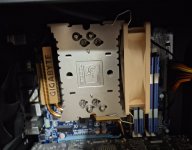
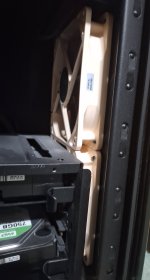
And my Noctua CPU cooler and front case fans have been running and cooling great since the day I installed them (Windows 7 PC build).

20250730_150105.jpg 20250730_150131.jpg
 
Upvote 0
And my Noctua CPU cooler and front case fans have been running and cooling great since the day I installed them (Windows 7 PC build).

View attachment 289913 View attachment 289914
I use Noctua premium fans as they are so quiet & reliable both for case & CPU, thinking of doing a push-pull on the CPU cooler at some time buts its running ok so maybe one day :whistle:

I had a CPU fan error some time ago which stopped it booting which was a good idea actually, on a friends ASUS TUF Mainboard Desktop, seems that one of the four wires going into the fan had either corroded or dislodged, as the CPU & case fan were the same I was able to swop the two & the case fan (old CPU fan) ran a bit fast until I replaced it later but it got me by.

My Ryzen 5 according to HW-Info in running at an average of 41C with a room temp of around 23 C so happy with that.
 
Last edited:
Upvote 0
@JakeXPMan The connectors on my mainboard are a pain to get to for me also & the case fan sockets aren't much better, (you are not alone) I end up using a pair of very long snipe noses pliers to carefully insert the plugs, my hands are a bit shaky & its easy to damage the pins - New thermal paste on the CPU I feel is a must if you take the heatsink off, at least now you know what the problem was - If its got old paste it you will probable get hotspots on the CPU, once you've done it you will be fine for years - Advice on this thread as to how to apply it is great.
 
Upvote 0
I use Noctua premium fans as they are so quiet & reliable both for case & CPU

I had a CPU fan error some time ago which stopped it booting which was a good idea actually,
yeah this rig originally came with liquid cooling that after awhle evaporated (or something), put a Noctua on cpu, been chill for years... :D
 
Upvote 0
Jake- Much more important than the thermal paste (btw- clean the Heatsink and CPU with alcohol and apply a thin layer of paste-preference being Thermal Grizzly Kryonaut- the smooth it out with something like a credit card) is the heatsink that you are using. Sounds from your post that you have the heatsink that came with the CPU, which is Double-Plus UnGood, especially if you are gaming!!!

Look for a quality Heatsink from Noctua. In addition they come with QUIET fans that will dissipate heat excellently.

Needless to say, if you intend to get a new system in the near future ignore all of the above except getting 1 gram of Grizzly and applying it. Have Fun!
Hello crue, Yes to all thee above,
Will be doing more upgrades in the next months, maybe around Holidays time, not sure exact when yet but already having fun, thanks!
 
Upvote 0
@JakeXPMan The connectors on my mainboard are a pain to get to for me also & the case fan sockets aren't much better, (you are not alone) I end up using a pair of very long snipe noses pliers to carefully insert the plugs, my hands are a bit shaky & its easy to damage the pins - New thermal paste on the CPU I feel is a must if you take the heatsink off, at least now you know what the problem was - If its got old paste it you will probable get hotspots on the CPU, once you've done it you will be fine for years - Advice on this thread as to how to apply it is great.
Yes I am good to go, will get the new thermal paste soon! I assume I am busy the next few days, but probably early next week, will put the new cooling paste down and yeah I understand your shaky or difficulties in very small sockets on edges of a motherboard. After securing the wires, I did get shaky which doesn't happen often, luckily the heatsink didn't wobble around too much or scratch the board with the screws.

Had to reset and start again to get the screws more even, was off on one corner, but refitting it worked just fine.
 
Upvote 0