


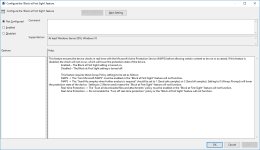
I found this interesting option in GPE/Windows Defender:
"This feature ensures the device checks in real time with the Microsoft Active Protection Service (MAPS) before allowing certain content to be run or accessed. If this feature is disabled, the check will not occur, which will lower the protection state of the device.
Enabled – The Block at First Sight setting is turned on.
Disabled – The Block at First Sight setting is turned off."
Do you know about it?
Is this enabled or not by default (if not, did you enabled?
"This feature ensures the device checks in real time with the Microsoft Active Protection Service (MAPS) before allowing certain content to be run or accessed. If this feature is disabled, the check will not occur, which will lower the protection state of the device.
Enabled – The Block at First Sight setting is turned on.
Disabled – The Block at First Sight setting is turned off."
Do you know about it?
Is this enabled or not by default (if not, did you enabled?


