BleachBit is a nice alternative for anyone searching for a nice alternative. It's so nice that even Hillary Clinton used it to wipe her famous email server. 


Same, I have setup Wise Disk Cleaner to run at shutdown, unfortunately it removes all logins, not at restart though, strange.Wise Care 365 Pro might be my next stop or something else.
CCleaner injects explorer and connects via the browser regardless, if it is blocked or not.Block with firewall.
Could you please elaborate this please?CCleaner injects explorer and connects via the browser regardless
It was mentioned in the other thread, like after install it opens a browser and connects. It can be blocked only via some HIPS capability (Comodo/Zone Alarm).Could you please elaborate this please?

That in red letters matters to me as I use the portable version and unchecked "Automatically check for updates to CCleaner" feature in Options > Settings since the beginning when I started using the portable. To be honest, I haven't seen any other attempt of injection or triggering a default browser instance at all.CCleaner will open to Default browser and go to a Piriform page when you check for updates. This will occur with either the installed (even though it has a built in CCUpdate module) or with the Portable version
You mean the Wise Registry Cleaner Pro cleans the entire registry vs its FREE version which cleans only the HKCU? Is there a comparison table to show the differences between the 2 versions?NO. CCleaner behaves more like adware now and the worst part is, that it eroded my trust in Avast. I no longer recommend it (it caused other issues as well).
Same, I have setup Wise Disk Cleaner to run at shutdown, unfortunately it removes all logins, not at restart though, strange.
So I have started to use browser's autosave for passwords, I know, but only for forums and unimportant stuff like that.
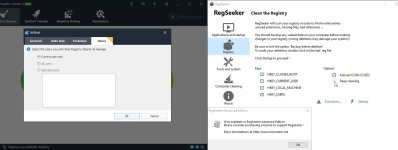
As for reg cleaning, I have moved to Wise and Regseeker (since Wise Free cleans only HKCU).
CCleaner injects explorer and connects via the browser regardless, if it is blocked or not.
Yes, if you try to enable it in settings, it is locked for Pro.You mean the Wise Registry Cleaner Pro cleans the entire registry vs its FREE version which cleans only the HKCU?
I'm using the free Eusing RegCleaner. It cleans moreYes, if you try to enable it in settings, it is locked for Pro.
RegSeeker does not allow deep cleaning, but it is already dangerous as it is.
EDIT: Just reading it, maybe I was wrong, again, it is just for user management, but it certainly does not clean some HKLM items, which even weaker CCleaner cleans.
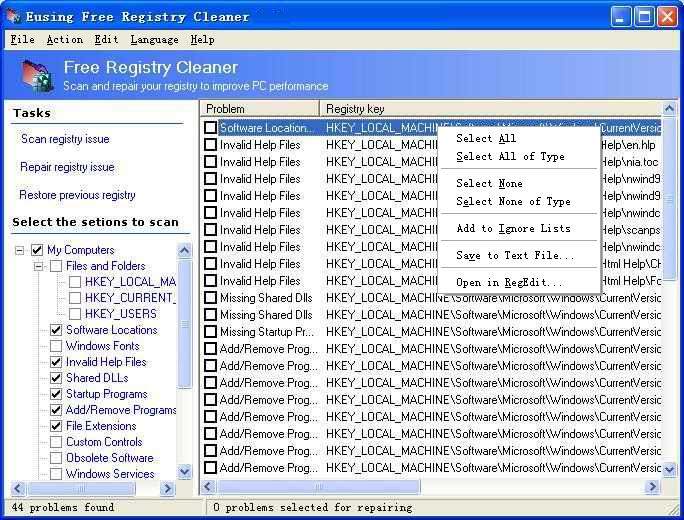
Including valid registry keys. It has always had major issues with false positives.I'm using the free Eusing RegCleaner. It cleans more

I'm using old version of CCleaner - v4.17.4808, and too (sometimes) WISE Disk Cleaner 7.Great CS, someone needs to give you a nice bottle of wine....I'll chip in....now can anyone recommend a similar software?

I just download updated version manually, blocked ccleaner by firewall like many others do; it's worth. I like the software and it has some useful features. I also deleted the Ccleaner UAC skip task, it's shady.
SkipUAC tasks are common with all tools like this. Otherwise they wouldn't work properly so nothing shady there for the most part. I still won't use Ccleaner, but that is a personal choice. Plenty of other solutions that do the job and since we mostly use Chromebooks, I just powerwash, which is a 20-30 second full restore. For the few desktops left in the home - Wise Portable, Kerish, Privazer, all good options IMO.