clickserve.dartsearch.net redirect

Hello Jack'
My searches are only hijacked by clickserve.dartsearch.net redirect when using Google Chrome. It doesn't happen on all searches or all sites, but I haven't been able to detect a pattern to it. The workaround is to scroll down from the first links returned by the search and look for a similar item or a listing that appears below the top/main link in smaller print--a submenu item at the site most likely. Then I am allowed in and can easily go from there to the home page.

I started this topic in the wrong place because I didn't notice the divisions for Mac & PC. So do I need to repost the original topic & questions on the Mac forum page since that's the platform where the malware shows up?

Okay, now I see I am in the correct forum! Did you move me over here? Thanks very much!

Dwilkows
Doug
 
  • Like
Reactions: [correlate]
No need to start a new thread, I've created this one for you. :)
Lets do a quick check:

  1. From the Apple menu, select System Preferences.
  2. When the System Preferences window opens, search for the Profiles icon.
    If there isn’t a Profiles icon, you don’t have any profiles installed, which is normal and you can continue with the next steps.
  3. If there’s a Profile icon, click on it and select any suspicious profile that you want to remove, and then press the – (minus) button. Click Remove to remove the profile.

Next, into Chrome's URL bar, type (or copy/paste) chrome://extensions/. A list with all the extensions that are installed on your Chrome browser will appear. What extensions do you have installed? Are there any that you don't remember installing?

Then, into Chrome's URL bar, type (or copy/paste) chrome://policy and click Enter, then check if there are policies loaded in Chrome.
 
My System Profiles folder is empty--I didn't have one but searched the HD for it and that created one.

Chrome Extensions:
--Amazon Assistant for Chrome 10.1910.9.12227
--Google Docs Offline 1.9
--iCloud Bookmarks 2.1.2
--Docs 0.10 Create and edit documents ID: aohghmighlieiainnegkcijnfilokake

Chrome Policies: Two types of policies listed, "Chrome Policies" and "Google Docs Offline". Both show "No Policies Set"

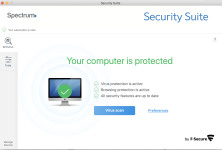
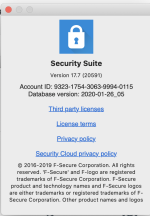
Some more Info: The AV protection, in addition to the Apple Firewall is by F-Secure and it's provided by my ISP, Spectrum (Formerly Charter.net). Attached are 2 screen shots from it.
 

Attachments

  • Security Suite by F-Secure 1.png
    Security Suite by F-Secure 1.png
    797.5 KB · Views: 437
  • Security Suite by F-Secure 2.png
    Security Suite by F-Secure 2.png
    131.5 KB · Views: 367
Last edited:
clickserve.dartsearch.net refused to connect.

This blockage to what I want to see is still bugging me. Do you have anything new Jack? I appreciate your help very much and even more for the hours and hours you put in as a volunteer. Thank you for anything you can suggest.

Now Safari is also responding in the same manner. See the attached screen shot.
Safari message.png


Doug
 
Last edited:

You may also like...