

The MalwareTips app
Your community, one tap away.
Open MalwareTips from your Home Screen or desktop. Follow discussions, find answers and pick up where you left off.
- Home Screen access
- Optional push alerts
- Your community
You're ready to explore.Explore what's new
Installation instructions
iPhone & iPad
- Open MalwareTips in Safari and tap Share. You may need to open the Page Menu first.
- Choose Add to Home Screen. If it is not listed, use Edit Actions to add it.
- Keep Open as Web App enabled if shown, then tap Add.
Android
- Open MalwareTips in Chrome or another browser that supports app installation.
- Open the browser menu and look for Install app, Install and create shortcut, or Add to Home screen.
- Choose Install and confirm. Wording varies by browser.
Desktop
- Chrome: use the install icon in the address bar, or the menu under Cast, save and share.
- Edge: open the menu, then More tools, Apps and Install this site as an app.
- Safari on Mac: choose Share or File, then Add to Dock. Firefox on Windows: look for the web apps button in the address bar.
If you cannot find an install option, update your browser or use its bookmark option to keep MalwareTips close.
Keep up with your conversations
After installation, open the app and sign in. Enable push notifications in Preferences if you want alerts. On iPhone and iPad, push requires a Home Screen web app and iOS or iPadOS 16.4 or later.
Sign in to manage notificationsInstallation is optional. Your notification settings stay under your control.
You are using an out of date browser. It may not display this or other websites correctly.
You should upgrade or use an alternative browser.
You should upgrade or use an alternative browser.
Software Review Comodo's challenge part 2.
- Thread starter Andy Ful
- Start date
Video Reviews - Security and Privacy
54 Replies
10,855 Views
Reviews reflect the reviewer's setup and methods. Check the evidence and limitations.
Thread details
- Content created by
- Andy Ful
In my post, I meant I watched the tests, and this is what I understood or took. As for @Trident, I didn't reply to his point because I understood it. And from memory, I knew it was by design and not a bypass, which I mentioned in the topic, and the developer confirming it cleared it for me. For me, I'm okay with this issue, and if I were using Comodo, I would continue using it with HIPS disabled. Others would have their own take on this issue, and I understand and respect that too.@rashmi I understand that you repost the official answer which says that Comodo behavior is by design and it is not a bypass.
I agree that when it is by design it is not a bypass, but I also agree with @Trident that most social enginering and staged phishing attacks start by luring a user to launch an application or poisoned document themselves.
Therefor the design decision of Comodo is questionable at the least, since most of these intrusions start by fooling the user to ckick-start unsafe code themselves


Andy Ful
From Hard_Configurator Tools
Verified
Honorary Member
Top Poster
Developer
Well-known
Forum Veteran
It is a protection bypass in a wide sense, but technically it is not a bypass.
The truth is very simple. This attack vector is absent in the wild because the attackers assume that is already known/detected/blocked by AVs.
It is successful in my videos, because it is absent in the wild (so far).
The truth is very simple. This attack vector is absent in the wild because the attackers assume that is already known/detected/blocked by AVs.
It is successful in my videos, because it is absent in the wild (so far).
Andy Ful
From Hard_Configurator Tools
Verified
Honorary Member
Top Poster
Developer
Well-known
Forum Veteran
I am curious though if Hard Configurator combined with Comodo FW would stop the POC.
Yes, such a combo can prevent all variants of the attack. But this combo would be unnecessary at home and hardly useful in businesses.


Good to know.Yes, such a combo can prevent all variants of the attack. But this combo would be unnecessary at home and hardly useful in businesses.
I expect CyberLock will also block this as it likes to block some OEM background functions
Last edited:
Andy Ful
From Hard_Configurator Tools
Verified
Honorary Member
Top Poster
Developer
Well-known
Forum Veteran
Good to know.
I expect CyberLock will also block this as it likes to block some OEM functions
Both CyberLock and OSArmor can block the particular variant of the attack that uses cmd[.]exe (assuming that this LOLBin is monitored by chosen settings).

Andy Ful
From Hard_Configurator Tools
Verified
Honorary Member
Top Poster
Developer
Well-known
Forum Veteran
Is there a chance to include Kaspersky in your challenges? If there's a way to bypass Application Control, I'd like to see it.
I can test Kaspersky. But, please ask first the MT staff if more tests can bring some benefit to our community.
My intention was not testing several AVs, but show on the example, that AV kernel drivers can be attacked from Userland without much effort and without using vulnerable drivers or abusing PPL.

Shadowra
Level 42
Verified
Top Poster
Content Creator
Malware Tester
Well-known
High Reputation
Forum Veteran
I can test Kaspersky. But, please ask first the MT staff if more tests can bring some benefit to our community.
My intention was not testing several AVs, but show on the example, that AV kernel drivers can be attacked from Userland without much effort and without using vulnerable drivers or abusing PPL.
I would very much like to check with Kaspersky and Bitdefender who are reputed to have an excellent Behavior Blocker
Comodo trusts or allows the attack file. Is it also present in the File List - Non-executables?Normally, the Safe Mode + default Internet Security configuration should work well (although it is disabled by default). In my case, Comodo crashed in much more restricted configuration. If I correctly remember It was Proactive configuration with settings similar to @cruelsister + maxed Script Analysis. I noticed that this setup is unusable (blocked many things), so I tried to restore the default settings of Script Analysis. In this moment Comodo showed errors, the system behaved strangely, and I could not fix it.
Absolutely no slowdown or problems on an old HDD laptop with the following setup: Proactive config + HIPS in safe mode + Containment with untrusted restrictions + Script Analysis with everything enabled + VirusScope with monitor contained/non-contained apps.
No issues after restarting the system. Fired the Vivaldi browser, and Comodo HIPS and Containment alerts appeared for Vivaldi and extensions. Attached is a screenshot.
Reverting the setting back and resetting script analysis to defaults was quick, with no issues.
No issues after restarting the system.
I tested the current beta 3 on a fully updated Windows 11 on my system, i.e., not in VM software. The beta fully supports Windows 11.

Nice test. Would you mind testing with the following settings (despite the fact they are not for daily use and could block legitimate stuff as well)?
Probably the final result will be the same, but I am just curious.
Checking this one:
And unchecking these below:
and this one here:
Thanks!
Probably the final result will be the same, but I am just curious.
Checking this one:
And unchecking these below:
and this one here:
Thanks!
Andy Ful
From Hard_Configurator Tools
Verified
Honorary Member
Top Poster
Developer
Well-known
Forum Veteran
Comodo trusts or allows the attack file. Is it also present in the File List - Non-executables?
I cannot answer this question, because it could help the criminals discover what is happening.
... following setup: Proactive config + HIPS in safe mode + Containment with untrusted restrictions + Script Analysis with everything enabled + VirusScope with monitor contained/non-contained apps.
This setup spoiled my system in the VM on Windows 11.
I can repeat the test with newest Comodo beta.
The best way to install Comodo is to configure it after installation, i.e., don't restart the system. If you want to use a different configuration than the installation default, activating it should be the first step, otherwise your desired configuration won't have your custom settings. After configuring the settings, run the Rating Scan and take action on unrecognized files and malicious (if any). Restart the system. I never had problems using Comodo this way. You can tame Comodo or minimize alerts by adding signed vendors (not verified by Comodo) or excluding/ignoring your unsigned apps, etc.A few years ago when I used Comodo with the much more restrictive HIPS "Paranoid mode", the only way I could manage to make this mode usable without crippling Windows was to immediately put it in "Learning mode", then reboot several times, log out and back in, do most of the basic stuff I would normally do on a daily basis such as open the web browser, email client, any office apps, and most of the basic Windows actions such as open Explorer, check updates, settings, etc...This way rules would be automatically created on the fly.
It's not ideal, of course, but there was no other way otherwise it would bork Windows because the HIPS would block something critical that Windows needs to function properly. it seems the same issue, maybe to a lesser extent but an issue nonetheless, occurs with HIPS in Proactive mode. Obviously Learning mode must be done on a known, clean system, and the user must take care not to incur infection while doing so
EDIT
Perhaps Comodo devs could consider baking into the product, a minimum set of rules that allows Windows to function at a basic level whenever the user wants enable HIPS in any mode.
Andy Ful
From Hard_Configurator Tools
Verified
Honorary Member
Top Poster
Developer
Well-known
Forum Veteran
Test done on the newest CIS 2024 beta.
Proactive config + HIPS in safe mode + Containment with untrusted restrictions + Script Analysis with everything enabled + Use script heuristics set HIGH + VirusScope with monitor contained/non-contained apps.
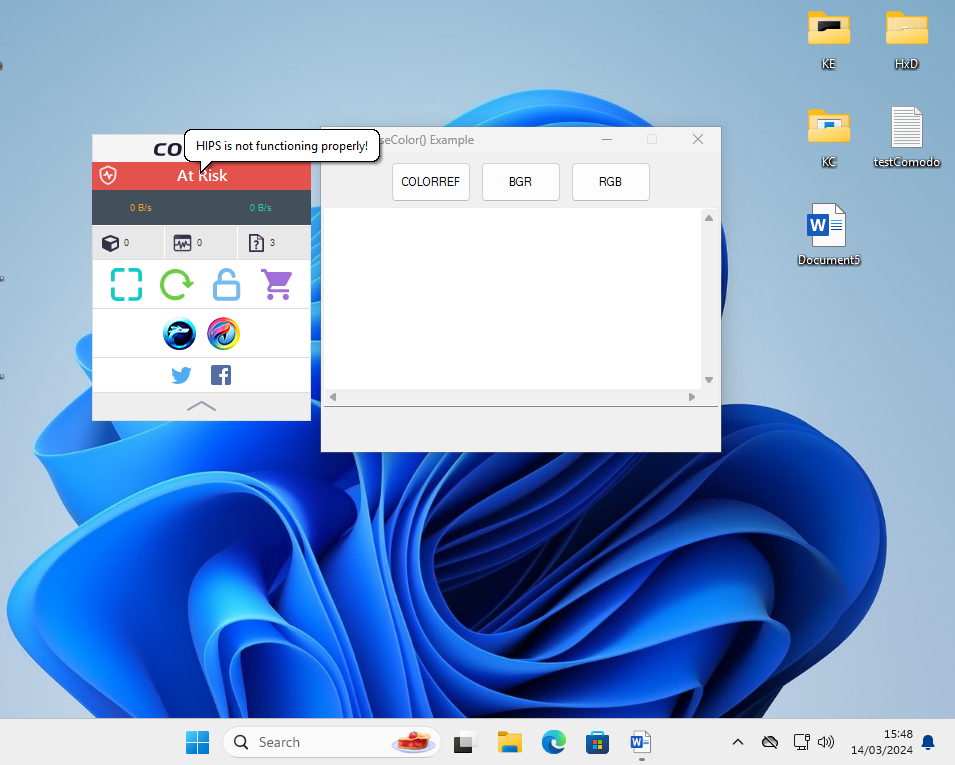
When I used the LOLBins listed in the Script Analysis, the attack was blocked.
When I used the LOLBin not on the list, the attack was successful.
The differences from the older version:
Proactive config + HIPS in safe mode + Containment with untrusted restrictions + Script Analysis with everything enabled + Use script heuristics set HIGH + VirusScope with monitor contained/non-contained apps.
When I used the LOLBins listed in the Script Analysis, the attack was blocked.
When I used the LOLBin not on the list, the attack was successful.
The differences from the older version:
- CIS does not corrupt Windows 11 when HIPS and Proactive configuration are both enabled.
- The Internet connection is not blocked and Firewall works properly.
Andy Ful
From Hard_Configurator Tools
Verified
Honorary Member
Top Poster
Developer
Well-known
Forum Veteran
Nice test. Would you mind testing with the following settings (despite the fact they are not for daily use and could block legitimate stuff as well)?
Probably the final result will be the same, but I am just curious.
Checking this one:
And unchecking these below:
and this one here:
Thanks!
Compromised.
https://malwaretips.com/threads/comodos-challenge-part-2.129514/post-1079005

Thanks a lot Andy for your thorough testing!Test done on the newest CIS 2024 beta.
Proactive config + HIPS in safe mode + Containment with untrusted restrictions + Script Analysis with everything enabled + Use script heuristics set HIGH + VirusScope with monitor contained/non-contained apps.
View attachment 282183
When I used the LOLBins listed in the Script Analysis, the attack was blocked.
When I used the LOLBin not on the list, the attack was successful.
The differences from the older version:
- CIS does not corrupt Windows 11 when HIPS and Proactive configuration are both enabled.
- The Internet connection is not blocked and Firewall works properly.
This is likely the configuration I would use if I still had Comodo. I can see clearly where the vulnerability is now, although I trust your judgment that it is unlikely in real life for home users.
Andy Ful
From Hard_Configurator Tools
Verified
Honorary Member
Top Poster
Developer
Well-known
Forum Veteran
Thanks a lot Andy for your thorough testing!
This is likely the configuration I would use if I still had Comodo. I can see clearly where the vulnerability is now, although I trust your judgment that it is unlikely in real life for home users.
This is a very strong config. It can probably prevent all (or almost all) attempts to apply this attack in the wild. The config cannot directly block my POC, but will prevent the UAC bypass (so the attack will fail). Another solution is using @cruelsister setup (HIPS disabled) on SUA. Even setting UAC to MAX on the default Admin account can stop 90% of such attacks in the wild. But, one has to be careful when allowing the elevation of processes.
In Script Analysis, one can add the missing ones.When I used the LOLBin not on the list, the attack was successful.
Thanks. Didn't know the settings I pointed existed in the beta. Didn't try it yet. I am wondering if the "enhanced protection" was still available, would that change something. They removed it after 5.8 if I remember correctly since it interfered with Win 10 x64, probably because of the PatchGuard or other stuff introduced in Win 10. In fact, v3 had the strongest HIPS back in the days, but the pop-ups were way too many, and it was unusable
Do you use an attack similar to Stuxnet? This one used an LNK exploit and went undetected for a really long time. Or this is purely LOLbins attack?
Well now like @Shadowra asked I am waiting to see if Kaspersky would pass the test. It will be nice to see if Appguard will pass it as well.
Recently browsing
Members who viewed this thread in the last 5 minutes
You may also like...
-

-

-
Software Review COMODO Internet Security Pro 2027
- R
-
R