Hi,
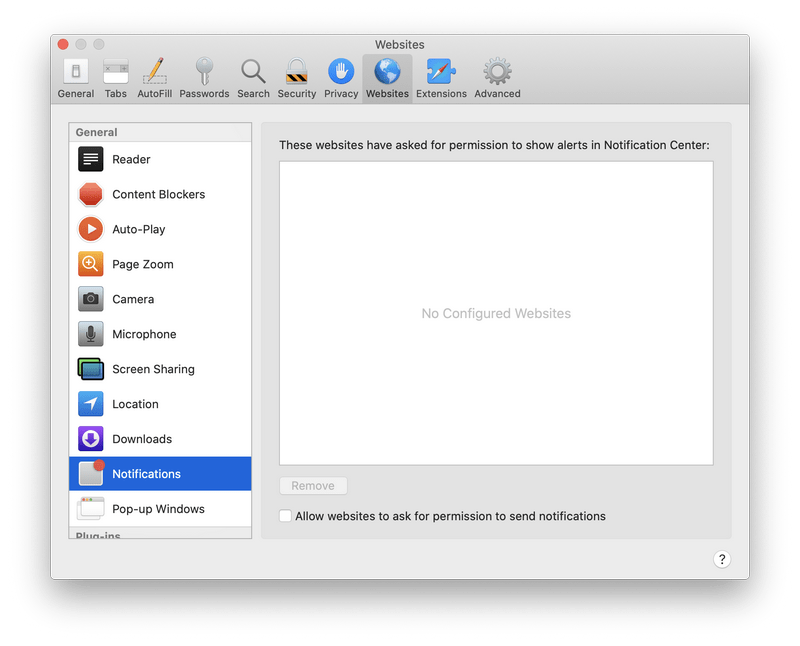
I unfortunately clicked that "I am not a robot" that appears so frequently on the internet. Now frequent alerts appear in my notification about viruses and various actions and links that I should follow. I delete these alerts. However, I can not make them stop. I followed all of your tips but could not find any evidence of malware. I downloaded your free antivirus program for Macs, and it said my system was clean. I have an older MacBook Pro using Safari and Firefox. My internet access does not seem affected. Do you have any advice? Thanks.
Regards,
Alan
I unfortunately clicked that "I am not a robot" that appears so frequently on the internet. Now frequent alerts appear in my notification about viruses and various actions and links that I should follow. I delete these alerts. However, I can not make them stop. I followed all of your tips but could not find any evidence of malware. I downloaded your free antivirus program for Macs, and it said my system was clean. I have an older MacBook Pro using Safari and Firefox. My internet access does not seem affected. Do you have any advice? Thanks.
Regards,
Alan