Advanced Plus Security DeepWeb's Security Config 2019

Last updated
Sep 3, 2019
Windows Edition
Enterprise
Log-in security
Security updates
Allow security updates
User Access Control
Always notify
Real-time security
Panda Dome Advanced
Firewall security
About custom security
Periodic malware scanners
Norton Power Eraser
Run PE Detector
Root Certificate Check
Malware sample testing
I do not participate in malware testing
Browser(s) and extensions
Firefox Nightly:
Nano Adblocker & Defender
HTTPS Everywhere
Privacy Possum
Searchonymous
Maintenance tools
Tweaking.com Windows Repair
File and Photo backup
Windows File History
System recovery
Macrium Reflect
Risk factors
    • Gaming
    • Logging into my bank account
    • Browsing to popular websites
    • Streaming audio/video content from shady sites
    • Browsing to unknown / untrusted / shady sites
    • Streaming audio/video content from trusted sites or paid subscriptions
Computer specs
CPU: Intel Core i7 4700MQ
RAM: 16 GB
GPU: Nvidia
Storage: SATA SSDs (3 TB)

DeepWeb

Level 25
Thread author
Verified
Top Poster
Well-known
Jul 1, 2017
1,396
5,165
2,370
On a journey
6qe4mGW.png

I put a heavy emphasis on Group Policy hardening because changes there carry over to future versions of Windows 10 without having to set everything up again. I get most of my Group policy tweaks from these guides:
Penetration Testers’ Guide to Windows 10 Privacy & Security
EUD Guidance: Windows 10 (1803) with Mobile Device Management - NCSC Site
Preventing Mimikatz Attacks – Blue Team – Medium
Manage Windows Defender Credential Guard (Windows 10)

I use Exploit Protection to provide additional protection to older driver software and 7-Zip.

I also keep an eye out for the latest CPU microcode, BIOS and UEFI updates on my OEM's website to fend off Spectre and Meltdown related vulnerabilities:
HPSBHF03573 rev. 15 - Side-Channel Analysis Method | HP® Customer Support
 

Attachments
  • Tb8GvFJ.png
    Tb8GvFJ.png
    232.2 KB · Views: 271
  • AE9ysju.png
    AE9ysju.png
    210.2 KB · Views: 313
Last edited:
-Kaspersky Total Security 2020

+Eset Smart Security Premium 2019

Let me start by saying that Kaspersky is an A+ product. There was absolutely nothing wrong it. Protection was excellent. I just wanted something lighter on resources with an equal detection rate. Eset is definitely the lightest AV solution out there. That being said I don't even use my Windows laptop anymore. I browse on my Chromebook 99% of the time now and I highly recommend it. The peace of mind while browsing is priceless! The learning curve is exactly zero.
 
After using Eset Smart Security Premium for a while I have to give you guys a warning. Eset in its default settings very allergic to torrenting. It will block your entire network until reboot sometimes. The way I went around this is disabling IDS and Botnet protection in its firewall. Kaspersky is far more mature in this area.

But other than that, it does feel lighter and I can finally enable Memory Integrity without breaking the AV.
 
Sorry. Had to go back to Kaspersky. I could not get Eset to work with torrenting. It would completely disable the network adapters until I restart and I can't afford these shenanigans. :D
Weird, I torrent all the time even doing right now and never had any issue with ESET.
 
Last edited:
Weird, I torrent all the time even doing right now and never had any issue with ESET.
I know. It most likely isn't due to Eset. I tested again with Kaspersky... I think I just never noticed how buggy Windows 10 was until now. :D
It's a very fascinating bug. You will not run into the bug unless you have your PC on running idle for 4 hours. It seems Windows 10 is spitting the wifi driver out and not letting it back.
 
Last edited:
@L0ckJaw @SeriousHoax Geez! I finally figured it out after uninstalling/reinstalling the drivers, uninstalling my VPN!!, resetting the BIOS, even restored my copy of Windows 10 to earlier this year when I upgraded to 1903, everything. I tested the components in HP's UEFI menu and the Wireless Module could not be found. So I opened my laptop and replaced the small Intel 7260AC WiFi card with another one. Viola! Problem solved. The WiFi card was dying that's all.

Just a heads up if you guys ever see a notice in Event Viewer that your Wifi card is being reset multiple times, and you cannot reconnect, it's failing. Laptop is about 4-5 years old but the i7 CPU is still beating most of the things in the market so I stuck with it. :emoji_v::D
 
-Kaspersky Total Security

+Panda Dome Advanced
+Malwarebytes Anti-Exploit beta


edit: I've learned a few tricks from Gryphon about my security and performance. I decided to return it, uninstall Kaspersky, buy a new network adapter and tweak the Group Policy to harden everything further. I'm happy with the result. :D

I'm also doing monthly full backups from now on instead of weekly incremental backups. Full backups are more reliable and less prone to corrupt.
 
Last edited:
-Kaspersky Total Security

+Windows Defender Antivirus
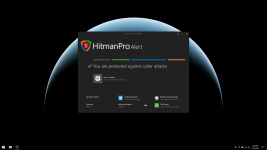
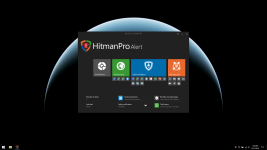
+HitmanPro.Alert
+Gryphon Router
+Macrium Reflect Home


I'm not crazy. My aim is to enable as many of Windows exploit protections as possible and I was not able to do so before. Now that Gryphon's excellent malware protection prevents driveby downloads, malicious sites and malware in the first place, I can shift my focus back to more exploit protection and less aggressive real time scanning. :D
Just keep in mind the Gryphon doesn’t scan https, just blocks known bad IPs.