Defender Control v1.6 (December 16,2019)

oldschool

Level 85
Thread author
Verified
Top Poster
Well-known
High Reputation
Forum Veteran
Mar 29, 2018
8,407
1
61,359
8,369
Republic of Gilead, Russian Federation
en.wikipedia.org
A new toy for all of you Windows Defender haters! :p

Defender Control v1.6 – What’s New – (Monday , 16. December 2019)
1. [Fixed] – False Positive Issue (Some code improvements for the False Positive Issue)
2. [Added] – A unique security code for the defender disable cmd command
3. [Added] – About screen

 
THX @oldschool

Not a Windows Defender hater, but on my 10 year (dual boot) laptop, it is worth a try to see whether I can reduce the cold startup of Edge-chromium (now takes 4 seconds and anything over 3 secs feels as slow). In Manjaro Chromium loads faster (I had enabled Firejail, but renoved it because it only marginally adds protection nowadays).

Len
 
A new toy for all of you Windows Defender haters! :p

Defender Control v1.6 – What’s New – (Monday , 16. December 2019)
1. [Fixed] – False Positive Issue (Some code improvements for the False Positive Issue)
2. [Added] – A unique security code for the defender disable cmd command
3. [Added] – About screen

Thanks bro, I somehow forgot all about this nifty little program. Now I downloaded it again. Like it says on their home page, it can be very useful when copying large amounts of data from one storage device to another.
 
The current version works well, as compared to the previous one. One has to be cautious, because this tool uses TrustedInstaller privileges to disable WD Tamper Protection. Microsoft currently works to harden Tamper Protection, so this tool may be incompatible with the new Windows version (like it was with version 1903).
If so, then there is well known policy which works after manually disabling Tamper Protection via Windows Security Center:
[HKEY_LOCAL_MACHINE\SOFTWARE\Policies\Microsoft\Windows Defender]
"DisableAntiSpyware"=dword:00000001
After restarting Windows, WD will be turned off.
 
Last edited:
You can simply turn off WD real-time protection (temporarily) from WSC to get the same effect.(y)
I really hope Microsoft work on this. In terms of ram usage it's lower than almost all of them but one of the slowest at on access scanning that's why struggle at copying, installing applications, exporting media files, etc.
 
I have just tried the previous version of Defender Control - quarantined by WD as HackTool:Win32.
The same detection will be most likely applied by MS for the current version, soon.

Yes, I had the same experience recently. "Allowed" in WD.
 
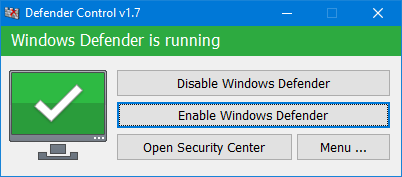
windows_defender_is_running.png


Defender Control v1.7 – What’s New – (Monday, 25. january 2021)

1. [FIXED] – Defender control doesn’t work properly when Tamper Protection is active
2. [FIXED] – ID Protection prevent to use Defender contol on multiple pc (ID Protection removed)
3. [FIXED] – GUI Font is too small
4. [ADDED] – The / q parameter has been added. Status information can be obtained with Exit code
5. [ADDED] – Some code improvements

 
windows_defender_is_running.png


Defender Control v1.7 – What’s New – (Monday, 25. january 2021)

1. [FIXED] – Defender control doesn’t work properly when Tamper Protection is active
2. [FIXED] – ID Protection prevent to use Defender contol on multiple pc (ID Protection removed)
3. [FIXED] – GUI Font is too small
4. [ADDED] – The / q parameter has been added. Status information can be obtained with Exit code
5. [ADDED] – Some code improvements

Thanks!
 
  • Like
Reactions: Nevi and Venustus