


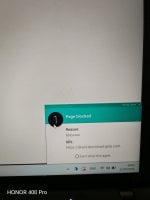
Panda detected the download of the fake Hibit Unsitaller link but without its Security extension.
I wonder how Panda does its Web protection
I wonder how Panda does its Web protection
Panda detected the download of the fake Hibit Unsitaller link but without its Security extension.
I wonder how Panda does its Web protection
View attachment 298753
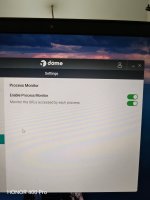

No I did not experience that. Panda is too friendly on my end. It behaves exactly like a good-big pet.I looked everythere and could not find the VPN service. It seems you need to run it once before it gets activated. Good I do not need it.
Have you encountered any issues in enabling Application Control? It kept failing until I restarted the system.
The missing dot Net update completely broke Panda's UI. After installing, everything went smoothly.No I did not experience that. Panda is too friendly on my end. It behaves exactly like a good-big pet.

Panda detected the download of the fake Hibit Unsitaller link but without its Security extension.
I wonder how Panda does its Web protection
View attachment 298753
Same with Avast, no need to install the browser extension.
But Avast is different. It does filter https connections and install its root certificate (MITM). Panda does not filter https nor install it's root certificate.Same with Avast, no need to install the browser extension.
But Avast is different. It does filter https connections and install its root certificate (MITM). Panda does not filter https nor install it's root certificate.
Edit:
Your F-Secure does not filter https.
- Reputation & Safety Ratings: The extension allows F-Secure to check the safety ratings of HTTPS URLs against their Security Cloud before you click them, showing you color-coded icons in search results.
- Content & Malware Blocking: It scans the web traffic—including modern HTTP/3 traffic—allowing it to block malicious scripts, phishing attempts, and harmful iframes hidden inside encrypted HTTPS pages.
- Safe Banking & Shopping: When you navigate to a banking or shopping site via HTTPS, the extension recognizes the secure URL and triggers F-Secure's specialized Banking Protection, which locks down your connection to prevent session hijacking.
This is the job of F-Secure extension. I prefer this way of protection. But if you look at Avast settings, it is a nightmare. It even scan encrypted DNS connections.FWIW:

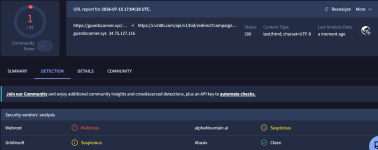
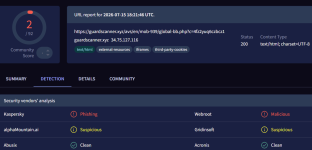
A malicious link reproted on Reddit, detected only by Webroot on VTSo according to this link, Webroot is a blessing in disguise?
Webroot » AVLab Cybersecurity Foundation
Webroot solutions are the answer to the global problem of ransomware and zero-day malware, which few million appear every day worldwide.avlab.pl
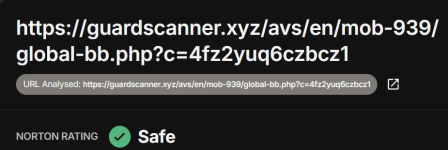
 safeweb.norton.com
A malicious link reproted on Reddit, detected only by Webroot on VT
View attachment 298830
View attachment 298831
Safeweb
I have no alternative explanation.In the same way, the fake Webroot and Hibit unistaller websites were only detected by Webroot.
It seems Webroot's web protection is excellent

Hello,
No malicious software was found on the website you have sent. The malicious code was probably removed from the server.
If you have a local copy of the suspicious file, please send it in an archive with the password 'infected' (without quotes).
Best regards, Malware Analyst
Hello,
The specified URL was added to our blocklist.
Thank you for your help.
Best regards, Malware Analyst
Youre not using any security extensions? MBBG is very effective
Btw when reporting undetected malicious samples to Webroot, they get detected in a few hours. I believe they've got some sort of auto analysisI have no alternative explanation.
On Brave, no extensions at all; on Edge, uBOL and McAfee web advisor.Youre not using any security extensions? MBBG is very effective
McAfee web advisor is great too. Very effective and fast.On Brave, no extensions at all; on Edge, uBOL and McAfee web advisor.
But I use Edge only for logging in to bank accout; Brave is the main browser.
Tried opening it using Edge: Not found!!On Brave, no extensions at all; on Edge, uBOL and McAfee web advisor.
But I use Edge only for logging in to bank accout; Brave is the main browser.



