Advice Request Does Kaspersky Internet or Total Security have a "Protected Folders" feature like Bitdefender?

Please provide comments and solutions that are helpful to the author of this topic.
Status
Not open for further replies.

itssaulgoodman

Level 1
Thread author
Dec 17, 2017
9
19
25
LA
Hi There,

Some have said that Kaspersky does indeed have a "Protected Folders/Files" feature within their Internet and Total Security suites, however, it takes a bit of tinkering with the software to use it. I know this is one of Bitdefender's main features (I have Bitdefender IS 2018 at the moment) on the Internet and Total Security packages.

Thus, is it true that there is a protected folders/files feature within Kaspersky Internet or Total Security? If so, how do you turn it on?

Many Thanks.
 
  • Like
Reactions: Sunshine-boy
Kaspersky uses all its layers to protect against ransomware, but application control allows you to do whatever you want with a file. Very deep intuitive feature that will allow you to lock down file access.

Someone else will chime in with a better answer ;)
 
Last edited:
Well, the answer is no, or not in the same way or with a specific module, but You may emulate with "Application Control".

The link posted by @Evjl's Rain is correct, but I usually implement a similar protection in some of my systems in a different way, using the same method, for instead, but protecting specific folders (not specific file types) or even full drives, 2nd screen-shot of this post:

SECURE: Complete - harlan4096's Security Config 2018
 
Well, the answer is no, or not in the same way or with a specific module, but You may emulate with "Application Control".

The link posted by @Evjl's Rain is correct, but I usually implement a similar protection in some of my systems in a different way, using the same method, for instead, but protecting specific folders (not specific file types) or even full drives, 2nd screen-shot of this post:

SECURE: Complete - harlan4096's Security Config 2018

Harlan, the first pic does not enlarge. Can you fix it?.
 
It's working here, I mean, both pics on that post can be zoomed clicking on them, so the issues probably is in your side :unsure::emoji_thinking:
 
  • Like
Reactions: silversurfer
It's working here, I mean, both pics on that post can be zoomed clicking on them, so the issues probably is in your side :unsure::emoji_thinking:
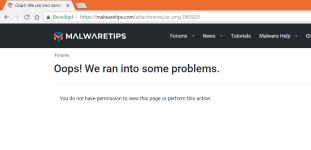
Harlan I have the same problem with the first pic:
oops.PNG
Second one loads fine.
 
So strange :emoji_thinking: maybe You have some browser extension blocking it? I can open and zoom it without any issues (FFQ)...

Anyway here You are:
 
So strange :emoji_thinking: maybe You have some browser extension blocking it? I can open and zoom it without any issues (FFQ)...

Anyway here You are:


Man, easy, upload the pic again.... I get this message: "You do not have permission to view this page or perform this action".
 
  • Like
Reactions: harlan4096
I upload the pic to a public server (imgur), so why can't You access it?????
 
Status
Not open for further replies.