

DOJ Virus
- Thread starter Aztec12
- Start date
You are using an out of date browser. It may not display this or other websites correctly.
You should upgrade or use an alternative browser.
You should upgrade or use an alternative browser.

Hello,
They call me TwinHeadedEagle around here, and I'll be working with you.
Before we start please read and note the following:
Please download Farbar Recovery Scan Tool x64 and save it to a flash drive.
They call me TwinHeadedEagle around here, and I'll be working with you.
Before we start please read and note the following:
- At the top of your post, please click on the "Watch thread" button and make sure to check Watch this thread...and receive email notifications. This will send an email to you as soon as I reply to your topic, allowing me to solve your problem faster.
- Please do not install any new software during the cleaning process other than the tools I provide for you. This can hinder the cleaning process. Please do not perform System Restore or any other restore.
- Instructions I give to you are very simple and made for complete beginner to follow. That's why you need to read through my instructions carefully and completely before executing them.
- Please do not run any tools other than the ones I ask you to, when I ask you to. Some of these tools can be very dangerous if used improperly. Also, if you use a tool that I have not requested you use, it can cause false positives, thereby delaying the complete cleaning of your machine.
- All tools we use here are completely clean and do not contain any malware. If your antivirus detects them as malicious, please disable your antivirus and then continue.
- If during the process you run across anything that is not in my instructions, please stop and ask. If any tool is running too much time (few hours), please stop and inform me.
- I visit forum several times at day, making sure to respond to everyone's topic as fast as possible. But bear in mind that I have private life like everyone and I cannot be here 24/7. So please be patient with me. Also, some infections require less, and some more time to be removed completely, so bear this in mind and be patient.
- Please stay with me until the end of all steps and procedures and I declare your system clean. Just because there is a lack of symptoms does not indicate a clean machine. If you solved your problem yourself, set aside two minutes to let me know.
- Please attach all report using
button below. Doing this, you make it easier for me to analyze and fix your problem.

- Do not ask for help for your business PC. Companies are making revenue via computers, so it is good thing to pay someone to repair it.
- If I don't hear from you within 3 days from this initial or any subsequent post, then this thread will be closed.
Please download Farbar Recovery Scan Tool x64 and save it to a flash drive.
- Plug the flashdrive into the infected PC.
- Restart your computer and tap F8 to bring up the Advanced Menu, then click Repair your computer
- Follow the prompt to enter keyboard input method, and then the prompt to enter a password. If the machine does not have a password, simply click Enter.
- In the Choose Recovery Tool menu select Command Prompt.
- You will see a big black window with a blinking cursor (command prompt).
Access the notepad and identify your USB drive
In the Command Prompt please type in:
and press Enter.Code:notepad - When the notepad opens, go to File menu.
- Select Open.
- Go to Computer and search there for your USB drive letter.
- Note down the letter and close the notepad.
Scan with Farbar Recovery Scan Tool
Once back in the command prompt window, please do the following: - Type in e:\frst64.exe and press Enter.
You need to replace e with the letter of your USB drive taken from notepad! - FRST will start to run. Give him a minute or so to load itself.
- Click Yes to Disclaimer.
- In the main console, please click Scan and wait.
- When finished it will produce a logfile named FRST.txt in the root of your pendrive and display it. Close that logfile.
Transfer it to your clean machine and include it in your next reply.
Download attached fixlist.txt and save it to your USB flashdrive as fixlist.txt
>> Boot into Recovery Environment
Start FRST in a similar manner to when you ran a scan earlier, but this time when it opens ....
>> Exit out of Recovery Environment and post me the log please.
Try to boot Windows normally...
>> Boot into Recovery Environment
Start FRST in a similar manner to when you ran a scan earlier, but this time when it opens ....
- Press the Fix button once and wait.
- FRST will process fixlist.txt
- When finished, it will produce a log fixlog.txt on your USB flashdrive.
>> Exit out of Recovery Environment and post me the log please.
Try to boot Windows normally...
Attachments
Very good. Now let's run FRST from normal windows:
Scan with Farbar Recovery Scan Tool
Please download Farbar Recovery Scan Tool and save it to your desktop.
Note: You need to run the version compatibale with your system. If you are not sure which version applies to your system download both of them and try to run them.
Only one of them will run on your system, that will be the right version.
Please download Farbar Recovery Scan Tool and save it to your desktop.
Note: You need to run the version compatibale with your system. If you are not sure which version applies to your system download both of them and try to run them.
Only one of them will run on your system, that will be the right version.
- Double-click to run it. When the tool opens click Yes to disclaimer.
- Press Scan button.
- It will make a log (FRST.txt) in the same directory the tool is run. Please attach it to your reply.
- The first time the tool is run, it makes also another log (Addition.txt). Please attach it to your reply.
Replying on a borrowed computer because I still recevie error messages when opening IE. While running FRST I received the error message and it is stopped during Listing Loaded Modules. The error message is WerFault.exe - Application Error and says "The instruction at 0x757e07a5 referenced memory at 0x757fffff. The memory could not be read." Since it was frozen I clicked ok to terminate and another error message came on for mod_frst.exe and reads "The application was unable to start correctly (0x0000005). Click ok to close the application. I clicked ok and it continued to run.
Logs are attached.
Logs are attached.
Attachments
Please attach the picture of message you're receiving.
Fix with Farbar Recovery Scan Tool
 This fix was created for this user for use on that particular machine.
Running it on another one may cause damage and render the system unstable.
Download attached fixlist.txt file and save it to the Desktop:
Both files, FRST and fixlist.txt have to be in the same location or the fix will not work!
Please attach it to your reply.
Download attached fixlist.txt file and save it to the Desktop:
Both files, FRST and fixlist.txt have to be in the same location or the fix will not work!
- Right-click on icon and select
Run as Administrator to start the tool.

(XP users click run after receipt of Windows Security Warning - Open File). - Press the Fix button just once and wait.
- If for some reason the tool needs a restart, please make sure you let the system restart normally. After that let the tool complete its run.
- When finished FRST will generate a log on the Desktop, called Fixlog.txt.
Please attach it to your reply.
Attachments
The FRST fix has been running for 24 hours. Normal? It is open and is showing "Fixing is in progress. Please wait...." . And the green is going across the bar. I ran both from the flash drive I had save them on from my borrowed comp.
Still getting the error WerFault.exe error message. Photo's attached of the error message in order. When I booted it there were about 10 of the error messages. Anytime I try to open IE, excel or any program I get the error.
Attachments
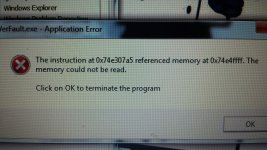
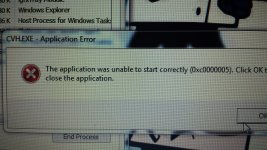
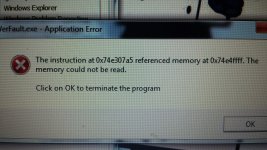
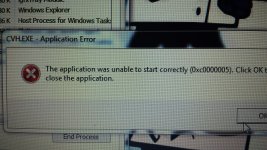
Try turning it off temporarily and see if this will fix the problem.
a. Click Start and type services in start search and press Enter.
b. Locate Windows Error Reporting service in the services list
c. Right-click on it and click Properties.
d. Open "Startup type" list and select "Disabled" and click OK.
e. Check and see if you are still getting the werfault.exe error.
a. Click Start and type services in start search and press Enter.
b. Locate Windows Error Reporting service in the services list
c. Right-click on it and click Properties.
d. Open "Startup type" list and select "Disabled" and click OK.
e. Check and see if you are still getting the werfault.exe error.
You may also like...
-
 Privacy News Disney Fined $10M for Violating Children’s Privacy Laws on YouTube
- Started by Brownie2019
- Replies: 2
-
The US Department of Justice (DOJ) has officially launched a new compensation process for victims of human trafficking
- Started by Brownie2019
- Replies: 0
-
 Google is destroying independent websites, and one sees no choice but to defend it anyway
- Started by Parkinsond
- Replies: 1
-
US Officials Seize $225 Million in Crypto Scam Crackdown
- Started by Brownie2019
- Replies: 0
-
 Technology DOJ Keeps Recommendation to Take Chrome Away from Google
- Started by Gandalf_The_Grey
- Replies: 19