EMET question.

Morro

Level 21
Thread author
Verified
Top Poster
Well-known
Forum Veteran
Jul 8, 2012
1,034
1
4,303
1,969
56
Netherlands
Okay in the last half hour I removed GlassWire and replaced it with Comodo Firewall 8.1. I then rebooted my computer, and I wanted to check something online. But all of a sudden EMET 5.1 would not let me start up SlimJet? I hat to remove SlimJet from the apps in order to start it up? And that did not happen before this afternoon?

The same thing happened with Internet Explorer, but CyberFox can start up while protected/enhanced by EMET? ( For now. ) Does Comodo Firewall change something that makes it so that SlimJet and Internet Explorer can not start up enhanced by EMET?
 
What was the exact error message? I suspect that it has something to do with the Certificate Trust feature of EMET conflicting.
 
  • Like
Reactions: Cats-4_Owners-2
What was the exact error message? I suspect that it has something to do with the Certificate Trust feature of EMET conflicting.

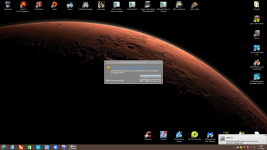
Well I got this message from EMET?
 

Attachments

  • Schermopname (14).png
    Schermopname (14).png
    852.3 KB · Views: 420
Likely you need to report on Microsoft because there are some applications may not run well under of EMET due to combination of software besides of commonly incompatible with ASLR.
 
  • Like
Reactions: Morro
I would suggest updating to EMET 5.2. EMET 5.1 has certain issues with some browsers like IE, and those issues are solved in 5.2. Also, if it still does not work, disable EAF mitigation for Slimjet.
 
  • Like
Reactions: Morro
I would suggest updating to EMET 5.2. EMET 5.1 has certain issues with some browsers like IE, and those issues are solved in 5.2. Also, if it still does not work, disable EAF mitigation for Slimjet.

Al right I will install the new version and see if that solves it. Should it not then I will do what jamescv7 mentioned.

Thank you Cch123 and jamescv7. :)
 
  • Like
Reactions: jamescv7