Epic Privacy Browser

absolutely no need to apologize, you are trying to help & i really appreciate that.

again, on the link you provided, both the links windows zip & windows exe are 1.74mb online installers. no worries. thank you.
Oooops......sorry again

I think for Epic the only way out is to look for a portable version
 
Oooops......sorry again

I think for Epic the only way out is to look for a portable version

lol & again no apology needed. really appreciate your inputs. thank you.

as for epic, if they do not provide an offline installer i will move to another browser that does.

that is how you show these companies who is the boss.
 
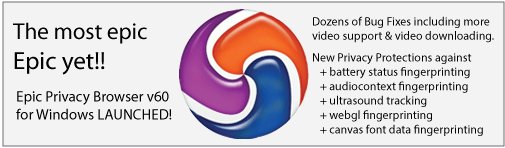
Ok found something on Twitter, here

DIlGJHGXcAEga7r.jpg


Epic Privacy Browser (@epicbrowser) | Twitter

Expect more info on their website soon
 
Just found something with this v60.0.3112.113

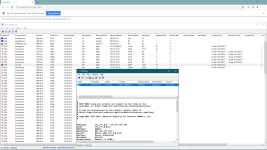
It's using Google DNS servers and, upon start up, it connects to one of the addresses, 74.xxx.xxx, which belongs to Google. This Google address is permanent until you closed the browser.

Epic, by default, is in Incognito mode and now it connects to its proxy servers and your IP address is masked.

For testing the various fingerprints you can come to

HTML5 Canvas Fingerprinting


Ha....ha.....can't have this guy connecting to Google on my system, huh?
 
  • Like
Reactions: [correlate]
Hi, I personally thought it was a good browser, it's the first one based on Chromium that tests Canvas fingerprints. As for the connections, it connects to the company DigitalOcean, LLC. It still has to improve a lot, but I see a good future to replace my beloved Firefox.
 
  • Like
Reactions: [correlate]
It's using Google DNS servers and, upon start up, it connects to one of the addresses, 74.xxx.xxx, which belongs to Google. This Google address is permanent until you closed the browser.
It's still connecting to Google on startup? I remember a forum post back in 2013 complaining about this and the developers responding to said post saying they'd look into it.
 
  • Like
Reactions: [correlate]
It's still connecting to Google on startup?
Virtually every Chromium based browser does via ports 5222/5228. I block 5228 in Yandex and allow 5222 to connect only to Yandex domains.

But as matter of fact, it does connect to Google domain, just like my browser still does. I can not exactly block 443 and Google (youtube, etc). :cautious:
 

Attachments

  • capture_09152019_012851.jpg
    capture_09152019_012851.jpg
    309.5 KB · Views: 399
Last edited:
Searching a little in my pc, I found these entries that can be the ones that connect to Google.

Code:
(Google Inc (TEST) -> Epic Privacy Browser) [File not signed] C:\Users\1001001\AppData\Local\Epic Privacy Browser\Installer\EpicUpdate.exe
HKU\S-1-5-21-3236316145-1264214700-1592131868-1001\...\Run: [Epic Privacy Browser Installer] => C:\Users\1001001\AppData\Local\Epic Privacy Browser\Installer\EpicUpdate.exe [509096 2019-09-14] (Google Inc (TEST) -> Epic Privacy Browser) [File not signed]
FF Plugin HKU\S-1-5-21-3236316145-1264214700-1592131868-1001: @updates.epicbrowser.com/Epic Privacy Browser Installer;version=3 -> C:\Users\1001001\AppData\Local\Epic Privacy Browser\Installer\1.3.27.13\npEpicUpdate3.dll [2019-09-14] (Google Inc (TEST) -> Epic Privacy Browser) [File not signed]

FF Plugin HKU\S-1-5-21-3236316145-1264214700-1592131868-1001: @updates.epicbrowser.com/Epic Privacy Browser Installer;version=9 -> C:\Users\1001001\AppData\Local\Epic Privacy Browser\Installer\1.3.27.13\npEpicUpdate3.dll [2019-09-14] (Google Inc (TEST) -> Epic Privacy Browser) [File not signed]

:unsure: