Technical Analysis & Remediation
The threat operates in a dual-track ecosystem depending on the victim's device profile. The delivery vector prior to the landing page remains "Origin: Insufficient Evidence," but the resulting execution chain is well documented.
MITRE ATT&CK Mapping
T1566.002
Phishing: Spearphishing Link (Social Engineering ingress)
T1189
Drive-by Compromise (PWA Installation)
T1505.003
Server Software Component: Web Shell (WebSocket Proxy relay)
T1113
Screen Capture (Android Accessibility Service abuse)
T1056.001
Input Capture: Keylogging (Custom keyboard)
CVE Profile
[NVD Score: N/A - Feature Abuse]
[CISA KEV Status: Inactive].
This threat abuses legitimate HTML5/PWA APIs (WebOTP, Contact Picker, Cache API, Background Sync) rather than exploiting a software vulnerability.
Telemetry & Artifacts
Domain
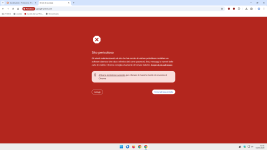
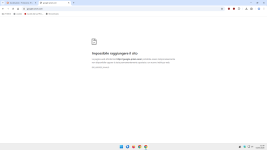
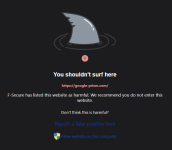
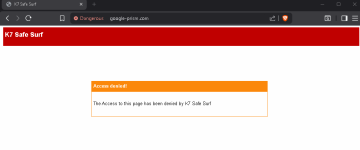
google-prism[.]com
(C2 and landing page infrastructure, routed via Cloudflare).
File Hash (SHA-256)
1fe2be4582c4cbce8013c3506bc8b46f850c23937a564d17e5e170d6f60d8c08
(Android Payload).
Android Package Name
com.device.sync
(Labelled "System Service").
Network Artifacts
The PWA polls /api/heartbeat every 30 seconds. Stolen data is queued locally in the browser's Cache API under keys structured like /exfil/{timestamp}-{random}.
Execution & Persistence Constraint
The web application establishes a service worker underneath the page. If the user closes the active tab, the service worker remains registered and relies on Push Notifications and Periodic Background Sync (tagged c2-checkin) to silently execute tasks and exfiltrate data when connectivity returns. The native Android payload requires the user to explicitly grant device administrator privileges and Accessibility Service control.
Remediation - THE ENTERPRISE TRACK (NIST SP 800-61r3 / CSF 2.0)
Organize actions by CSF Functions.
GOVERN (GV) – Crisis Management & Oversight
Command
Update acceptable use policies and security awareness training to explicitly cover the dangers of Progressive Web Apps (PWAs) and unsolicited permission prompts.
DETECT (DE) – Monitoring & Analysis
Command
Query SIEM and proxy logs for any inbound/outbound connections to google-prism[.]com.
Command
Implement behavioral hunting queries for anomalous internal port scanning originating from standard endpoint browsers (the toolkit sweeps ports 80, 443, and 8080 across local subnets).
RESPOND (RS) – Mitigation & Containment
Command
Isolate affected endpoints from the corporate network immediately.
Command
Unregister malicious service workers by navigating to chrome://serviceworker-internals or edge://serviceworker-internals and clicking "Unregister".
Command
Purge browser cache and offline site data for the malicious origin to clear the exfiltration queue.
RECOVER (RC) – Restoration & Trust
Command
Revoke and rotate all authentication tokens, session cookies, and credentials accessed on the compromised device, as the WebSocket proxy may have bypassed IP-based access controls.
Command
For Android devices where sync.apk was installed and device administrator privileges cannot be cleanly revoked, execute a full factory reset.
IDENTIFY & PROTECT (ID/PR) – The Feedback Loop
Command
Deploy Mobile Device Management (MDM) policies to block the installation of unapproved PWAs and restrict the use of the Contact Picker and WebOTP APIs where business justification is lacking.
Remediation - THE HOME USER TRACK (Safety Focus)
Priority 1: Safety
Command
Disconnect from the internet immediately to prevent the Background Sync service worker from flushing the offline data queue to the attacker's server.
Command
Do not log into banking/email until verified clean. The Android payload includes a custom keylogger and screen-reading capabilities.
Priority 2: Identity
Command
Reset critical passwords and MFA configurations using a known clean device (e.g., an alternate phone on a cellular network).
Priority 3: Persistence
Command
On Android, navigate to Settings > Security > Device admin apps, revoke privileges for "System Service" (com.device.sync), and then uninstall the app.
Command
On Windows/Desktop, remove the PWA by going to chrome://apps or edge://apps, right-click "Security Check", and select Remove.
Command
Revoke notification permissions in your browser (e.g., chrome://settings/content/notifications) for any unrecognized sites.
Hardening & References
Baseline
CIS Benchmarks for Google Chrome / Microsoft Edge (Focus: Restricting background sync and notification prompts).
Framework
NIST CSF 2.0 / SP 800-61r3 Computer Security Incident Handling Guide.
Threat Intel Reference
The operation relies on the conceptual architecture of a Browser-in-the-Browser (BitB) attack, expanded into a persistent PWA model. Endpoint detection relies heavily on limiting browser API abuse rather than signature-based AV scanning.
Source
Malwarebytes Threat Intelligence
BleepingComputer




 safeweb.norton.com



www.bleepingcomputer.com