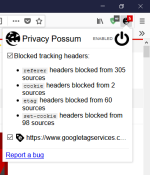
Install the following Add-ons:
HTTPS Everywhere
uBlock Origin
uMatrix
Privacy Badger
Options > Home
Set HomePage & New Windows AND tabs to 'Blank Page'
Options > Search
Set Search Engine to DuckDuckGO & disable search suggestions.
Options > Privacy & Security
Enable Always use Private Browsing mode
Set tracking & do not track to 'Always'
untick all options in 'Firefox Data Collection & use'
Options > Firefox Account
Do Not Use One!
---------
Advanced Privacy Settings:
Type about:config into your navigation bar & accept the warning.
Disable WebRTC: Search for 'media.peerconnection.enabled' > Double Click it to change it to FALSE
Enable Fingerprint Resistance: Search for 'privacy.resistfingerprinting' > Double Click it to change it to TRUE
Disable the 3DES cipher: Search for 'security.ssl3.rsa_des_ede3_sha' > Double Click it to change it to FALSE
Require Safe Negotiation: Search for 'security.ssl.require_safe_negotiation' > Double Click it to change it to TRUE
Disable TLS 1.0 & 1.1: Search for 'security.tls.version.min' > Double Click it & change setting to 3
Disable 0-RTT: Search for 'security.tls.enable_0rtt_data' > Double Click it to change it to FALSE
Disable Formfill: Search for 'browser.formfill.enable' > Double Click it to change it to FALSE
Disable All Disk Caching: > Set all these to FALSE:
'browser.cache.disk.enable'
'browser.cache.disk_cache_ssl'
'browser.cache.memory.enable'
'browser.cache.offline.enable'
'browser.cache.insecure.enable'
Disable Geo Location: Search for 'geo.enabled' > Double Click it to change it to FALSE
Disable Plugin Scanning: Search for 'plugin.scan.plid.all' > Double Click it to change it to FALSE
Disable Pocket: Search for 'pocket.enabled' > Double Click it to change it to FALSE
Disable ALL Telemetry: Search 'telemetry' > Set all these to FALSE:
'browser.newtabpage.activity-stream.feeds.telemetry'
'browser.newtabpage.activity-stream.telemetry'
'browser.ping-centre.telemetry'
'devtools.onboarding.telemetry-logged'
'media.wmf.deblacklisting-for-telemetry-in-gpu-process'
'toolkit.telemetry.archive.enabled'
'toolkit.telemetry.bhrping.enabled'
'toolkit.telemetry.firstshutdownping.enabled'
'toolkit.telemetry.hybridcontent.enabled'
'toolkit.telemetry.newprofileping.enabled'
'toolkit.telemetry.unified'
'toolkit.telemetry.updateping.enabled'
HTTPS Everywhere
uBlock Origin
uMatrix
Privacy Badger
Options > Home
Set HomePage & New Windows AND tabs to 'Blank Page'
Options > Search
Set Search Engine to DuckDuckGO & disable search suggestions.
Options > Privacy & Security
Enable Always use Private Browsing mode
Set tracking & do not track to 'Always'
untick all options in 'Firefox Data Collection & use'
Options > Firefox Account
Do Not Use One!
---------
Advanced Privacy Settings:
Type about:config into your navigation bar & accept the warning.
Disable WebRTC: Search for 'media.peerconnection.enabled' > Double Click it to change it to FALSE
Enable Fingerprint Resistance: Search for 'privacy.resistfingerprinting' > Double Click it to change it to TRUE
Disable the 3DES cipher: Search for 'security.ssl3.rsa_des_ede3_sha' > Double Click it to change it to FALSE
Require Safe Negotiation: Search for 'security.ssl.require_safe_negotiation' > Double Click it to change it to TRUE
Disable TLS 1.0 & 1.1: Search for 'security.tls.version.min' > Double Click it & change setting to 3
Disable 0-RTT: Search for 'security.tls.enable_0rtt_data' > Double Click it to change it to FALSE
Disable Formfill: Search for 'browser.formfill.enable' > Double Click it to change it to FALSE
Disable All Disk Caching: > Set all these to FALSE:
'browser.cache.disk.enable'
'browser.cache.disk_cache_ssl'
'browser.cache.memory.enable'
'browser.cache.offline.enable'
'browser.cache.insecure.enable'
Disable Geo Location: Search for 'geo.enabled' > Double Click it to change it to FALSE
Disable Plugin Scanning: Search for 'plugin.scan.plid.all' > Double Click it to change it to FALSE
Disable Pocket: Search for 'pocket.enabled' > Double Click it to change it to FALSE
Disable ALL Telemetry: Search 'telemetry' > Set all these to FALSE:
'browser.newtabpage.activity-stream.feeds.telemetry'
'browser.newtabpage.activity-stream.telemetry'
'browser.ping-centre.telemetry'
'devtools.onboarding.telemetry-logged'
'media.wmf.deblacklisting-for-telemetry-in-gpu-process'
'toolkit.telemetry.archive.enabled'
'toolkit.telemetry.bhrping.enabled'
'toolkit.telemetry.firstshutdownping.enabled'
'toolkit.telemetry.hybridcontent.enabled'
'toolkit.telemetry.newprofileping.enabled'
'toolkit.telemetry.unified'
'toolkit.telemetry.updateping.enabled'
Last edited: