


conceptualclarity
Level 21
Thread author
Verified
Honorary Member
Top Poster
Content Creator
Well-known
After what may have been a harsh shutdown, when I restarted Firefox, it presented me a virgin profile with no extensions and an introductory page and a page suggesting I sync. I opened a command prompt, pasted in
"C:\Program Files\Mozilla Firefox\firefox.exe" -P -no-remote" as I have many times before to bring up the Firefox Profile Manager. I was shocked that it did not show any of the half-dozen or so Firefox profiles I have. I thought I might fix the problem by deleting this new usurper profile, which in the Details view of Windows Explorer showed as having just been created. Deleting the usurper profile did not cause the pre-existing profiles to begin showing in Firefox Profile Manager. Instead I get this message:
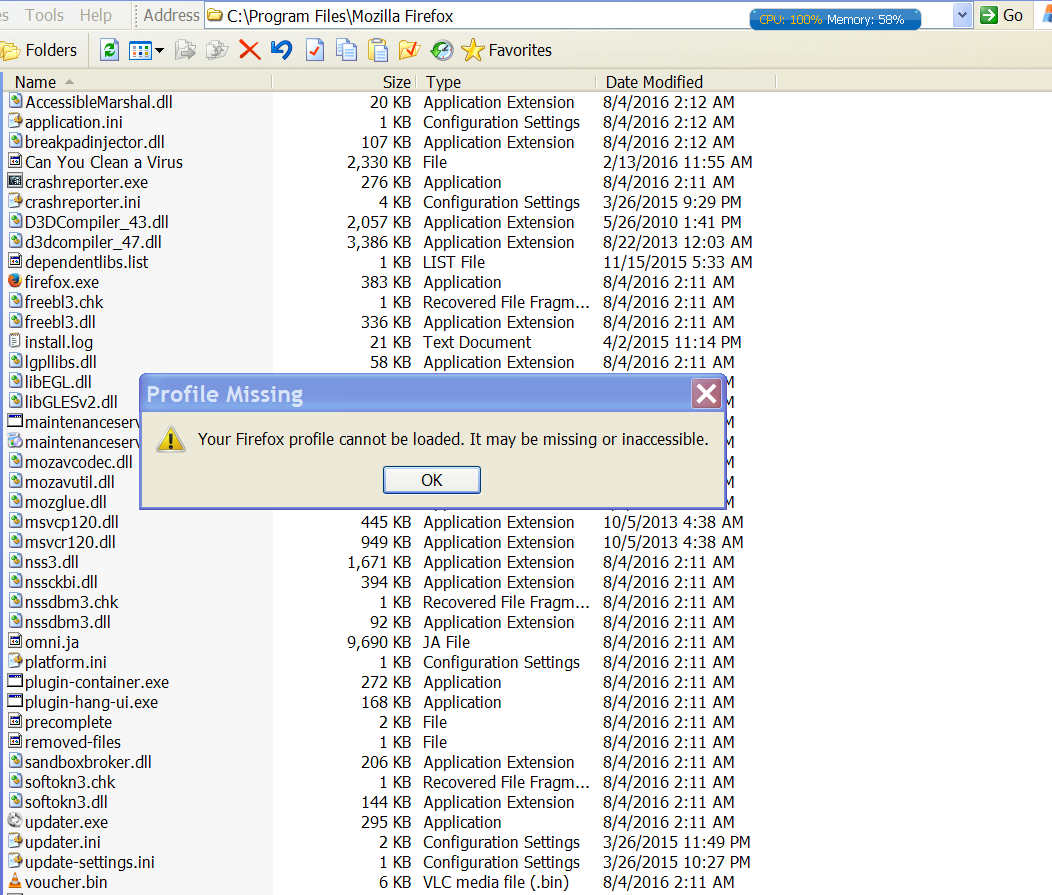
My profiles are not missing. I checked in Windows Explorer, and they are all still there.
Anybody with a clue as to what to do?
"C:\Program Files\Mozilla Firefox\firefox.exe" -P -no-remote" as I have many times before to bring up the Firefox Profile Manager. I was shocked that it did not show any of the half-dozen or so Firefox profiles I have. I thought I might fix the problem by deleting this new usurper profile, which in the Details view of Windows Explorer showed as having just been created. Deleting the usurper profile did not cause the pre-existing profiles to begin showing in Firefox Profile Manager. Instead I get this message:
My profiles are not missing. I checked in Windows Explorer, and they are all still there.
Anybody with a clue as to what to do?


