
Free Bambu Studio

Bambu Studio is an open-source, cutting-edge, feature-rich slicing software. It contains project-based workflows, systematically optimized slicing algorithms, and an easy-to-use graphical interface, bringing users an incredibly smooth printing experience.
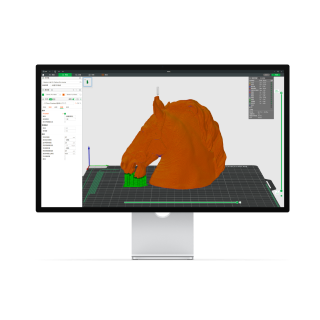

Bambu Studio is largely open-source, but that “open-source” claim has an important nuance that’s worth keeping clear (especially from a security/privacy standpoint).

What’s verifiable
  • Bambu Lab publishes the Bambu Studio source code on GitHub, and the project is licensed under the GNU AGPLv3. The README also states it’s based on PrusaSlicer/Slic3r.
  • The same README explicitly notes that the “bambu networking plugin” uses non-free libraries, is optional, and is meant to provide extended networking features (remote/network functionality). Without that plugin, the README indicates you can still slice and print via SD card.
  • Bambu Lab has a blog post addressing AGPL-compliance concerns specifically around that closed-source networking plugin, stating it’s standalone/independently distributed and that they consider their approach compliant.

Security-focused takeaways
  • Treat “open-source” here as referring to the main slicer codebase (AGPL), not necessarily every shipped component or networking-related module.
  • Because the software can do “remote control & monitoring,” it’s reasonable to review/limit network exposure if you don’t need cloud/WAN features (for example: restrict it with a firewall, or prefer offline/SD-card workflows).
  • Only download installers from the official Bambu Lab site or the official GitHub releases, then scan the installer with your security software (and optionally VirusTotal) before running it.

Sources