Free optimizer from Windows interesting has some convenient options
Cleanup PC, protection for your computer | Microsoft PC Manager
Cleanup PC, protection for your computer | Microsoft PC Manager



 malwaretips.com
Would a VPN work?Not available in my region, Netherlands/EU, yet:
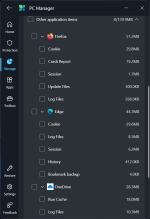
View attachment 284742
More discussion can be found here:
New Update - Microsoft PC Manager beta
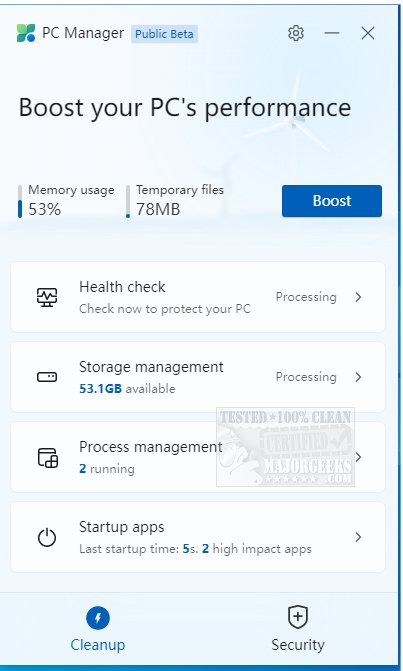
It appears that Microsoft is working on a new app that tries to mimic features found in CCleaner and other "PC optimizer." Several screenshots posted on Twitter reveal details about Microsoft's "PC Manager" and its features, such as cleaning temporary files, monitoring resource usage, managing...
Maybe, but for now it is not a big loss, my system works fine without it.Would a VPN work?
Good philosophy(you have) If its not broke don't fix itMaybe, but for now it is not a big loss, my system works fine without it.
Will try it again when it is officially released.
I broke it many times myself trying out new stuff.Good philosophy(you have) If its not broke don't fix it


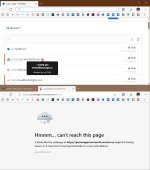


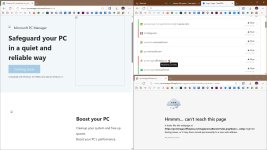
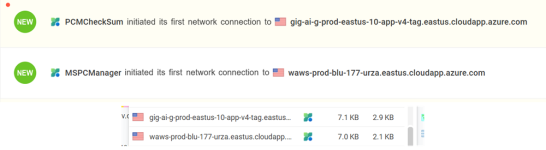
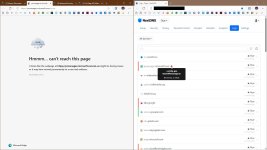
Interesting. That is information I'm not getting by my not using a DNS service.One of the reasons I love DNS services, they show all connections, not just the final one. The webpage will not open without connecting to China, images are hosted there. I smell Tencent.
View attachment 284749


Maybe only because its free, I like Kerish doctor, better than any other paid product ,I have hadWhy would I choose this over Kerish Doctor?
Chinese softwware probably owned by Tencent. Better to skip. There is no reason to contact Chinese domains

Microsoft PC Manager is a free antivirus software developed by Microsoft, not Tencent. It is designed to provide real-time protection against viruses, spyware, and other malware on Windows devices.
Connection to Tencent: None
There is no direct connection or ownership between Microsoft PC Manager and Tencent. Microsoft PC Manager is a standalone product, and Tencent is a separate Chinese technology conglomerate with its own subsidiaries and interests.
Relevant Context: The search results highlight Tencent’s significant presence in the gaming industry, including its ownership of Riot Games and stakes in Epic Games (Fortnite). Additionally, there is a mention of Tencent’s “golden share” acquired by the Chinese government, which might impact its interactions with Western firms like Microsoft. However, this does not imply any direct connection or ownership between Microsoft PC Manager and Tencent.
In summary, Microsoft PC Manager is a Microsoft-owned product, and there is no connection or ownership between it and Tencent.
Microsoft initially only released a Chinese language version.MS optimizer using Chinese domain, now that fills me with confidence.
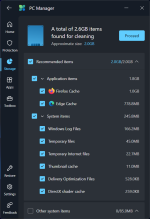
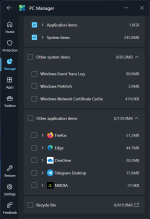
Microsoft initially only released a Chinese language version.
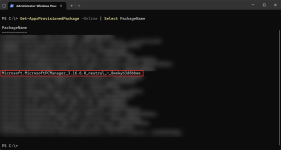
https://pcmanager.microsoft.com/en-usGet-AppxProvisionedPackage -Online | Select PackageName