

The MalwareTips app
Your community, one tap away.
Open MalwareTips from your Home Screen or desktop. Follow discussions, find answers and pick up where you left off.
- Home Screen access
- Optional push alerts
- Your community
You're ready to explore.Explore what's new
Installation instructions
iPhone & iPad
- Open MalwareTips in Safari and tap Share. You may need to open the Page Menu first.
- Choose Add to Home Screen. If it is not listed, use Edit Actions to add it.
- Keep Open as Web App enabled if shown, then tap Add.
Android
- Open MalwareTips in Chrome or another browser that supports app installation.
- Open the browser menu and look for Install app, Install and create shortcut, or Add to Home screen.
- Choose Install and confirm. Wording varies by browser.
Desktop
- Chrome: use the install icon in the address bar, or the menu under Cast, save and share.
- Edge: open the menu, then More tools, Apps and Install this site as an app.
- Safari on Mac: choose Share or File, then Add to Dock. Firefox on Windows: look for the web apps button in the address bar.
If you cannot find an install option, update your browser or use its bookmark option to keep MalwareTips close.
Keep up with your conversations
After installation, open the app and sign in. Enable push notifications in Preferences if you want alerts. On iPhone and iPad, push requires a Home Screen web app and iOS or iPadOS 16.4 or later.
Sign in to manage notificationsInstallation is optional. Your notification settings stay under your control.
You are using an out of date browser. It may not display this or other websites correctly.
You should upgrade or use an alternative browser.
You should upgrade or use an alternative browser.
Solved Google search via address line of goggle chrome redirects to search, that seems to be yahoo-search
- Thread starter NLio
- Start date
Windows Malware Removal Help & Support
32 Replies
5,083 Views
 No problem ..! The result is important ...! Is your problem solved..?
unfortuantely not
Can you temporarily turn off your internet and check that the bruser is redirected ..?
It is definitely not due to malware. I am inclined to think that redirecting is from setup or application ..!
Please follow the following instruction:
Step 1: Launch Google Chrome. Click the three-dot menu at the upper right corner.
Step 2: Open Settings.
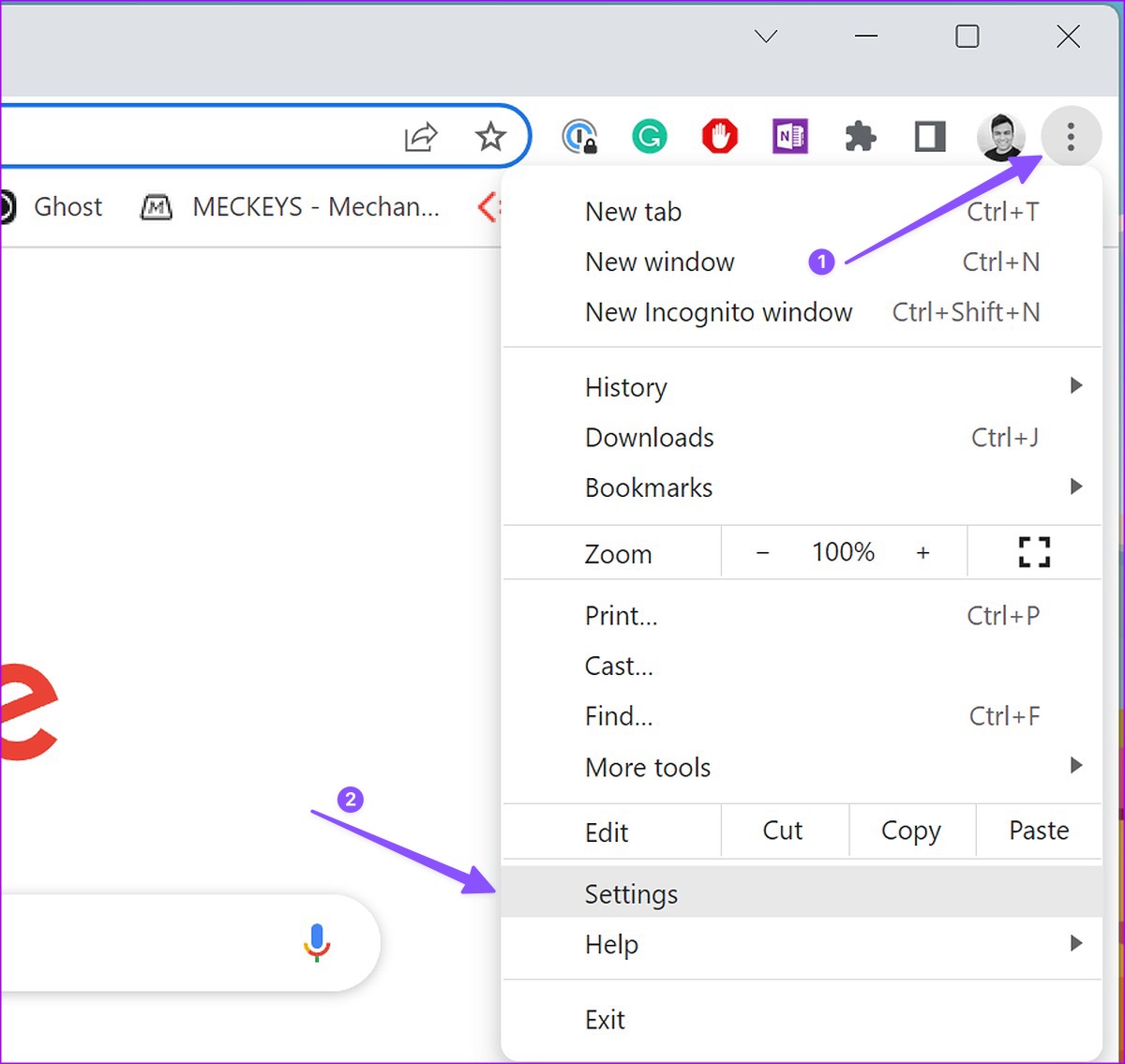
Step 3: Select Search engine and choose Google as the preferred search engine.
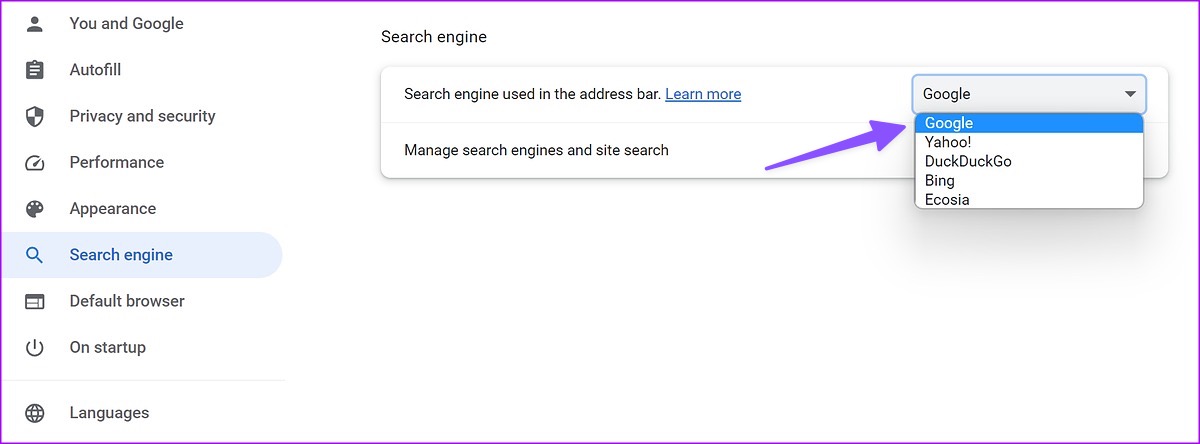
Step 1: Launch Google Chrome. Click the three-dot menu at the upper right corner.
Step 2: Open Settings and select Search engine.
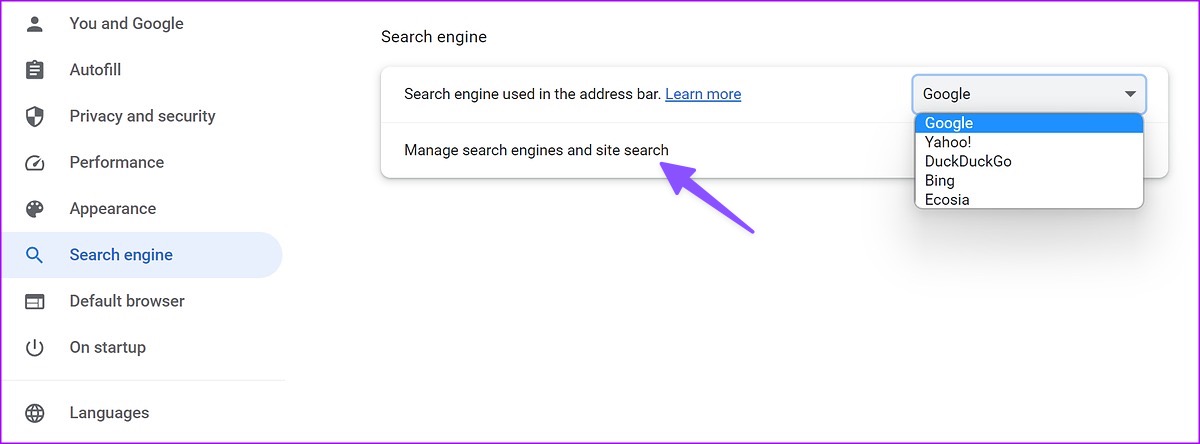
Step 2: Expand ‘Manage search engines and site search’.
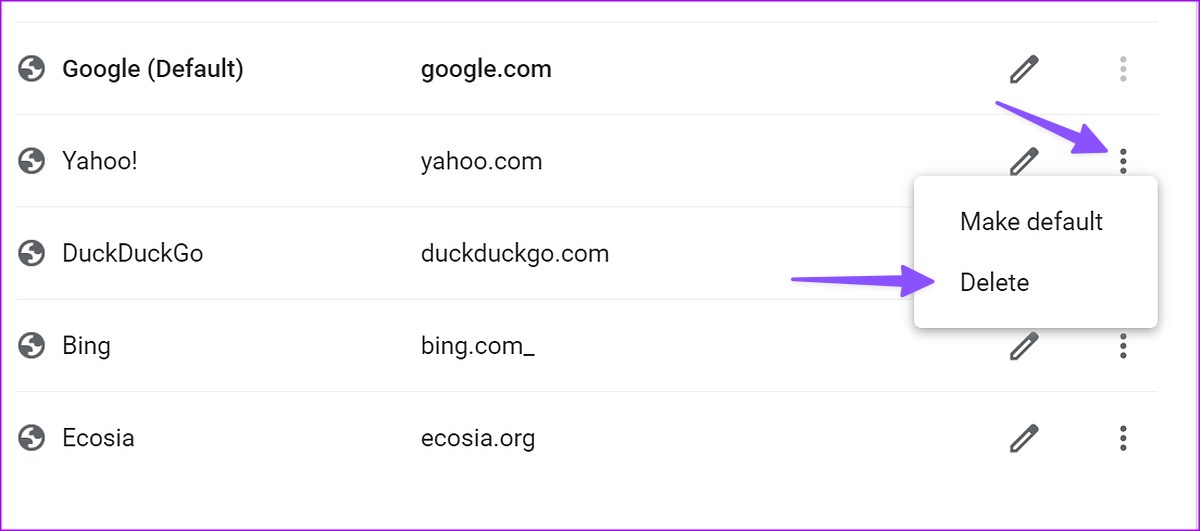
Step 3: Find Yahoo on the list, click the three-dot menu beside it, and hit Delete.
 www.guidingtech.com
Please follow the following instruction:
Step 1: Launch Google Chrome. Click the three-dot menu at the upper right corner.
Step 2: Open Settings.
Step 3: Select Search engine and choose Google as the preferred search engine.
2. Remove Yahoo Search Engine from Google Chrome
Google Chrome lets you manage search engines from Settings. Here’s how you can remove Yahoo from it.Step 1: Launch Google Chrome. Click the three-dot menu at the upper right corner.
Step 2: Open Settings and select Search engine.
Step 2: Expand ‘Manage search engines and site search’.
Step 3: Find Yahoo on the list, click the three-dot menu beside it, and hit Delete.
How to Fix Search Engine Keeps Changing to Yahoo in Chrome
Does your Google Chrome search engine automatically switch to Yahoo? It could be the Yahoo search redirect virus. Here're 8 ways to fix this.
www.guidingtech.com

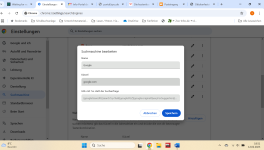

- I stopped syncing my Chrome profiles on my computers (desktop at work, laptop for home/personal use)
- While logged in, I went to Chrome settings > Search engine > Manage search engines and site search
- Under "Search engines" I deleted everything but Google
- Under "Site search" (same page) I deleted any site rerouted to something else. There was a Yahoo icon for me next to these entries - clicking on the pencil icon will show you the URL and if it's legitimate or not (check regardless of the icon, just in case). If it has anything but the legitimate URL it should point to - delete it.
- I closed every Chrome window on my computers, opened a new window, turned sync back on for my profiles, then tested my URL/search bar with an old fashioned "cats" and happily received Google results of cats without any redirects! Tested on both computers and profiles, everything is fine now!
We have some more work ..To remove the programs we used..:
KpRm by Kernel-panik
KpRm by Kernel-panik
- Download KpRm and save it to your Desktop (see here if you must use Chrome)
- Note: If the file is detected as malware it is not and it is safe to download. The detection is a false positive.
- Right click on the icon and select Run as administrator
- Click Yes on the Disclaimer
- Place a check mark in Delete Tools, Create Restore Point, and Delete in 7 days
- Click Run
- Click OK on All operations are completed
- KpRm will delete itself from you Desktop and you can either save or remove the report that is generated
- You are free to remove any other tools/reports still remaining
- Please copy and paste its contents in your next reply.
Recently browsing
Members who viewed this thread in the last 5 minutes

