How do you begin building your own computer?

  • Thread starter Thread starter ofbeautyandrage
  • Start date Start date
Status
Not open for further replies.
O

ofbeautyandrage

Thread author
I do like the systems that MAINGEAR and Falcon Northwest have, Origin doesn't look too bad either but they are way beyond what I'm willing to pay. And I've also seen where newegg.com has some DIY PC combos, I was wondering if they might be any good? They are a lot cheaper compared to the bigger market.

OEM computers just aren't doing it for me anymore, I'm not a gamer but more of just a casual user but they still feel sluggish to me even after I've removed the software I don't want. When it comes to choosing the hardware, I honestly have no idea what goes with what. I just want a nice desktop without OEM bloatware, to be able to choose what I want on it and if the case looks good that would be a plus too. :D

This one sounds good, the case is nice looking but I'm not sure if its a good build: Computer Parts, PC Components, Laptop Computers, LED LCD TV, Digital Cameras and more - Newegg.com
 
  • Like
Reactions: Sana
@ofbeautyandrage: Any website you can search related on building computers are preferably good for reference since budget is an issue, because the best way to seek is an enthusiast person where he/she can provide accurate hardware parts to your needs.

Plus they can refer you from reliable store with discounted price if possible. ;)
 
Is it easy to build your own system? Watching Linus on YouTube is seems easy, but I figured its because he has the knowledge to do it and some people have said its not as easy as most people make it seem to be, e.g. finding the right components, hours of troubleshooting, putting it together and things can and/or will go wrong.
 
The pros of building your own PC heavily outweigh the cons. It will definitely require some effort, but you have all the resources you need on Google and Youtube. The end result is something much more powerful and cost-efficient than you would with a pre-made. It's something you've built, know inside out, and left room for customization in the future. Part dies on you? RMA. Out of warranty? Replace it with any brand you want. No proprietary parts. The list goes on.
 
  • Like
Reactions: ofbeautyandrage
Any search terms that you would recommended when I try to find out how to put it together?
 
The most I've paid for a computer which is mine, it was about $904, so no more than $1,000 maybe. I use LibreOffice and OpenOffice, planning on switching to ESET and I use GIMP for some simple image editing. I would like a nice monitor and backlit keyboard, the mouse I can just buy anywhere. I also saw a video of Hue+ from NZXT and I really like it, I'd like some lighting inside the case.

Hmm, I like the mini, mid and full tower but the full tower looks huge but maybe that's because of the picture. Whichever one I can have the lighting in would be okay with me.
 
Intel Core i5-4690K, MSI GeForce GTX 960, Corsair 200R - System Build - PCPartPicker

This should be a start. The machine is pretty overkill for what you need, so you can start downgrading parts. GTX 960 could be downgraded easily. SSD + HDD, either can be removed. Motherboard doesn't need to be a Z model, it can be H to save some money. PSU can be dropped from 650W to 550W but it only saves you about $3. Monitors and keyboards, you should read up on for your uses.
 
Okay.

Now what about the operating system, do I have to buy that separately? I'd prefer Windows 10 so I won't have to get nagged to death to upgrade.
 
Yes, OS will be a separate purchase. Just add it into your build through the link I gave you. You can edit that one yourself.
 
Don't know what happened to my previous reply :p
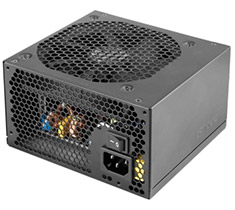
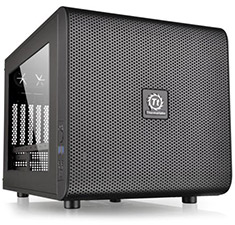
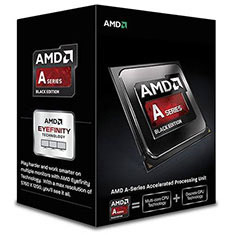
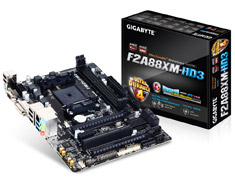
Not long ago my simple PC, would have been with this config:
Screenshot_2016_03_02_17_01_00.png
There is no seperate graphics card, as the CPU has a Radeon GPU built-in. The price is well under a $1000, AUD$700 to be precise.

Plus a little guide, there might be many decent Youtube videos out there too! Building A Computer - Custom Build Computers
 
  • Like
Reactions: milas
Status
Not open for further replies.

You may also like...