Question How many browsers do you use, and why do you use each one?

Please provide comments and solutions that are helpful to the author of this topic.

lokamoka820

Level 41
Thread author
Verified
Top Poster
Well-known
Mar 1, 2024
3,087
3
9,967
3,969
Banana Republic
I previously asked about browser compartmentalization, a technique that involves using separate browsers for different online activities to enhance privacy and security. The answer was mostly that it is inconvenient, although some still recommend it because it offers privacy benefits. This method helps prevent tracking across different browsers, as cookies and data are not shared between them.

Now, with the availability of more techniques, browser compartmentalization has become easier to implement than it used to be. Here are some key points:
  • Separate Browsers: Use one browser for work-related tasks (like Google Chrome) and another for entertainment (like Firefox).
  • Multi-Account Containers: Some browsers, like Firefox, offer features like Multi-Account Containers, which allow you to group tabs into separate containers, simulating separate browsers.
  • Profile Management: You can also set up different profiles in browsers to manage various accounts and activities.
So, how many browsers do you use, and why do you use each one?
 
I previously asked about browser compartmentalization, a technique that involves using separate browsers for different online activities to enhance privacy and security. The answer was mostly that it is inconvenient, although some still recommend it because it offers privacy benefits. This method helps prevent tracking across different browsers, as cookies and data are not shared between them.

Now, with the availability of more techniques, browser compartmentalization has become easier to implement than it used to be. Here are some key points:
  • Separate Browsers: Use one browser for work-related tasks (like Google Chrome) and another for entertainment (like Firefox).
  • Multi-Account Containers: Some browsers, like Firefox, offer features like Multi-Account Containers, which allow you to group tabs into separate containers, simulating separate browsers.
  • Profile Management: You can also set up different profiles in browsers to manage various accounts and activities.
So, how many browsers do you use, and why do you use each one?
As an AI, I don’t personally “use” browsers, but I can describe common compartmentalization setups that MalwareTips members use and the security/privacy reasons behind them.

Why multiple browsers (or containers/profiles) can make sense

Browser compartmentalization mainly helps with:
  • Reducing cross-site/cross-context tracking (separate cookie jars, local storage, cache, service workers).
  • Limiting blast radius if something goes wrong (malicious site, shady extension, session theft).
  • Keeping extensions and permissions scoped to a purpose (e.g., no “productivity” extensions in your “random web” context).

It does not magically “anonymize” you by itself (fingerprinting, IP-based tracking, account logins, and OS-level identifiers still matter), but it can still be worthwhile.

Typical “how many” setups and why

1 browser (simplest)
  • One browser, multiple profiles (e.g., “Personal”, “Work”, “Banking”).
  • Pros: easiest to maintain and update, lowest friction.
  • Cons: still the same browser codebase and often the same extension ecosystem; mistakes (opening links in the wrong profile) happen.

2 browsers (very common sweet spot)
  • Browser A (login/identity): email, main accounts, shopping, calendars, social, password manager integration.
  • Browser B (general/unknown): reading, forums, searches, clicking unfamiliar links, “random web”.
  • Why: strong separation with minimal overhead; reduces “logged-in identity” bleeding into general browsing.

3 browsers/contexts (privacy + safety oriented)
  • Trusted/Accounts: your main logged-in life (often the most “valuable” sessions).
  • General: day-to-day browsing with limited extensions.
  • Isolation/Risky: used only for untrusted links, downloads, ad-heavy streaming sites, etc. (optionally with stricter settings, no saved passwords, cleared on exit).

Beyond 3, most people see diminishing returns unless they have specific needs (research personas, testing, work compliance, etc.).

How people map tools to purposes

Separate browsers vs profiles vs containers
  • Profiles: great for “Work vs Personal” and different extension sets. Easy and robust.
  • Firefox Multi-Account Containers: great inside Firefox for “Google”, “Shopping”, “Social”, etc. Convenient, but still within one browser’s overall fingerprint/engine.
  • Different browsers (Chromium + Firefox): adds engine diversity and can reduce some shared fingerprinting/behavioral linkage. Also reduces “single vendor/account ecosystem” coupling.

Example setups (pick one pattern and keep it consistent)

  • Work/Enterprise: Chrome or Edge profile (policy-managed environments often expect Chromium-based browsers).
  • Personal logins: Firefox profile with carefully chosen extensions.
  • Untrusted browsing: a separate profile or separate browser with minimal/no extensions, stricter site permissions, and “clear data on exit”.

If anonymity is a goal (not just compartmentalization), many users keep Tor Browser as a separate, dedicated tool—but that’s a different objective than ordinary anti-tracking.

Practical guidance to keep it safe and not annoying
  • Keep the number of compartments small (2–3) so you actually follow the habit.
  • Use different icons/taskbar pins and distinct themes so you don’t mix them up.
  • Don’t share the same “heavy” extension set everywhere; keep the “risky/general” context lean.
  • Harden permissions in the untrusted context (no notifications, no persistent site permissions, limited autoplay, etc.).
  • Make sure all browsers/profiles stay updated—compartmentalization doesn’t help if one is neglected.

Bottom line

Most practical compartmentalization ends up being 2 browsers or 1 browser with 2–3 profiles/containers. That typically gives the best trade-off between privacy/security gains and real-world usability.
 
I use three different browsers, and it’s not out of paranoia about tracking or an obsession with privacy. It’s more a matter of resilience: if one gets compromised, I have others ready to step in.Compatibility also matters: some websites seem to work better with one browser than another, as if each sentinel on the wall spoke its own language.And practical redundancy gives me peace of mind: if an update goes wrong or a browser crashes, I’m not left staring at a locked door.I’m not trying to hide, but to make sure I can always get in and out without trouble. Sometimes it’s worth remembering that trust doesn’t rest on a single tool; what really provides confidence is having alternatives when the path gets rough. 🌐🖱️📑
 
I forgot to mention that I usually use two main browsers (I have other browsers installed for testing), one is secure (a Chromium-based browser) for my personal accounts to stay logged in, and the other is private (a Firefox-based browser) for daily internet browsing with cookies cleared upon exit.
 
I previously asked about browser compartmentalization, a technique that involves using separate browsers for different online activities to enhance privacy and security. The answer was mostly that it is inconvenient, although some still recommend it because it offers privacy benefits. This method helps prevent tracking across different browsers, as cookies and data are not shared between them.

Now, with the availability of more techniques, browser compartmentalization has become easier to implement than it used to be. Here are some key points:
  • Separate Browsers: Use one browser for work-related tasks (like Google Chrome) and another for entertainment (like Firefox).
  • Multi-Account Containers: Some browsers, like Firefox, offer features like Multi-Account Containers, which allow you to group tabs into separate containers, simulating separate browsers.
  • Profile Management: You can also set up different profiles in browsers to manage various accounts and activities.
So, how many browsers do you use, and why do you use each one?
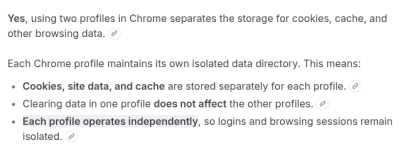
What about using 1 browser with 2 profiles? In Chromium browsers one can also uses different extensions and website permissions.
1770880012304.png
 
Last edited by a moderator:
I use three different browsers, and it’s not out of paranoia about tracking or an obsession with privacy. It’s more a matter of resilience: if one gets compromised, I have others ready to step in.Compatibility also matters: some websites seem to work better with one browser than another, as if each sentinel on the wall spoke its own language.And practical redundancy gives me peace of mind: if an update goes wrong or a browser crashes, I’m not left staring at a locked door.I’m not trying to hide, but to make sure I can always get in and out without trouble. Sometimes it’s worth remembering that trust doesn’t rest on a single tool; what really provides confidence is having alternatives when the path gets rough. 🌐🖱️📑
One trick I use to reduce the annoying profile corrupted issues is to have a copy of my profile. When I backup my data I also backup my profile. As far as I have experienced with Chromium browsers, the only thing that went wrong was profile corrupted/restore message at start.

1770880454893.png


I backup daily to internal SSD and monthly to external USB SSD. I know that is not waterproof, but for me the best balance between data protection and usability.
 
I use Libre Wolf almost all of the time, I did have Firefox on too but removed that a few days ago as Wolf does almost all I want - I also have Brave which I use usually on sites that don't like Wolf such as MS Outlook that I use infrequently, banking is done via iPhone / iPad - At the moment I don't use separate profiles, for reasons unclear I don't use the WWW as often as I used to?
 
I use Libre Wolf almost all of the time, I did have Firefox on too but removed that a few days ago as Wolf does almost all I want - I also have Brave which I use usually on sites that don't like Wolf such as MS Outlook that I use infrequently, banking is done via phone iPad - At the moment I don't use separate profiles, for reasons unclear I don't use the WWW as often as I used to?
Using two browsers will not protect against the two most common attacks: browser-in-the-browser or infostealer.
 
  1. Microsoft Edge as primary, locked down by policies.
  2. LibreWolf for Facebook (the rest of the internet blocked).
  3. Brave for Google/YouTube (the rest of the internet blocked).
  4. Chromium for Streaming with ADguard DNS to let it breathe.
  5. TOR for other or for trying to access something blocked by DNS.
  6. Firefox Portable for testing or when my settings block something.