How to stop pop-up asking to disable AdBlocker?

OutOfBounds

Level 2
Thread author
Verified
Dec 22, 2016
92
277
66
uk
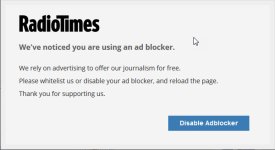
Hi I've noticed in the last couple of days when I open radio times web page I get a pop-up asking me to disable my Ad-blocker
Is there a way I can override this I'm using firefox with uBlock Origin.
TV listings guide
 

Attachments
  • 2017-09-20_18-56-35.jpg
    2017-09-20_18-56-35.jpg
    41.1 KB · Views: 1,488
Last edited by a moderator:
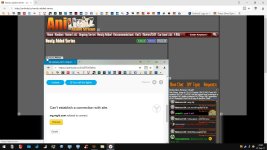
Hi I've noticed in the last couple of days when I open radio times web page I get a pop-up asking me to disable my Add-blocker
Is there a way I can override this I'm using firefox with uBlock Origin.
TV listings guide
I'm using Chrome with ublock and i do not see that popup!
Maybe you have more filters enabled in ublock?
 
I'm using Chrome with ublock and i do not see that popup!
Maybe you have more filters enabled in ublock?
Same here, uBlock + Chrome, and I cannot see that Adblocker Warning.
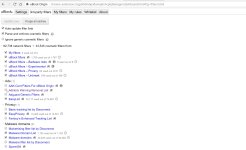
You could try to go to the uBlock settings and enable the Adblock Warning Removal List
You can find the filters by right-clicking on uBlock icon and click Settings, then choose the 3-rd Party Filters tab. Or, by going directly to this URL.
chrome-extension://cjpalhdlnbpafiamejdnhcphjbkeiagm/dashboard.html#3p-filters.html
1.jpg
 
Meh... It won't block all ads.

The vast majority, but that depends on your parsed lists and the quality of those lists. More importantly, Pi-Hole caches DNS to a noticeable level on the LAN and prevents those blacklisted domains from downloading things before blocking them. Which extensions don't do.
 
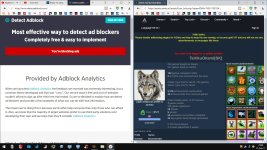
You can test your setup here: Detect Adblock - Most effective way to detect ad blockers

Just using adblocker without anti-anti-adblocker filters will result in warnings.

capture_09212017_234929.jpg

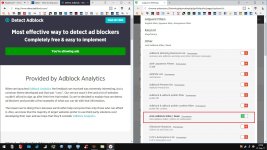
Indeed, it is located in Adguard's Other filters.

capture_09212017_233653.jpg

Or simply using Adguard DNS will do. It does not block ADs, it prevents them from loading, some adblocker can be useful for cosmetic filtering, if it bothers you.

capture_09212017_234538.jpg
 
Same here, uBlock + Chrome, and I cannot see that Adblocker Warning.
You could try to go to the uBlock settings and enable the Adblock Warning Removal List
You can find the filters by right-clicking on uBlock icon and click Settings, then choose the 3-rd Party Filters tab. Or, by going directly to this URL.
chrome-extension://cjpalhdlnbpafiamejdnhcphjbkeiagm/dashboard.html#3p-filters.html
View attachment 167737
Still no luck keep getting pop-up