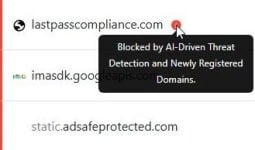
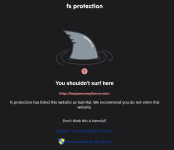
A new and ongoing password-stealing campaign targeting LastPass users has been confirmed by the password manager’s Threat Intelligence Mitigation and Escalations team. The attack, which the LastPass TIME team identified on July 13, begins with an email that appears to be an official security alert and instructs account holders to review what it claims are updated security policies. Recipients are urged to “accept the updated terms directly via DocuSign to maintain full functionality of your LastPass account,” by way of a link to a site that purports to be a LastPass compliance page but is not affiliated with the password manager in any way. LastPass has made it clear that its systems are unaffected and that there has been no hack or compromise. Here’s what you need to know and do.
LastPass Threat Intelligence Mitigation And Escalations Team Issues New Attack Campaign Warning
LastPass users should be, if you’ll pardon the pun, used to phishing attacks that attempt to get them to hand over their account credentials by now. This year alone, I have reported on two such threat campaigns: In January, the bait was that server maintenance required password vaults to be backed up within 24 hours, while in March the more commonplace unauthorized account access ruse was used as the lure. What remains the same, as LastPass itself has confirmed regarding the latest such attack, is the use of a common tactic: generating urgency to trick customers into handing over their credentials.
According to the LastPass TIME team, “The attacker registered two lookalike domains, lastpassnewsletter(dot)com and lastpasscompliance(dot) com, neither of which is affiliated with LastPass in any way. Emails sent from hello@lastpassnewsletter(dot)com are designed to look like an official LastPass security notice, instructing recipients to review updated security policies via a provided link.”
I have seen the email myself, which, at first glance, is believable enough to fool users who are not paying close attention, especially given the official-sounding address it has been sent from. It reads, in part, “In light of recent security incidents, including a third-party data breach involving customer support case data and an active phishing campaign, we have reinforced our commitment to your security and privacy. These changes reflect our ongoing efforts to enhance our platform and
ensure the protection of your data.”
Having set the stage by taking your security seriously, the email then plays upon potential privacy concerns by stating that new policy changes mean that “tracking app usage even when users are logged out of the browser extension,” and then throwing in the urgency factor by warning that if the new terms are not agreed within 14 days “your account access may be temporarily restricted.”
Clicking the link in the email directs the user to the fake LastPass compliance website, which, the TIME team warned, impersonates a third-party service and prompts visitors to download software.
LastPass asks that all users remember it will never ask for their master password, and reminds anyone who receives the security alert email not to click any links or enter account credentials on any site reached from the email.
“If you did enter your master password on the phishing site,” TIME advised, “change it immediately from a trusted device at LastPass.com and review your vault for any unexpected activity. As always, if you are ever unsure whether a LastPass-branded email is legitimate, please submit it to abuse@lastpass.com.”