Malware News Microsoft's Windows 10 Anti-Ransomware Feature Is Now Live

Solarquest

Moderator
Thread author
Verified
Staff Member
Malware Hunter
Well-known
Jul 22, 2014
2,525
1
23,394
3,488
With the release of Windows 10 Fall Creators Update last week, the "Controlled Folder Access" that Microsoft touted in June is now live for millions of users.

As the name hints, the Controlled Folder Access feature allows users to control who can access certain folders.

The feature works on a "block everything by default" philosophy, which means that on a theoretical level, it would be able to prevent ransomware when it tries to access and encrypt files stored in those folders.

The benefits of using Controlled Folder Access for your home and work computers are tangible for anyone that's fearful of losing crucial files to a ransomware infection.

If you want to give Controlled Folder Access a go, below are the basic steps to enable it on your PC.

Step 1
Press the Start button and type "Windows Defender Security Center." Select the option when visible. The following window should appear.
.....
 
Microsoft is really improving the Windows security, maybe 3rd party softwares will become obsolete in the future, who knows...
That will never happen.

Microsoft is improving protection however their main focus is for Enterprise users of Windows for this.

Everyone has different needs. For most people, these needs result in requiring third-party software. Even if they do not necessarily need a third-party due to protection capabilities, they might choose a third-party over a variety of other reasons (including but not limited to): which vendor they trust more; if they already have an active subscription they would rather not waste; if they have been a long-term customer with another vendor; quality of customer support; and user interface.

Normal Home users will update to the latest version of Windows 10 and probably won't care/understand about the new protection news, they will probably just stick to whatever they had prior to the update (maybe something like Norton or Avast).

As for end-point customers, Windows 10 protection is a maze for administrators. You need to have knowledge on how everything works to resolve an issue when an unexpected blip shows up.

Microsoft will continue to strenghen protection as more updates and future versions of Windows come, but third-parties aren't going anywhere.

Microsoft are at the heart of helping some vendors too, by providing features such as ELAM (Early Launch Anti-Malware) for automatic self-protection mechanisms. Generally speaking, they have a large network for intelligence sharing and as far as I know, many vendors are apart of it.
 
Go ahead and try to use these new Windows security features. Unless you are an IT pro and you have lots of patience, you will thankfully go right back to your 3rd party security softs.
 
Go ahead and try to use these new Windows security features. Unless you are an IT pro and you have lots of patience, you will thankfully go right back to your 3rd party security softs.
Exactly! :)

Apparently features like Group Policy Editor has many bugs too, and I don't think many people outside of Microsoft have had the chance to perform proper manual penetration testing on some of the Enterprise protection features regarding lock-down on areas like Microsoft Office either, so how strong/weak the implementations are currently is unknown AFAIK.
 
The bad news is that while your protected folders are safe, other non-protected folders will still be encrypted, ransom notes will still be displayed, and other behavior will still continue.
(y) I like that statement..

I think it's just a "good to have" but I think we all need 3rd party to cover the "non-protected folders". lol..
 
Go ahead and try to use these new Windows security features. Unless you are an IT pro and you have lots of patience, you will thankfully go right back to your 3rd party security softs.

Most people (the average Joe that doesn't need productivity softs, doesn't game, etc) are much better off using Chromebook and not using Android apps. They will have less problems and much greater security.

People think they need Windows, but like most thinks, what they think they need and what they actually need are two completely different things.

Most people on the security forums don't need Windows nor Linux.

The real problem is that the price of a capable Chromebook 15 is absolutely outrageous. It is overpriced by at least $300. A Windows system is a much greater value.
 
Last edited by a moderator:
This is a new tecnology. What do you think it works? . Some AV like Avast and some products like winantirasom or appcheck have this feature. I think if protected folder are embebed in system are better. But tell me in your opinion is a necesary feature, a good feature?. And will be defender a better option than a thirdparty av like emsisoft or norton? will be defender the best av for this feature? and let me add why another products are more reliable or better than microsoft is like "MS tecnology are imperfect and thrid party perfect?. Maybe whith this feature the Security products whitouth this are in disventaje?
Sorry but why some of my post does not show . Am I Banned?
 
  • Like
Reactions: Weebarra
Microsoft is making progress with home users

But they are clearly focused on enterprise customers.

I don't blame them, but I do blame you Apple and Chrome users.
 
  • Like
Reactions: Weebarra
Most people (the average Joe that doesn't need productivity softs, doesn't game, etc) are much better off using Chromebook and not using Android apps. They will have less problems and much greater security.

People think they need Windows, but like most thinks, what they think they need and what they actually need are two completely different things.

Most people on the security forums don't need Windows nor Linux.

The real problem is that the price of a capable Chromebook 15 is absolutely outrageous. It is overpriced by at least $300. A Windows system is a much greater value.
If I ever convert to Chromebook, that must include Android Apps.
 
  • Like
Reactions: Weebarra
You consider that the anti-ransomware Windows 10 function is managed by the operating system. Therefore, if you protect an USB drive, but you connect it to another PC which is not set to the same function, a possible ransomware on the second computer may encrypt the USB drive.

If the mechanism will be really solid, we will find out then, but at the same time, it is good to understand that it is just an extra line of defense against malware/ransomware.
 
This is a new tecnology. What do you think it works?
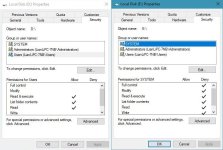
Nuh, it is just using simple NTFS permissions and instead of users, software is allowed as needed. If you set permissions manually to read only, only admin can change folder's content and it is way safer, because all software is blocked, unlike with protected folder, where smartscreen and user decide, what is safe or not.
 

Attachments

  • capture_07302017_205032.jpg
    capture_07302017_205032.jpg
    67.9 KB · Views: 353