Technical Analysis & Remediations
MITRE ATT&CK Mapping
T1204.001
(User Execution: Malicious Link/File)
T1059.001
(Command and Scripting Interpreter: PowerShell)
T1059.004
(Command and Scripting Interpreter: Unix Shell)
T1566.002
(Phishing: Spearphishing Link)
CVE Profile
N/A [CISA KEV Status: Inactive]
This attack exploits human behavior and default system utilities rather than specific software vulnerabilities.
Telemetry & IOCs
Domain
nobovcs[.]com
(Used in the Windows QuickBooks-themed cluster)
Domain
mac-os-helper[.]com
(Used in the macOS Apple Support-themed cluster).
File
bibi.php
(Secondary script fetched by PowerShell to install NetSupport RAT)
Behavior (Windows)
The structure resembles a hidden PowerShell process utilizing mixed-case obfuscation and shortened parameter aliases. It creates a randomly named persistence folder in the local app data directory utilizing "romantic-themed words".
Behavior (macOS)
The payload execution utilizes stacked encoding, decoding hex to Base64, and routing it through the zsh shell to deploy MacSync.
Remediation - THE ENTERPRISE TRACK (NIST SP 800-61r3 / CSF 2.0)
GOVERN (GV) – Crisis Management & Oversight
Command
Initiate targeted security awareness training focusing specifically on fake CAPTCHA screens (e.g., Cloudflare, Google reCAPTCHA) and instructions requiring users to paste clipboard contents into system dialogs.
DETECT (DE) – Monitoring & Analysis
Command
Deploy SIEM/EDR hunting queries to detect PowerShell executions originating from the Windows Run dialog (explorer.exe spawning powershell.exe with hidden/encoded flags).
Command
Monitor macOS telemetry for zsh execution pipelines involving hex-to-Base64 decoding.
RESPOND (RS) – Mitigation & Containment
Command
Isolate endpoints observed contacting nobovcs[.]com or mac-os-helper[.]com immediately.
Command
Terminate anomalous NetSupport RAT processes and remove malicious shortcuts placed in the Windows Startup folder.
RECOVER (RC) – Restoration & Trust
Command
Re-image heavily infected machines (particularly those compromised by Lumma or Odyssey Stealers) to ensure complete eradication of memory-resident payloads.
IDENTIFY & PROTECT (ID/PR) – The Feedback Loop
Command
Disable the Windows Run dialog box via Group Policy Objects (GPO) for non-administrative users.
Command
Implement PowerShell Constrained Language Mode and strictly enforce AppLocker or Windows Defender Application Control (WDAC).
Command
Restrict macOS terminal access through Mobile Device Management (MDM) and enforce System Integrity Protection (SIP).
Remediation - THE HOME USER TRACK (Safety Focus)
Priority 1: Safety
Command
Disconnect from the internet immediately if you have pasted a command into the Run box or Terminal from a web browser.
Command
Do not log into banking/email until verified clean. Stealer malware (Lumma/Odyssey) actively harvests cryptocurrency wallets and credentials.
Priority 2: Identity
Command
Reset passwords and MFA tokens for all critical accounts using a known clean device (e.g., a mobile phone on a cellular network).
Priority 3: Persistence
Command
Check the Windows Startup folder (shell:startup) for unknown shortcut files, as this is the primary persistence mechanism for the Windows variant.
Command
Run a full offline antivirus scan to detect remaining traces of NetSupport RAT or MacSync.
Hardening & References
Baseline
CIS Controls v8 - Control 9 (Email and Web Browser Protections) & Control 14 (Security Awareness and Skills Training).
Framework
NIST SP 800-61r3 Incident Response Lifecycle.
Guidance
End-users must be trained that legitimate services (e.g., Cloudflare, Google, Apple) will never require users to manually copy and paste code into system terminals to verify their identity or free up storage space.
Source
Cyber Security News




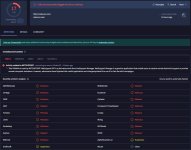
 safeweb.norton.com
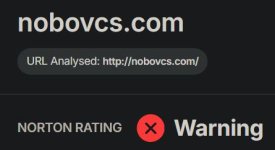

cybersecuritynews.com


