Battle Norton AntiVirus Plus vs McAfee AntiVirus Plus 2025: Which entry-level antivirus should you choose?

Which entry-level paid antivirus do you prefer in 2025?

  • Norton AntiVirus Plus

    Votes: 7 19.4%
  • McAfee AntiVirus Plus

    Votes: 17 47.2%
  • Other / None

    Votes: 12 33.3%

  • Total voters
    36
Compare list
Norton AntiVirus Plus
McAfee AntiVirus Plus
Platform(s)
  1. Any platform
You don't need to install this WebAdvisorInstaller.exe file, just add the McAfee WebAdvisor extension, which works perfectly. I discovered this by chance when I removed McAfee, and the extension remained in my browser. When I synchronised my Google, Brave, Edge and Vivaldi accounts, the McAfee WebAdvisor extension synchronised in my browsers and remained active without McAfee being installed. The McAfee WebAdvisor extension is not publicly available, it is not listed, so you need to have its URL to add it to your browser. Now I'll let @Trident give his opinion, because he knows more about McAfee and the McAfee extension. PS: I still have McAfee installed and I am using it normally. ;)
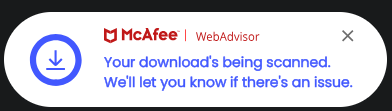
I guess my description wasn't well done. Indeed can be useful to install even the WebAdvisorInstaller because it works sort of system-wide for all supported browsers and additional it does check also your downloads and displays notifications near to Windows Taskbar/Systemtray:

WA.png
 
I guess my description wasn't well done. Indeed can be useful to install even the WebAdvisorInstaller because it works sort of system-wide for all supported browsers and additional it does check also your downloads and displays notifications near to Windows Taskbar/Systemtray:

View attachment 289843
It has one advantage; if using browser apart from Edge, as the extension is only available on Edge add-on store, not on chrome store anymore.
 
I guess my description wasn't well done. Indeed can be useful to install even the WebAdvisorInstaller because it works sort of system-wide for all supported browsers and additional it does check also your downloads and displays notifications near to Windows Taskbar/Systemtray:

View attachment 289843
Interesting, using WebAdvisorInstaller will the extension then integrate better with the McAfee WebAdvisor extension? Using it the way you suggest will offer better protection. Thank you very much for clarifying this for me and the other members. @silversurfer, you can delete my post #19 if you want. (y)
 
McAfee webadvisor app has the advantage of monitoring system-wide, not only inside the browser with extension installed, but I agree with you, extension is sufficient as I deal with internet only through my browser, and I do not think Windows update will get any benefit of the app.
I find several members on Reddit complaining of getting McAfee webadvisor app (not the extension) inadvertently installed on their PCs, secretly bundled with other installers, just as Avast-AVG with practicing before with Chrome, they stopped a while ago.
McAfee Web Advisor does not monitor system wide. What monitors system wide is the McAfee’s new firewall that terminates connections to Fully Qualified Malicious Domains. One some chinese forums it is referred to as “Anti-RAT” by knowledgeable members and it seems that McAfee internally calls it this way.

It is not any different from what BD, Kaspersky, Avast (and Avast-based), MalwareBytes and so on products are doing.

Only difference is McAfee seems to be taking into account the application reputation and behaviour too when taking a decision, which is a reminiscence of Check Point AntiBot’s TripleSpect engine.

As to unsolicited installations, I am using computers already 15 years + and I never had WebAdvisor/SiteSdvisor popup out of the blue. It’s always the happy clickers on reddit that have these problems.

@silversurfer is rightfully suggesting to install the app.
 
Thanks, but that's where I'm confused (it doesn't take much for me :)) but is this different "extension", WebAdvisorInstaller, which has the ability to scan downloads than the one linked to? Scroll through the images, I don't see one that shows the ability to scan downloads, just about search protection?

Edit: thanks @Trident and @Parkinsond that answered my question :)
 
I have one inquiry; does the app have antimalware engine as the AV, or it just check file reputation such as SmartScreen and Symantec download insight?
It doesn’t have anti-malware engine, it uses TLSH to detect malware by hash, including when it is modified malware (looks like such). It is not a full blown AV. It also aggressively targets files that aren’t really trusted, coming from untrusted sources. For a full blown AV, a McAfee Total Protection or Plus Plan product needs to be installed.
 
It doesn’t have anti-malware engine, it uses TLSH to detect malware by hash, including when it is modified malware (looks like such). It is not a full blown AV. It also aggressively targets files that aren’t really trusted, coming from untrusted sources. For a full blown AV, a McAfee Total Protection or Plus Plan product needs to be installed.
so I will be content with extension blocking suspicious websites, and leave scanning downloaded files for an AV with a real engine.
 
Many thanks; I gave up finding it on Chrome store after searching for a long time.
In that case, I doubt I will be in need for the app.
I said in my post #19 that the McAfee WebAdvisor extension is not publicly listed. You can search for it in the Chrome Web Store, but you won't find it unless you have the link, as I did. It is only installed when you install McAfee or when you install WebAdvisorInstaller.exe. I had the URL for the extension, but I didn't post it here on MT because of @silversurfer, whom I respect, besides being a moderator, and also because of his post #17, which is the right thing to do.
 
so I will be content with extension blocking suspicious websites, and leave scanning downloaded files for an AV with a real engine.
Yes, and that's why at first I thought I had an option (using that extension) along with Windows Security. That's one of the reasons I use a 3rd party AV, so I can use Brave and Chrome and be secure for the occasional file I may download. Or, as @Trident mentioned in post #34, just buy a version of McAfee and be at peace with it all :)
 
Yes, and that's why at first I thought I had an option (using that extension) along with Windows Security. That's one of the reasons I use a 3rd party AV, so I can use Brave and Chrome and be secure for the occasional file I may download. Or, as @Trident mentioned in post #34, just buy a version of McAfee and be at peace with it all :)
I do not pay for software; it one of my rules, as much as the religious belief 😌