



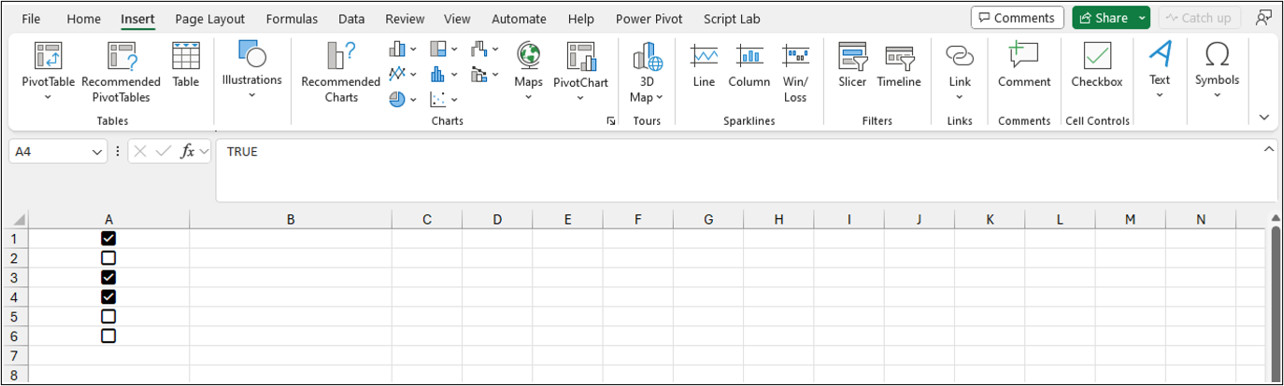
Microsoft is rolling out a new update for Microsoft 365 Insiders, previewing updates for Word, Excel, PowerPoint, and other apps. Today's release focuses on Excel and introduces cell checkboxes, a much-requested feature by Excel users.
According to a blog post published on the official Microsoft 365 Insider website, the ability to add checkboxes to cells is a top customer feature request. It can simplify data entry and reduce user errors when working with spreadsheets and formulas involving TRUE and FALSE values.
The Insert tab on the ribbon now features a new group called Cell Controls. There is only one "Checkbox" option for now, but Microsoft promises to add more in future updates. The feature is rolling out to Microsoft 365 Insiders running version 2310 (build 196924.2000 or later) from the Beta Channel.
Here is how to add checkboxes to cells in Excel:

Simplify data entry and reduce errors with checkboxes in cells
You asked for it! Find out how to quickly visualize and set TRUE and FALSE values in a cell using checkboxes.


