


If it becomes too slow, you can always deploy ChromeOS Flex (if not too problematic)I have a low-end turtle of a laptop that's good enough for me.

If it becomes too slow, you can always deploy ChromeOS Flex (if not too problematic)I have a low-end turtle of a laptop that's good enough for me.

Nope. Windows 11 is just fine, but thanks anyway.If it becomes too slow, you can always deploy ChromeOS Flex (if not too problematic)
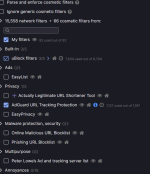
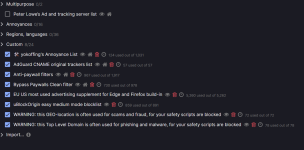

I upgraded to pro last year just so that I can use Gpedit, worth the cheap license key. Tried cmd hack (for using GPedit on home version) earlier but it stopped working for me for some reason.Upgraded to Windows Pro via Ghacks deal $39.95 US. Good for 3 devices. It's worth it to simplify dealing with MS bloatware.
That's quite the deal really. Now you crack open gpedit and go crazy on some policy restriction rules and lock your system down so tight it wont budgeUpgraded to Windows Pro via Ghacks deal $39.95 US. Good for 3 devices. It's worth it to simplify dealing with MS bloat.

Block untrusted fonts - ON
Control flow guard (CFG) - ON
Data execution prevention (DEP) - ON + Enable thunk emulation - CHECKED
Disable extension points - ON
Force randomization for images (Mandatory ASLR) - ON + Do not allow stripped images - CHECKED
Randomize memory allocations (Bottom-up ASLR) - ON
Validate exception chains (SEHOP) - ON
Validate handle usage - ON
Validate heap integrity - ONYou are correct it appears Windows 11 22H2 put an end to Software Restriction Policies. Still supported in Windows 10 though. Looks as if they redirect windows 11 users to App Locker instead.Removed SRP as policies don't appear to work properly in 22H2. Nothing was blocked at all. @Andy Ful
Cleaned up some config details. BTW, I really like Mem Reduct. Way better than CleanMem. Works like a charm with my 8GB RAM.
They're pushing Windows Application Control.Looks as if they redirect windows 11 users to App Locker instead.
Application Control for Windows - Windows SecurityStarting in Windows 11 version 22H2, Smart App Control provides application control for consumers. Smart App Control is based on WDAC ...
Especially when you use a different than Microsoft anti-virus it is a bonus (double whitelist-blacklist protection)They're pushing Windows Application Control.
Application Control for Windows - Windows Security
Smart App Control is the simple and easy way to go, so I'll stick with that.

Yes except for one unsigned app I need to execute via RunBySmartscreen, otherwise it's blocked periodically without it. Using RBS this way may be useful to SAC users as SS is integrated with ISG in SAC. You can read here New Update - Smart App Control - Windows 11 22H2 feature promises significant protection from malware But please know that I use very few 3rd party apps. Almost none. This is mainly a surfing laptop. Most folks can't operate like I do.Is SAC worked without problems on your laptop?


