Advanced Security oldschool's cheapo laptop configuration

Last updated
Feb 4, 2026
How it's used?
For home and private use
Operating system
Windows 11
Other operating system
Windows Pro
On-device encryption
N/A
Log-in security
    • Biometrics (Windows Hello PIN, TouchID, Face, Iris, Fingerprint)
Security updates
Allow security updates
Update channels
Allow stable updates only
User Access Control
Always notify
Smart App Control
On
Network firewall
Enabled
About WiFi router
Provided by ISP
Real-time security
Windows Security
Firewall security
Microsoft Defender Firewall
About custom security
MS Defender | Platform & Engine Beta channel updates
Cloud Protection Level - Block
ASR rules
Exploit Protection Settings
Firewall Hardening Tool
Controlled Folder Access - Added Start Menu, Start Menu > Programs, and Quick Launch folders.
RunBySmartscreen

Windows Security - A Github page by a former MT member with links to relevant MS documentation.
Periodic malware scanners
NPE, Sophos Scan & Clean, Eset Online Scanner
Malware sample testing
I do not participate in malware testing
Environment for malware testing
N/A
Browser(s) and extensions
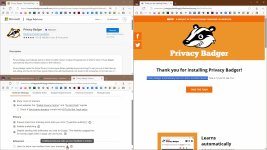
Ungoogled Chromium | Privacy Badger | UBOL* | McAfee Web Advsior | Brave Search | Chrome Web Store
* I use Privacy Badger on all websites and UBOL "On click" via browser's menu access control.

Ungoogled Chromium flags

Firefox | µBO | Brave Search

Edge | µBO | GPC Enabler | Brave Search
Edge flags
Secure DNS
Quad9 DNS
Desktop VPN
None
Password manager
Maintenance tools
Windows built-in
File and Photo backup
Copy/Paste
Subscriptions
    • None
System recovery
Aomei Backupper Pro Lifetime - Primary
Wiindows Backup & Restore- Secondary image backup
Risk factors
    • Browsing to popular websites
    • Opening email attachments
    • Buying from online stores, entering banks card details
    • Downloading software and files from reputable sites
    • Streaming audio/video content from trusted sites or paid subscriptions
Computer specs
Lenovo L340 Intel(R) Core(TM) i3-8145U CPU @ 2.10GHz 2.30 GHz 16GB RAM 500GB SSD 1TB HDD
Notable changes
22-12-5 Reverted to MS Defender.
23-1-21 Refreshed Windows with SAC in evaluation mode.
23-2-2 Clean Windows installation
23-2-18 SAC user-enabled on
27-2-23 Added Chrome for the lack of 'feature' bloat.
28-2-23 Changed default browser to Chrome
24.2.24 Refreshed Windows and re-enabled Smart App Control
26.2.2 Replaced Chrome with Ungoogled Chromium
26.2.2
9.25 Updated to 25H2 via Enablement package.
5.7.24 Performed a repair installation via Windows Update. Nice & easy!
6.10.24 Updated to 24H2 OS build 26100.1882
10.10.24 Rolled back to 23H2 due to bugs & performance
16.10.24 Added Chrome browser with Privacy Badger
5.1.25 Reset PC and enabled Smart App Control
2.4.26 Ungoogled Chromium as default browser
What I'm looking for?

Looking for minimum feedback.

I don't know 🤔
Firefox have had smooth scrolling long before any chromium browser. At this moment, I can't tell the difference in general browsing but if I test Firefox & Chrome's scrolling side by side then it seems Firefox's scrolling speed is slightly quicker when I scroll little by little to read the comments on this thread. The difference is so minimal.
 
I can't tell the difference in general browsing but if I test Firefox & Chrome's scrolling side by side then it seems Firefox's scrolling speed is slightly quicker when I scroll little by little to read the comments on this thread. The difference is so minimal.
This was exactly what i was thinking. Unless you are flat out one of the fastest speed readers on the planet, i doubt any of it would make that much of a difference. I do not know anyone that continuously scrolls in a steady fashion quickly while reading and able to actually absorb what they are reading that would need to enhance the speed and smoothness of scrolling to that extent.
 
Added Windows 95 logon sound, a little MS classic touch to my W11 setup. (y)
How to Add Windows 95 Startup Sound to Windows
And this is my wish for Windows 11, "I JUST WANT THE DOG BACK. THATS IT" lol, is totally impossible but I would like to reminisce in that way, too :)
 
And this is my wish for Windows 11, "I JUST WANT THE DOG BACK. THATS IT" lol, is totally impossible but I would like to reminisce in that way, too :)
Have you tried any of the older methods described in the link? 🤔
 
Have you tried any of the older methods described in the link? 🤔
I saw in a previous link that it was pretty much impossible to do as well as there isn't a regedit Windows Desktop Search path anymore (from that link). I just always got a kick out of the dog and the wizard in XP, and thought this guy yelling about wanting the dog back, needing to get the dog back, was funny :)
 
Switched from µBOL to Privacy Badger in Edge only.
How's that going? I'm still using uBO in Medium mode in Edge but I have needed to add more exception rules lately to get some streaming etc to work so thinking maybe uBOL or maybe Privacy Badger since you've mentioned it recently.
 
How's that going? I'm still using uBO in Medium mode in Edge but I have needed to add more exception rules lately to get some streaming etc to work so thinking maybe uBOL or maybe Privacy Badger since you've mentioned it recently.
It's perfect for my limited use of Edge, used mostly for secure logins on my important sites.

I like that it's maintained by more than one dev.
 
Last edited:
I have needed to add more exception rules lately to get some streaming etc to work so thinking maybe uBOL or maybe Privacy Badger since you've mentioned it recently.
I should have added that µBOL or Privacy Badger should work fine to avoid those issues, especially the latter since it's focused on tracking and only blocks ads inadvertently.
 
why the strong reaction to the change I made?
I never liked the idea of Privacy Badger, it is like using heuristics vs verified signatures. It is guessing and never really worked for me. Though it is an interesting approach dealing with Manifest V3.
 
I never liked the idea of Privacy Badger, it is like using heuristics vs verified signatures. It is guessing and never really worked for me. Though it is an interesting approach dealing with Manifest V3.
PB stopped using heuristics back in 2020 due to it allowing an attacker to fingerprint and extract data from its users. You can still enable it if you so choose, but it's disabled by default and instead uses a filter list now.
 
PB stopped using heuristics back in 2020 due to it allowing an attacker to fingerprint and extract data from its users.
Maybe someone should tell them that, since it is PB's selling point. It definitely does not fill me with confidence. :D
 

Attachments

  • capture_02092024_115557.jpg
    capture_02092024_115557.jpg
    249 KB · Views: 171

You may also like...