


Server: https://www.ssllabs.com/ssltest/
Browser: https://www.ssllabs.com/ssltest/viewMyClient.html
Properly configured browser:
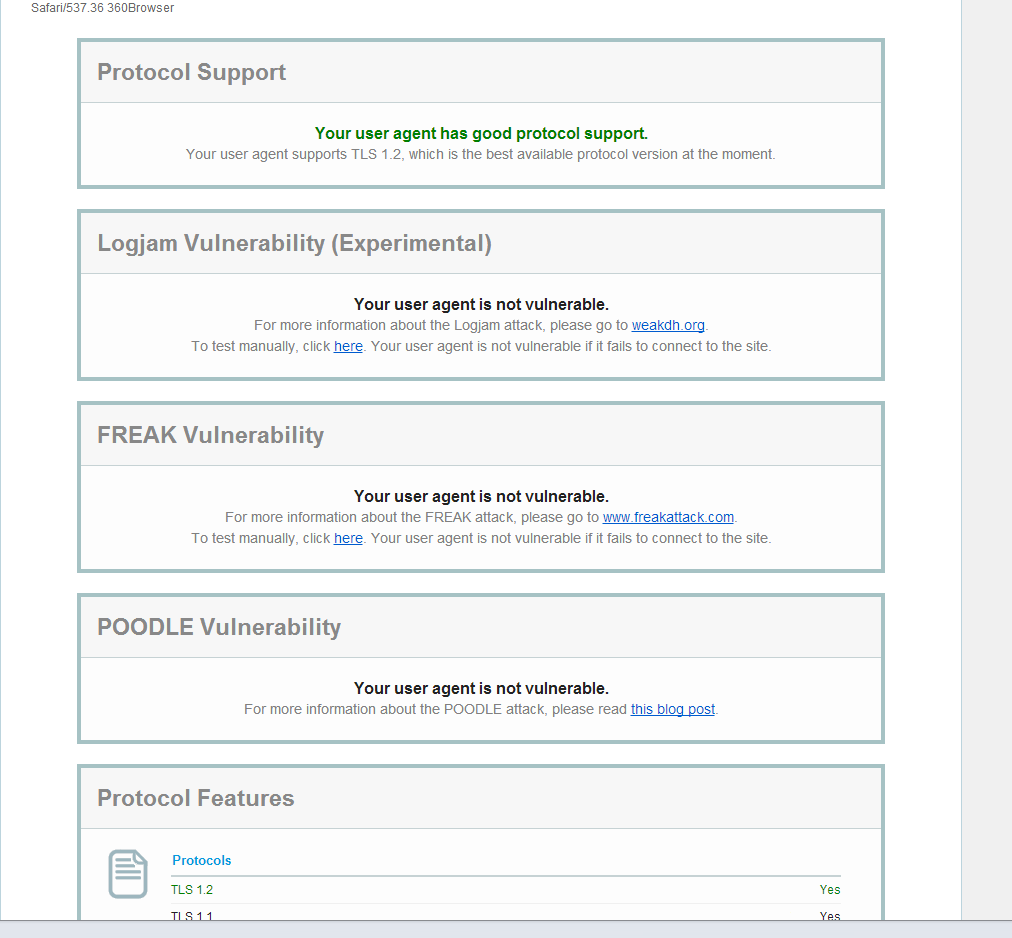
So you might be wondering how do I protect myself?
Step 1: Create a simple bat
Ex.
@echo off
cd "Your browser location.exe" --ssl-version-min=tls1 --cipher-suite-blacklist=0x0011,0x0012,0x0013,0x0014,0x0015,0x0016,0x0032,0x0033,0x0038,0x0039,0x0040,0x0044,0x0045,0x0067,0x006A,0x006B,0x0087,0x0088,0x0099,0x009A,0x009E,0x009F,0x00A2,0x00A3,0xc011,0xc007,
0x0005,0x0004
pause
Cipher List, All insecure/Weak are disable with the above bat script
http://prntscr.com/7fh486
Browser: https://www.ssllabs.com/ssltest/viewMyClient.html
Properly configured browser:
So you might be wondering how do I protect myself?
Step 1: Create a simple bat
Ex.
@echo off
cd "Your browser location.exe" --ssl-version-min=tls1 --cipher-suite-blacklist=0x0011,0x0012,0x0013,0x0014,0x0015,0x0016,0x0032,0x0033,0x0038,0x0039,0x0040,0x0044,0x0045,0x0067,0x006A,0x006B,0x0087,0x0088,0x0099,0x009A,0x009E,0x009F,0x00A2,0x00A3,0xc011,0xc007,
0x0005,0x0004
pause
Cipher List, All insecure/Weak are disable with the above bat script
http://prntscr.com/7fh486
Last edited:


