
Cousins; virus is undisguised trojan.Trojans and viruses are the same thing?


Open MalwareTips from your Home Screen or desktop. Follow discussions, find answers and pick up where you left off.
If you cannot find an install option, update your browser or use its bookmark option to keep MalwareTips close.
After installation, open the app and sign in. Enable push notifications in Preferences if you want alerts. On iPhone and iPad, push requires a Home Screen web app and iOS or iPadOS 16.4 or later.
Sign in to manage notificationsInstallation is optional. Your notification settings stay under your control.
Cousins; virus is undisguised trojan.Trojans and viruses are the same thing?


You are much more patient and gracious than I am, hats off to youTake it, live with it and forget about it.
There's nothing you can do anymore.
It is what it is my brother....


Here is a detailed and simplified article about the types of malware:only malware type ransomware is capable of modifying, deleting, or corrupting any type of file on my PC or others malwares?
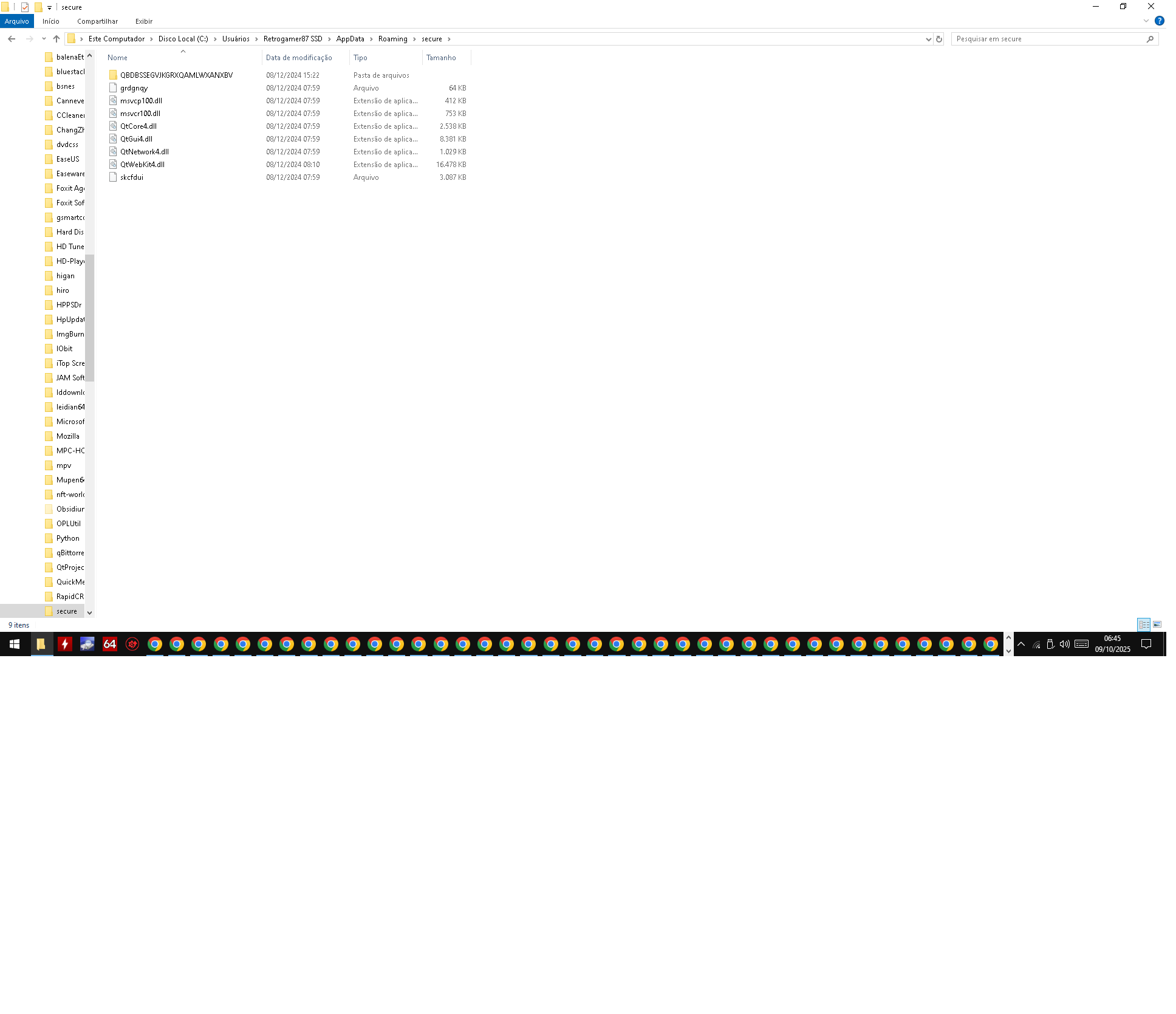
The only malware found for me was QtWebKit4.dll (Trojan:Win32/Wacatac.C!ml), Caller.exe (detects
Trojan.DownLoader47.36298), and Caller.exe (
TrojanPSW.Rhadamanthys), Trojan.Win32.Agent.xcajyl, Application.Fragtor.Generic. Trojan:Script/Sabsik.FL.A!ml Generik.DWVRBFE trojan

 www.makeuseof.com
For one there is no universal naming for malware. They are usually named after how they are detected, signature based, heuristic or machine learning and even packer naming.Why does malware detected and sent to VT have different names for each antivirus? Does the behavior of this malware also differ?
The Trojans I mentioned vary greatly in their behavior, from harmless to aggressive, deleting, corrupting, and modifying various files on the PC. It's impossible to pinpoint their behavior because the malware creator decides.
This malwares i cited above are New malwares and Kaspersky free, malwarebytes free not detect in Scan?

You need to do some research to educate yourself. Read up on the subject here on the forum and elsewhere. We aren't here to spoon feed you elementary info that you can find with a little effort. Afterwards you'll be in a position to ask questions. It's called 'learning'. Word!Why does malware detected and sent to VT have different names for each antivirus? Does the behavior of this malware also differ?
This you?If Kaspersky Free doesn't have real-time behavior monitoring, then it wasn't helpful to me in blocking it QtWebKit4.dll (Trojan:Win32/Wacatac.C!ml),
 techcommunity.microsoft.com
Why are you still posting? You've asked the same question in many different places, including the forums of ESET, Microsoft, Bitdefender, Kaspersky, Malwarebytes, Comodo etc, as is shown in the Google link below. It was suggested many pages ago, that you should do a clean install of Windows if you are so concerned. So why don't you just do that and stop posting, as no matter what anyone suggests, it seems that you will not accept their advice and keep posting.
You can backup your files before doing a clean install.The file was removed by Microsoft Defender. I cleaned my PC. I didn't format it because I'll lose my personal files.
Had they used Comodo then they would not be infected in the first place.I salute your persistence; have to participate to Comodo threads.
Do you not make backups of your personal files?The file was removed by Microsoft Defender. I cleaned my PC. I didn't format it because I'll lose my personal files.
Nobody can provide you an answer. If you cleaned your system them time to move on and stop asking over-and-over the same question everywhere.My question was, while this file was on my PC and wasn't detected by Kaspersky Free in complete scan, if this file acted maliciously and had a backdoor, modifying, deleting, or corrupting many types of data and files on Windows PCs.
 blivion1 or something similar. Your problems are clearly not of a technical nature. No forum can help you with these.
Let this be a call to action. You should always have your personal files backed up, and you can't continue to get by without resolving that fundamental problem. If you don't have extra cash to buy an external drive, even a USB thumb drive, then you need to evaluate cloud solutions to back up your files. Popular examples include OneDrive, Google Drive, and MEGA.The file was removed by Microsoft Defender. I cleaned my PC. I didn't format it because I'll lose my personal files.
My question was, while this file was on my PC and wasn't detected by Kaspersky Free in complete scan, if this file acted maliciously and had a backdoor, modifying, deleting, or corrupting many types of data and files on Windows PCs.
Members who viewed this thread in the last 5 minutes


