Hot Take Researcher Exposes Zero-Day Clickjacking Vulnerabilities in Major Password Managers
Andy Ful

From Hard_Configurator Tools
Thread author
Verified
Honorary Member
Top Poster
Developer
Well-known
Forum Veteran
Dec 23, 2014
10,132
1
67,163
8,398
65
Poland

Researcher Exposes Zero-Day Clickjacking Vulnerabilities in Major Password Managers​


Demo of the attack:

Clickjacking Vulnerabilities#

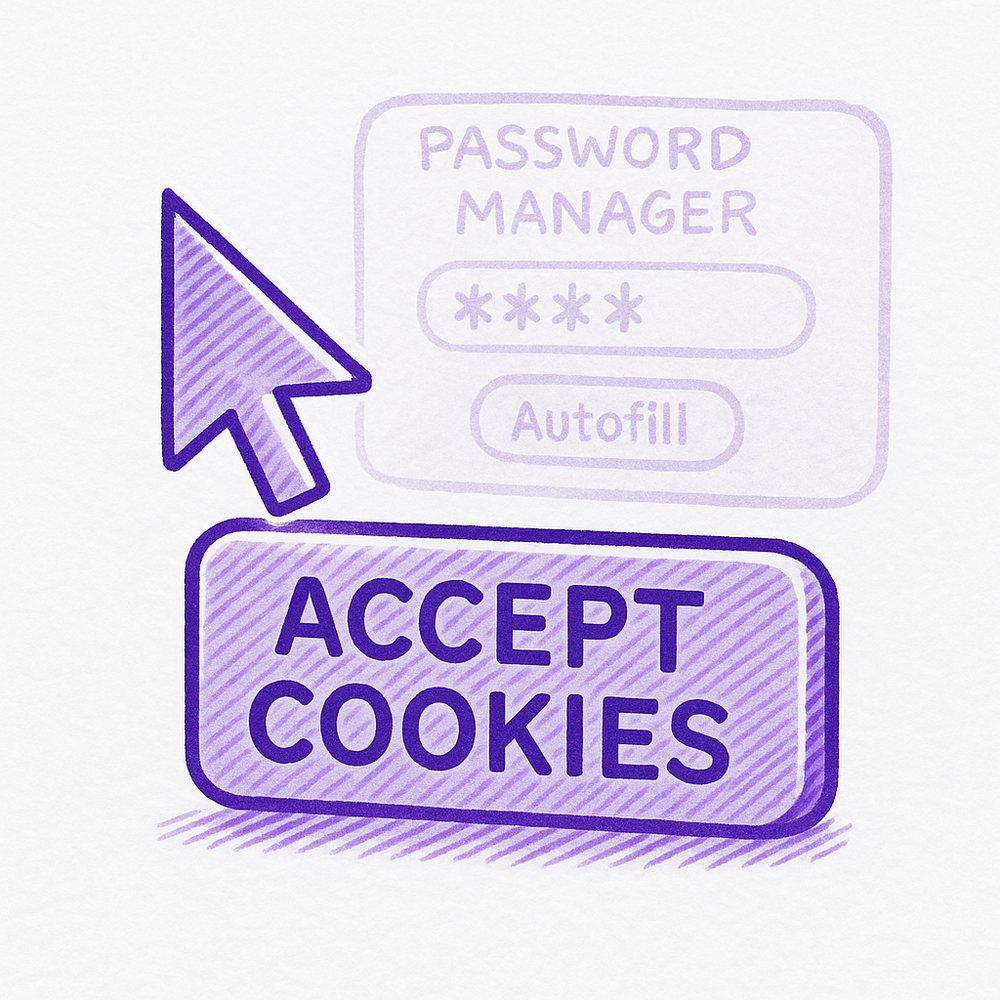
Clickjacking vulnerabilities are a way of convincing a user to perform a series of actions or clicks on a website, believing that they are performing one action, but they are actually unintentionally performing actions the attacker desires.
(...)

Impact#

Tóth's disclosed vulnerabilities enable hackers to steal sensitive data within password managers, such as credit card details, names, addresses, and phone numbers, if a victim visits a malicious website. Furthermore, if a vulnerable website storing your password manager credentials has a cross-site scripting (XSS) vulnerability or a subdomain takeover, hackers can exploit it to steal login credentials (usernames and passwords), 2FA codes, and passkeys.

As of August 19, 2025, the following versions have been confirmed as still vulnerable:

  • Bitwarden: Bitwarden Password Manager: 2025.7.0 (Latest)
  • 1Password: 1Password – Password Manager: 8.11.4.27 (Latest)
  • LastPass: LastPass: 4.146.3 (Latest)
  • LogMeOnce: LogMeOnce: 7.12.4 (Latest)
  • Enpass: Enpass: 6.11.6 (Latest)
  • Apple: iCloud Passwords: 3.1.25 (Latest)

Authors suggest two mitigations:
  • Set only exact URL match for autofill credentials
  • On click site access
1755685263544.png


Here is a demo of the second mitigation on the example of Bitwarden:
 
Last edited:

Researcher Exposes Zero-Day Clickjacking Vulnerabilities in Major Password Managers​


Demo of the attack:


Authors suggest two mitigations:
  • Set only exact URL match for autofill credentials
  • On click site access
Here is a demo of the second mitigation:

View attachment 290300
I might be one of the dozen people that run roboform and had been since 2005 or around that time. Benefit: it rarely is a target of a hack. Since there are dozens of us! DOZENS!
 
Yeah, the key here is the reliance on XSS or domain takeover. When that happens, users can even manually type their credentials. The password manager is not the problem, it’s just doing its job.
It’s a classic credential skimming attack and there are many forms of this.

A malicious JavaScript can be placed on top of the fields, fully transparent, taking the details and then pasting them in the real field. That’s why user input should be sanitised, preferably reliance on CDNs to deliver scripts (like Angular, React and so on) should be minimised/eliminated or with proper integrity checks in place.

In this case, they also mention a fake prompt being placed over the legitimate password manager prompt, so user thinks they are accepting cookies, but they are triggering the autofill. The JS then immediately processes the input (sending to attackers). This does not require the website to be compromised. An attacker can create “play video” button and credentials will still be filled. If this is a brand new malicious page and not a compromised one, it’s not known whether the password manager will find saved credentials. Again, this works best with a compromised legitimate site.

Against domain takeover, there are some protection, depending on the country of the domain
 
Last edited:
So I assume using KeepassXC without browser plugin is more safe.
The hack is based on manipulating UI elements that the password manager injects into the DOM. So, turning off the "Activate*" options in KeePassXC extension settings (some are on by default), i.e., preventing it from injecting, would prevent this hack. A locked KeePassXC is also not affected. Additionally, not opening a URL controlled by the attackers would help prevent this.
 
Enabling two-factor authentication (2FA) is a critical security measure that significantly reduces the risk of an attacker successfully taking over your account, even if they manage to steal your username and password through attacks like credential skimming or clickjacking.

This effectively breaks the attack chain, making the stolen password useless on its own. While 2FA isn't a perfect solution and can be bypassed by a sophisticated attacker using real-time interception, it still provides a major defense. It's especially important to note that storing your 2FA codes within the same vulnerable password manager can compromise this security. For the best protection, it is recommended to use a separate authenticator app for your 2FA codes.
 
Enabling two-factor authentication (2FA) is a critical security measure that significantly reduces the risk of an attacker successfully taking over your account, even if they manage to steal your username and password through attacks like credential skimming or clickjacking.

This effectively breaks the attack chain, making the stolen password useless on its own. While 2FA isn't a perfect solution and can be bypassed by a sophisticated attacker using real-time interception, it still provides a major defense. It's especially important to note that storing your 2FA codes within the same vulnerable password manager can compromise this security. For the best protection, it is recommended to use a separate authenticator app for your 2FA codes.
A simple infostealer will bypass all the previously mentioned precautions when it harvests browser cookies while I am logged in.
 
Last edited:
Enabling two-factor authentication (2FA) is a critical security measure that significantly reduces the risk of an attacker successfully taking over your account, even if they manage to steal your username and password through attacks like credential skimming or clickjacking.
...
It's especially important to note that storing your 2FA codes within the same vulnerable password manager can compromise this security.
This is true if your 2FA is independent/separate from your username/password. Apparently in this hack, since many people also use TOTP code generation feature of their password managers, the password manager may autofill the username, password, and the TOTP code.
 
A simple infostealer will bypass all the previously mentioned precautions when it harvests browser cookies while I am logged in.
You are highly unlikely to be the victim of a live clickjacking attack at the exact same moment that a pre-existing infostealer on your machine is exfiltrating your data. They are separate attack vectors. However, you can be a victim of an attack where clickjacking is the initial step that leads to an infostealer infection. Your statement about the infostealer being the greater threat is accurate because once the infostealer is on your machine, it has already bypassed the defenses of the browser, making the clickjacking vulnerabilities irrelevant.

This is true if your 2FA is independent/separate from your username/password. Apparently in this hack, since many people also use TOTP code generation feature of their password managers, the password manager may autofill the username, password, and the TOTP code.
The most common and effective method is using a dedicated authenticator app. Another more effective method is using hardware key (like a YubiKey) that is even more secure. It physically verifies your identity and is completely separate from your password manager. This method is highly resistant to phishing and other forms of credential theft
 
Last edited by a moderator:
The infostealer here doesn’t have a place, the attackers are looking to steal your information without the usage of malware. If they wanted to use malware, they wouldn’t deal with XSS or domain takeover.

An infostealer will snatch credentials and more crucially session cookies, but not all websites are vulnerable to reuse of session cookies.
There is IP address, TLS channel binding, TTL and so on. In the last years, a lot of websites implemented additional safety mechanisms.

Here we are talking about an attack that will snatch all (including any 2fa codes).

It’s important to note that quite a few home AVs are known to analyse JavaScript in real time (Eset, Trend Micro, Kaspersky, McAfee, Bitdefender, Avast). These may or may not detect the malicious script. The user is not totally defenceless.
 
Last edited:
The infostealer here doesn’t have a place, the attackers are looking to steal your information without the usage of malware. If they wanted to use malware, they wouldn’t deal with XSS or domain takeover.
Infostealers and XSS/Domain takeover are not mutually exclusive. Attackers often use multiple attack vectors to achieve their goals. An attacker might use an XSS vulnerability to deliver a payload that downloads and installs an infostealer. In this scenario, the XSS is the initial foothold, and the infostealer is the ultimate tool for data theft.

An attacker's decision to use malware versus a web-based attack like XSS depends on their resources and goals. A sophisticated attacker might use a web vulnerability to deliver malware because it can affect a wider range of users, whereas a less skilled attacker might simply rely on phishing to trick a user into downloading an infostealer. These are distinct attack types.

You're right about some of the more advanced security measures websites have implemented to protect against session cookie reuse. IP address checks, TLS channel binding, and other methods are indeed a great defense against an attacker simply replaying a stolen cookie from a different location. It's also true that real-time JavaScript analysis by antivirus software can help detect some of these malicious scripts.

The best defense is to have layered security, strong web security practices, using separate authenticator apps for 2FA, and robust antivirus/antimalware protection on your device itself.
 
An attacker might use an XSS vulnerability to deliver a payload that downloads and installs an infostealer.
Yes, that’s also a possible scenario, why limit to one password, when you can take them all.

The fact that the file will come from a trusted source could make it slightly more likely to pass AV filtration.

This is why sometimes, in addition to the realistic web delivery scenario through malicious link, it is recommended to evaluate how advanced the product is.
Always go for security software with multiple layers of advanced technologies and avoid software that prioritises one, on the expense of another (for example very efficient web filter but mediocre anti-malware).

There are sometimes these less realistic corner cases that require full 4x4 power. Riding on a donkey could be ok daily and 99% of time, but one day you may get stuck in the mud.
 
Last edited:
Yes, that’s also a possible scenario, why limit to one password, when you can take them all.

The fact that the file will come from a trusted source could make it slightly more likely to pass AV filtration.

This is why sometimes, in addition to the realistic web delivery scenario through malicious link, it is recommended to evaluate how advanced the product is.
Always go for security software with multiple layers of advanced technologies and avoid software that prioritises one, on the expense of another (for example very efficient web filter but mediocre anti-malware).

There are sometimes these less realistic corner cases that require full 4x4 power. Riding on a donkey could be ok daily and 99% of time, but one day you may get stuck in the mud.
That's a perfect way to put it. The layered security approach is essential, and your analogy about the 4x4 is a great way to explain why.
 
That's a perfect way to put it. The layered security approach is essential, and your analogy about the 4x4 is a great way to explain why.
That’s all we can do really, we try and be conscious what we do, deploy multi-layer defence including web, traffic, file, behaviour, remediation layers. We do it on routers, on devices.

We hope that every layer on every device, if not perfect, can at least contain and minimise the damage, and stop the attackers from moving further.

The rest is a matter of luck.
 
Six major password managers with tens of millions of users are currently vulnerable to unpatched clickjacking flaws that could allow attackers to steal account credentials, 2FA codes, and credit card details.

Threat actors could exploit the security issues when victims visit a malicious page or websites vulnerable to cross-site scripting (XSS) or cache poisoning, where attackers overlay invisible HTML elements over the password manager interface.

While users believe they are interacting with harmless clickable elements, they trigger autofill actions that leak sensitive information.

The flaws were presented during the recent DEF CON 33 hacker conference by independent researcher Marek Tóth. Researchers at cybersecurity company Socket later verified the findings and helped inform impacted vendors and coordinate public disclosure.

The researcher tested his attack on certain versions of 1Password, Bitwarden, Enpass, iCloud Passwords, LastPass, and LogMeOnce, and found that all their browser-based variants could leak sensitive info under certain scenarios.
 
Currently, the following password managers, which together have around 40 million users, are vulnerable to Tóth's attack methods

1Password 8.11.4.27
Bitwarden 2025.7.0
Enpass 6.11.6 (partial fix implemented in 6.11.4.2)
iCloud Passwords 3.1.25
LastPass 4.146.3
LogMeOnce 7.12.4
The vendors that implemented fixes are Dashlane (v6.2531.1 released on August 1), NordPass, ProtonPass, RoboForm, and Keeper (v17.2.0 released in July). However, users should make sure that they're running the latest available versions of the products.
Even Bitwarden 🙂 . Which password manager should we choose now? KeePass XC or any other better options are there?
 
KeePass XC or any other better options are there?
KeepassXC extension also injects into the DOM by default, which would be vulnerable to this kind of manipulation as well, even if it wasn't tested in the research. In both Bitwarden and KeepassXC, the behavior can be turned off. Infrequent unlocking and not using a bad URL would probably prevent this as well.