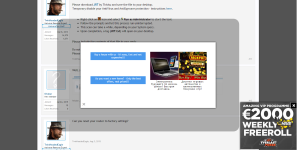
Russian adware

Status
Not open for further replies.
Unfortunately, I can't find it.

Let's check your PC one more time:


51a46ae42d560-malwarebytes_anti_malware.png
Scan with Malwarebytes' Anti-Malware

Please re-run
51a46ae42d560-malwarebytes_anti_malware.png
Malwarebytes' Anti-Malware.

  • First of all, select update.
  • Once updated, click the Settings tab, in the left panel choose Detection & Protection and tick Scan for rootkits.
  • In the same tab, under PUP and PUM detections make sure it is set to Treat detections as malware.
  • Click the Scan tab, choose Threat Scan is checked and click Scan Now.
  • If threats are detected, click the Apply Actions button. You will now be prompted to reboot. Click Yes.
  • Upon completion of the scan (or after the reboot), click the History tab.
  • Click Application Logs and double-click the newest Scan Log.
  • At the bottom click Export and choose Text file.
Save the file to your desktop and include its content in your next reply.


FRST.gif
Scan with Farbar Recovery Scan Tool

Please re-run Farbar Recovery Scan Tool to give me a fresh look at your system.
  • Right-click on
    FRST.gif
    icon and select
    RunAsAdmin.jpg
    Run as Administrator to start the tool.
    (XP users click run after receipt of Windows Security Warning - Open File).
  • Make sure that Addition option is checked.
  • Press Scan button and wait.
  • The tool will produce two logfiles on your desktop: FRST.txt and Addition.txt.
Please include their content into your next reply.
 
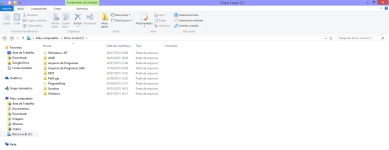
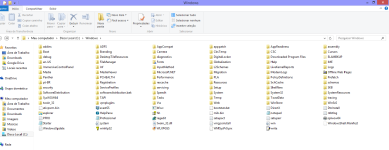
I don't know if any of these help, but I found some suspect archives in my PC
 

Attachments

  • pastas 2.png
    pastas 2.png
    65.4 KB · Views: 4
  • pastas.png
    pastas.png
    88.8 KB · Views: 4
You never said that I needed to uninstall the browsers. Should I let them this way or uninstall them and reinstall?
 
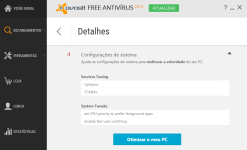
Well.... nothing changed. At the start it was normal but, it came back after 2 minutes. My antivirus said that I have some files in my pc that I should delete because it's taking space, but don't classifies them as viruses. Upgrading to Windows 10 helps?
 

Attachments

  • adw rs.png
    adw rs.png
    324.6 KB · Views: 2
  • Sem título av.png
    Sem título av.png
    26.5 KB · Views: 2
FRST.gif
Scan with Farbar Recovery Scan Tool

Please re-run Farbar Recovery Scan Tool to give me a fresh look at your system.
  • Right-click on
    FRST.gif
    icon and select
    RunAsAdmin.jpg
    Run as Administrator to start the tool.
    (XP users click run after receipt of Windows Security Warning - Open File).
  • Make sure that Addition option is checked.
  • Press Scan button and wait.
  • The tool will produce two logfiles on your desktop: FRST.txt and Addition.txt.
Please include their content into your next reply.
 
I asked some people in this time and the answer I got was that the license is unlimited. Will update ASAP
 
Well I did it. No positive results. But on the other side I discovered how to reset the router
 
Status
Not open for further replies.

You may also like...