Open MalwareTips in Safari and tap Share. You may need to open the Page Menu first.
Choose Add to Home Screen. If it is not listed, use Edit Actions to add it.
Keep Open as Web App enabled if shown, then tap Add.
Android
Open MalwareTips in Chrome or another browser that supports app installation.
Open the browser menu and look for Install app, Install and create shortcut, or Add to Home screen.
Choose Install and confirm. Wording varies by browser.
Desktop
Chrome: use the install icon in the address bar, or the menu under Cast, save and share.
Edge: open the menu, then More tools, Apps and Install this site as an app.
Safari on Mac: choose Share or File, then Add to Dock. Firefox on Windows: look for the web apps button in the address bar.
If you cannot find an install option, update your browser or use its bookmark option to keep MalwareTips close.
Keep up with your conversations
After installation, open the app and sign in. Enable push notifications in Preferences if you want alerts. On iPhone and iPad, push requires a Home Screen web app and iOS or iPadOS 16.4 or later.
Wow. I normally follow @cruelsister's install instructions ON THE D/L where a user can OPT OUT of the AV component for just the FW and Containment Program. However i just tried that on the 84Kb D/L and it didn't offer that option.
The best place to download the latest version is from the top of the 12.3.4.8162 release forum post. Direct download link: CIS Premium 2025. When you come across the first installer window click on Options and you'll have the option of which component to install. If you are going to use Killswitch, MD incorrectly detects the installer as a trojan so you have to temporarily disable MD real-time protection and then re-enable it once it installs. Only a few AVs detect it is a PUA and MD only detects the installer but no issue after that.
I've used CIS/CFW for many years off and on. I suppose I've been lucky without many issues apart from the case when there was a certificate issue last year or could have been early this year when CIS/CFW didn't trust it's own certificate but all in all it's worked well with me. The simplistic approach works best as I've tried the various tweaks including with removing all of the vendors from the trusted vendors list which caused issue if I removed a vendor for a program already installed. Protecting the entire drive with HIPS made things a bit unstable and not having the expertise when it comes to HIPS alerts didn't help.
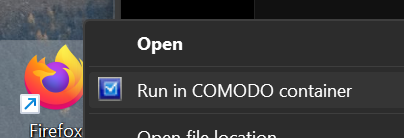
I really like @cruelsister 's setup and because my ISP uses IPv6, I enable that filtering. As mentioned before, the AV element of CIS is more just about categorising the untrusted files and therefore a different approach from normal security packages but I just use the Firewall these days, it's very light on my system and works harmoniously with MD. You can even use @Andy Ful 's FirewallHardening tool as windows firewall will still block those connections even with CFW installed. Although overkill, it also runs fine with CL though CL with pop up with an exploit alert when you try to run something in containment for the first time but it will whitelist if you click allow. See below when I try and run Thunderbird in a sandbox.
If you decide to use it, it's up to you. I find it a very effective tool for the possibility of human error. You want browser protection? Use NoScript, an adblocker and if your shopping, Netcraft. CFW's web protection only ever worked with Internet Explorer and earlier versions of Firefox and it uses more resources than the other elements of CFW.
An additional note that since the new version, contained applications don't have internet access, this is because Comodo's
more recent fix added Windows Sockets Interface into HIPS protected objects and this is still in effect with HIPS disabled. You'll have to remove that entry or tweak it some if you still want to have internet access for contained applications such as a browser.
Anyway, I vote for using it if you don't mess around with it too much but as many have indicated, maybe not for the novice if you are going to some additional tweaks.
The best place to download the latest version is from the top of the 12.3.4.8162 release forum post. Direct download link: CIS Premium 2025. When you come across the first installer window click on Options and you'll have the option of which component to install.
Yes, I had the same installer, the 84mb one is the one that lets users remove the antivirus component. Also, Comodo seems to be using 2 different databases for the antivirus, one is in Program Files one is in ProgramData. The cache is also in ProgramData. There are no configuration files so it mist be true that the whole configuration is in the registry.
It’s a rather hefty antivirus for the benefits it offers.
The website has been a mess for quite some time and even that link in the last image has just linked to the Pro version. See the link when you hover over the Download now (Shown at the bottom below "cispro_installer.exe"). The issue has been raised a few times but it's probably worth raising the issue again.
Just an additional note, if you are using full CIS, it ships with the light database (approx 200mb) but you can use the full signature base via a tick box in the updates setting. That file size is around 800mb but it will very slightly impact performance. CIS/CFW will still check the cloud.
There are three default configuration files that get installed when installing CIS. Look in the CIS install directory for configuration files with extension *.cfgx. Working copies of the settings in those configuration files are stored in the registry. CIS does not read those *.cfgx configuration files on disk however the user can import them into CIS and CIS makes a working copy in the registry and protects those settings in the registry from being tampered with.
Well i DID manage to D/L the FW-Sandybox one this time, Thank You @ErzCrz. Wholeheartedly agree that their website is such a scrambled mess for the 21st Century, in which we are already a quarter of the way into now. Geez Francine
You should get the installer from the release thread on Comodo Forums. You may get older releases from other Comodo locations, including their home products website.
The Comodo "What's New" page for CIS provides some updates for releases. Its URL is different for each new stable release. You should replace the numbers in the "What's New" page URL with the numbers in the download URL for the particular release's updates.
I used to communicate regularly with Haibo Zhang, the VP Operations for Comodo. He was based in China, but worked remotely. He was at Comodo for a while, but left because he described the Comodo environment as "chaotic" and "difficult to work in." It is all because of the way that Comodo does not have dedicated product teams and developers and people get pulled off projects and get directed to other projects - some outside of Comodo.
Comodo forum moderators and staff members likewise expressed their frustrations many times to me about the way that Comodo operates internally.
The overall picture is that the development and bug/vuln fixing within the CIS/CFW products are just outright problematic.
There's nothing that can be offered that suggests otherwise. Nothing between 10 or even 5 years ago has changed internally and how the Comodo executives manage products and the personnel at Comodo.
Comodo software can be used without a user over-burden or overall poor buggy experience by only disabling features and settings, which to me makes absolutely no sense. In my calculus, that means users are installing code that amounts to "bloat" because they can't use it without experiencing problems.
I don't choose to use Comodo, but if I did I can configure it to provide very high protection with all the warts. I don't worry about no IPv6 support, I don't worry about POC vulns and bypasses, I don't worry about none of it. I can cope and ensure that the system is safe. If not, I just clean install the system OS. No big deal. Just a little bit of work.
If my life depended upon it, I would not use Windows for quite similar reasons.
You cannot fully depend on any AV. You said it many times, if I correctly remember. Some experts even say that AV can be worse than malware (it can be sometimes).
Many people are disappointed, even with AV/EDR managed at a high level, because their efficiency is significantly lower than expectations (especially in Enterprises).
Your post is based on unofficial opinions that cannot be confirmed and can be biased. Those opinions are not strictly related to the current CIS 2025. However, they add to some other opinions (including mine) that Comodo management is not at a high level. People who require high-level management should not use Comodo.
High-level management can be crucial when uninterrupted work is important. Bugs in AV can cause downtime at work, which may result in large financial losses.
The collection of user experiences in this thread paints a clear picture. The buggy installers, certificate errors, and general instability aren't just quirks.
This is a perfect example of a Learning Loop. The community's anecdotal reports of instability and poor user experience were the early warning signs. By combining those reports (the "chatter") with specific, verifiable threat intelligence (the CVEs), you create a much more powerful and undeniable case for action. This is how you move from "I feel like this software is unsafe" to "This software is demonstrably unsafe, and here is the proof."
This is a perfect example of a Learning Loop. The community's anecdotal reports of instability and poor user experience were the early warning signs. By combining those reports (the "chatter") with specific, verifiable threat intelligence (the CVEs), you create a much more powerful and undeniable case for action. This is how you move from "I feel like this software is unsafe" to "This software is demonstrably unsafe, and here is the proof."
In this way, you can prove that most AVs are unsafe. Just look at their forums. There are so many unhappy people.
Comodo had significantly fewer vulnerabilities exposed than, for example, Avast.
Allow me one more intrusion regarding Comodo for any not familiar with it and curious to try:
1). I only recommend Comodo Firewall to be installed and not to add the AV module which only adds on-demand scanning capabilities; CF by itself contains on access VirusScope (Cloud lookup). Also if one feels the need for using a pure AV, enable Defender as it works well with CF and has a much more extensive database.
2). I personally do not use the HIPS module (or any HIPS application ever for various reasons). If one really, really wants the HIPS enabled, do so at the Safe Mode setting and DO NOT bother to add personal rules for perceived threats.
3). Rules can be added for the Firewall module on a case by case basis (like if you want to block an application that you always use from calling Home, just change the Firewall setting to Custom, let the application attempt to connect out, and choose Block always). This is something that I always do when installing a new CF build.
4). For those that don't want or are uncomfortable with popups, just click on Silent Mode from the GUI (also will make testing with a bunch of malware more efficient).
5). Otherwise keep it simple. CF works Best when Tweaked Least.
m
Last edited:
Status
Not open for further replies.
Recently browsing
Members who viewed this thread in the last 5 minutes