

UPDATE 2015: I now use the latest available version of CCleaner Portable.
Opinions are welcome, should I upgrade?
At the moment, I still use CCleaner 4.16 on Windows 8.1 x64. I like this version as it does not include the real-time monitoring or unusual GUI.
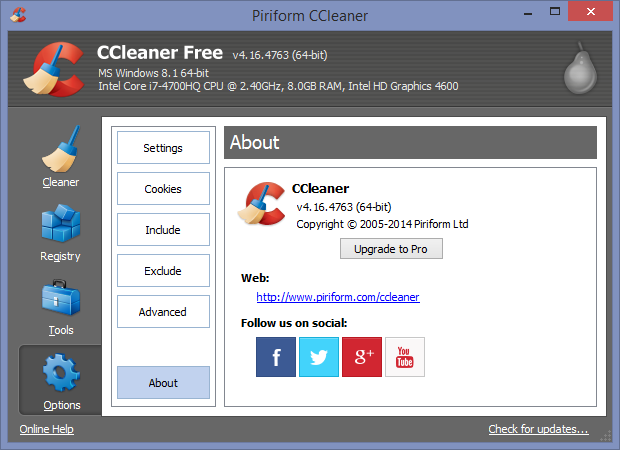
Today, I installed the latest version CCleaner 5.01 in Sandboxie to see the differences, I found 2 noticeable differences, 3 for revamped GUI.
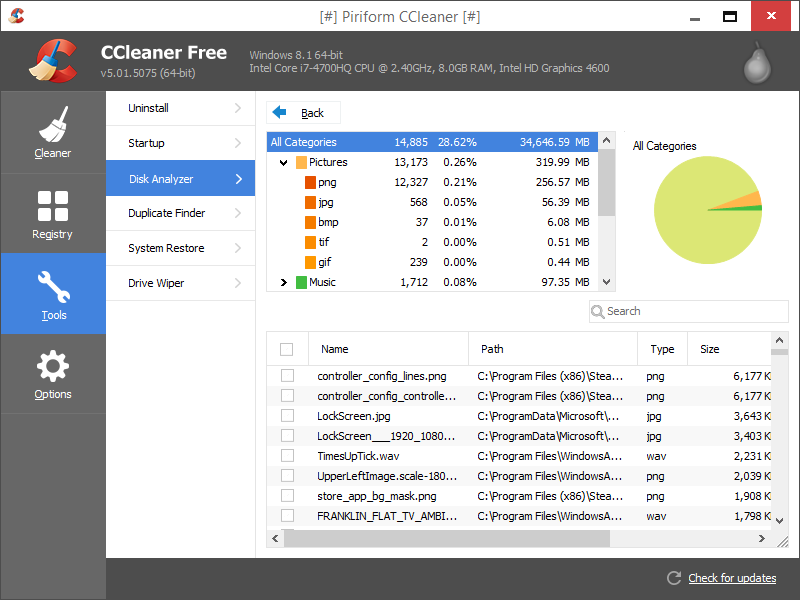
1. Disk Analyzer (Tools)
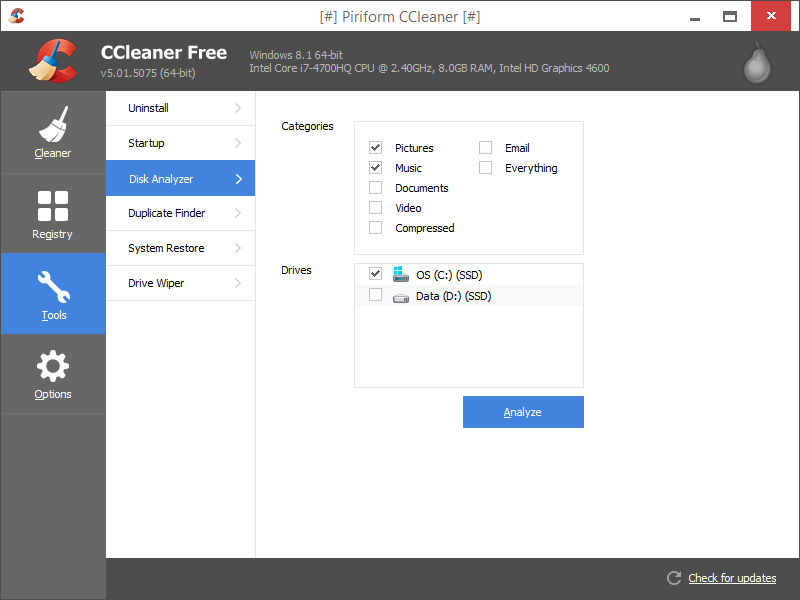
(Note: D:/ is not SSD)
Detailed results for finding Pictures and Music on internal storage devices.
2. Monitoring (Options) - As I understand, this can be deactivated manually or by using the portable version of CCleaner.
- System Monitoring will prompt the user every 8 hours, if the default 500MB of space saved.
- Active Monitoring will run background checks of CCleaner, making sure you have the latest version.
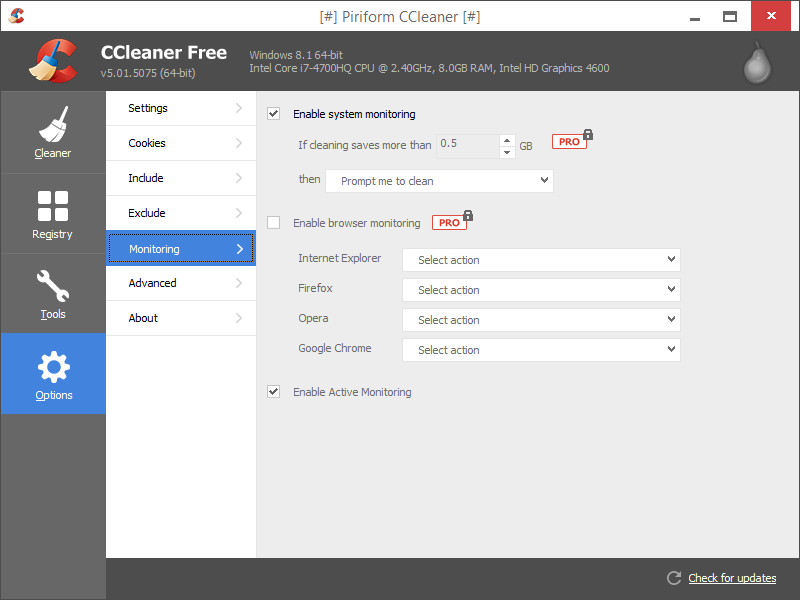
(Help: Piriform - Changing monitoring settings (CCleaner Free))
Opinions are welcome, should I upgrade?
At the moment, I still use CCleaner 4.16 on Windows 8.1 x64. I like this version as it does not include the real-time monitoring or unusual GUI.
Today, I installed the latest version CCleaner 5.01 in Sandboxie to see the differences, I found 2 noticeable differences, 3 for revamped GUI.
1. Disk Analyzer (Tools)
(Note: D:/ is not SSD)
Detailed results for finding Pictures and Music on internal storage devices.
2. Monitoring (Options) - As I understand, this can be deactivated manually or by using the portable version of CCleaner.
- System Monitoring will prompt the user every 8 hours, if the default 500MB of space saved.
- Active Monitoring will run background checks of CCleaner, making sure you have the latest version.
(Help: Piriform - Changing monitoring settings (CCleaner Free))


