

![[correlate]](/data/avatars/m/79/79653.jpg?1556985072)
Do you want a resource friendly program to keep an eye on your computer's hardware? You should give Sidebar Diagnostics a try.
It is a free and open source application. When you install the program, it adds a side-bar to the right side of the screen that displays data from five core hardware monitoring tools: CPU, RAM, GPU, Drives and Network.
The sidebar display ensures that the readings are available at all times on the desktop. If you prefer a standalone program with its own window, check out alternatives such as HwInfo, Windows Resource Monitor, or SpeedFan (for controlling temperatures).
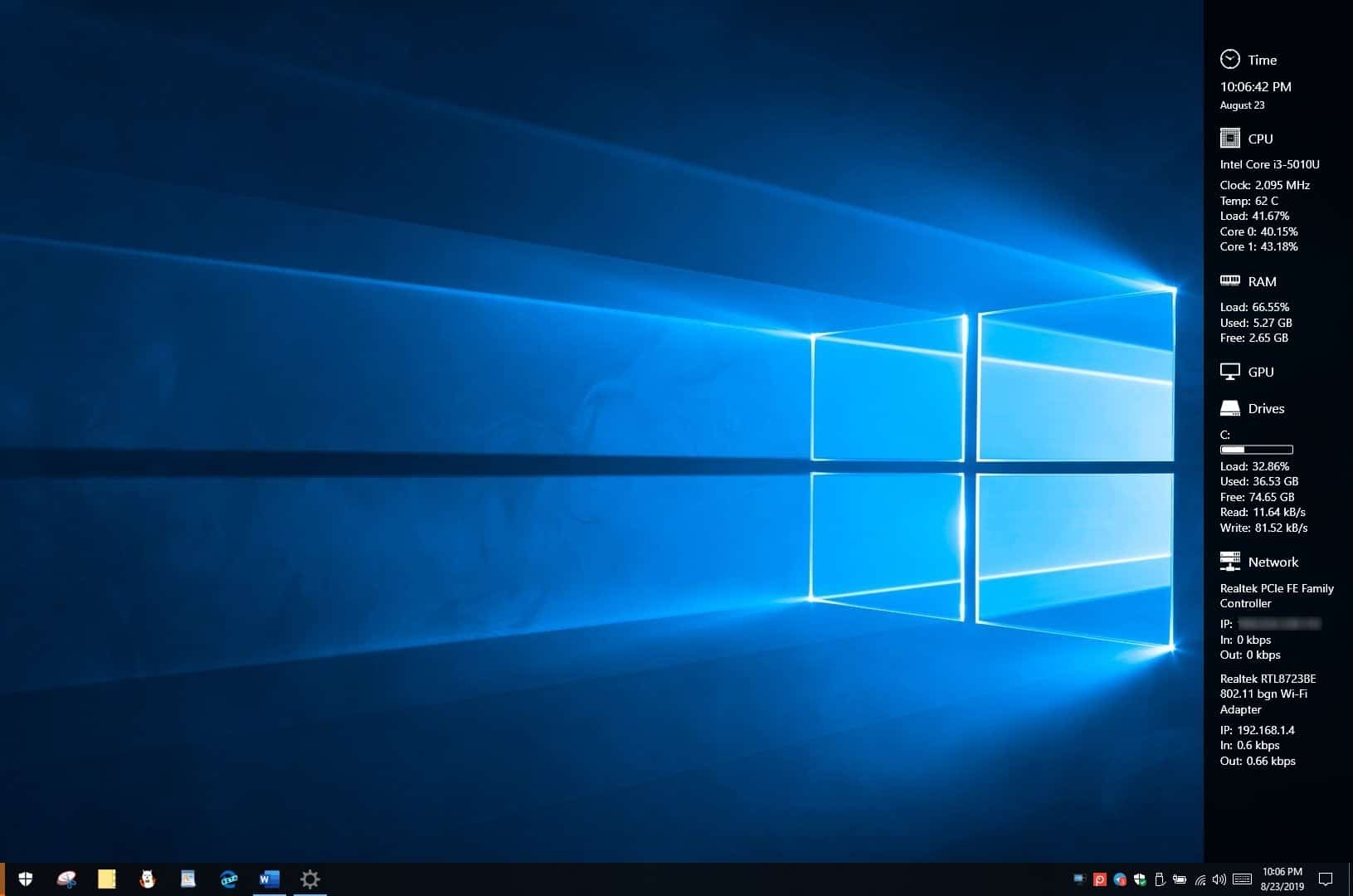
Sidebar Diagnostics is an open-source application that displays your hardware information on your desktop - gHacks Tech News
Sidebar Diagnostics is an open-source hardware monitor program that sits on a side of your desktop. It can be customized to only display specific info.
 www.ghacks.net


